Console Ports
Getting Started
Set up your PlayStation®2 computer entertainment system according to its Instruction Manual. Ensure the MAIN POWER switch (located on the back of the console) is turned on.
Press the RESET button. When the power indicator lights up, press the (OPEN) button to open the disc tray.
Place the Freaky Flyers™ disc on the disc tray with the label side facing up. Press the (OPEN) button again to close the disc tray.
Attach game controllers and other peripherals as appropriate. Follow on-screen instructions and refer to this manual for information on using the software.
Console Buttons
Menu/Sub-Menu Navigation
Throughout this manual, ↑, ↓, ←, and → signify pressing Up, Down, Left, and Right on the directional button.
To navigate through game menus (e.g., Options), use the directional button (↑, ↓, ←, or → depending on the menu) to highlight a selection.
To activate a selection or access the next menu, press the Ⓧ button. To go back to the previous menu and/or cancel the previous selection, press the △ button.
Game Select Screen
The Game Select Screen displays any games saved to your memory card (8MB) (for PlayStation®2), as well as options to create a NEW game or DELETE an existing saved game.
Press the directional button ↑ or ↓ to highlight a saved game, then press the Ⓧ button to select it. Press the Ⓧ button again to go to the Mode Select Menu.
When you select NEW, you'll need to enter a name for the game you're creating. Press the directional button ↑ or ↓ to scroll through the available characters, then press the directional button → to move to the next space. Repeat this process to write the name, then press the Ⓧ button.
If the name appears the way you want it, press the Ⓧ button again to move to the Main Menu. If it's not the name you want, press the △ button to return to the name and make changes. Press the directional button ← to access any characters you might want to change.
Main Menu
Adventure Mode (One Player Only)
In Adventure Mode, you'll select from available characters then travel race-to-race. Try to finish in at least 3rd place. Some races may require a 1st or at least 2nd place finish as well.
If you finish in the minimum position required, you'll move on to the next race. As you complete races, you'll follow the Freaky Flyers story of the character you choose.
Adventure Mode Sub-Goals
There are six Sub-Goals in each level that will yield two types of rewards: BOOST RING HIGHWAYS and POWER-UP SLOTS (see SUB-GOALS, pg. 13 - 14).
They aren't necessary for advancing to the next race, but completing them will assist you in the race or possibly unlock characters, tracks or Mini Games.
Race Mode (One or Two Players)
In Race Mode, up to two players are free to choose from available characters and play a single race in any of the available levels. At first, you'll have one level to choose from, but more will open as you achieve success in Adventure Mode.
Sub-Goals are also available in Race Mode, so the same benefits apply as you successfully achieve each race's Sub-Goals (see SUB-GOALS, pg. 13 - 14).
Dog Fight Mode (2 Player Only)
Both players select from available characters, then take to the skies in a Dog Fight. Your Dog Fights will take place within sections of the Freaky Flyer race levels.
Dog Fight Options
Before you get started, choose the amount of TIME (1, 5, 10, 15 or 30 minutes) your dog fight will take place, or how many KILLS (1, 5, 10, 15 or 30 kills) it will take to determine the winner.
Select OPTIONS, then press the directional button ↑ or ↓ to highlight the option. Press the directional button ← or → to cycle the options. If your race time runs out with an equal number of Kills, it will become Sudden Death.
Dog Fight Radar
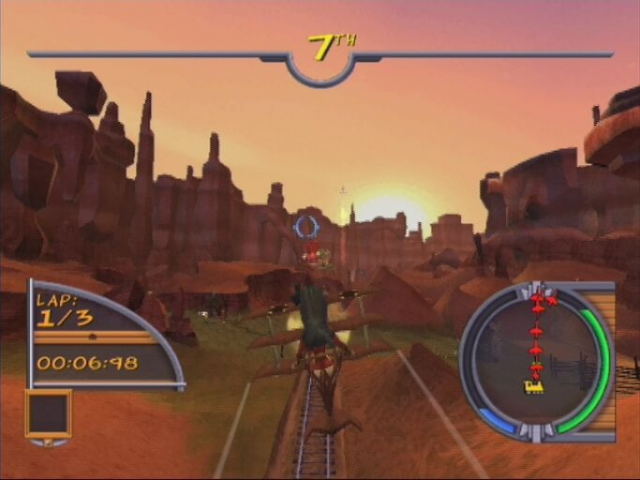
Keep an eye on the Radar Screen. Colored dots represent you and your opponent to help you find each other during the fight.
Mini Games (One Player Only)
Mini Games get you out of the Freaky Flyers racing circuit to take on heroic challenges. Not all Mini Games are available when you first start playing, so you'll need to win Adventure Mode races to unlock the other Mini Games.
Before each Mini Game, you'll be briefed on your mission, so pay close attention to the narrator.
High Score
.png)

.png)



.png)

.png)


.png)