Getting Started
Set up your PlayStation®2 computer entertainment system according to its instruction manual. Ensure the MAIN POWER switch (located on the back of the console) is turned on.
Press the standby/RESET button. When the power indicator lights up, press the open button to open the disc tray.
Place the Jade Cocoon™ 2 disc on the disc tray with the label side facing up. Press the OPEN button again to close the disc tray. Attach game controllers and other peripherals as appropriate. Follow on-screen instructions and refer to this manual for information on using Jade Cocoon 2. PlayStation®2 Components
Memory Cards
Jade Cocoon 2 allows you to save your game onto Memory Cards (8MB) (for PlayStation®2) (sold separately) and resume play from previously saved games. Insert memory card(s) into the PlayStation 2 BEFORE starting play. Important
Do not remove a memory card while saving or loading games. Doing so could damage the game data.
Starting the Game
This game can be started in one of three modes. You can press the START button during the opening movie to skip it and display the title screen.
Press the START button again from the title screen to display a menu of three choices. Use the directional button Up and directional button Down to select a choice and press the X button to enter.
This mode starts the game at the beginning of the story. Select this mode to begin the story.
This mode is used to resume a saved game. Use the directional button Up and directional button Down to select the game to load and then press the X button to enter. When loading is complete, press any button to resume the game.
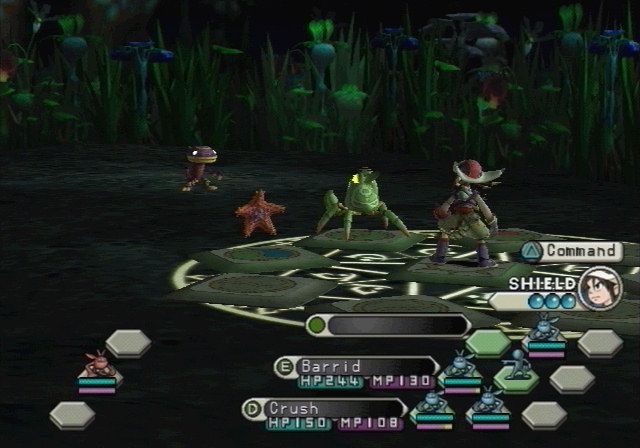
This mode is used to conduct a team battle in the Battle Arena. First, use the directional button Up and directional button Down to select "Player 1 vs. Player 2" or "Player I vs. Computer" or one of the other combat modes, then press the X button to enter. Next, enter the teams that are to fight in the order Player I, Player 2 to start the battle.
Welcome to the Battle Arena!
Pick the type of battle.
[Kikinak & Co.]
This is a shop selling items, run by Levant's friend Kikinak. Here you can get information from Kikinak, buy and sell items, and use the Warehouse. Use the shop often. The Shopkeeper Birdman (on the right)
He buys and sells items. To buy an item, select "Buy items," pick the item you want, and pay for it. To sell items, select "Sell items." Select the item you want to sell from among the items you are carrying and press enter to get paid.
The Warehouse Birdman (on the left)
He can hold on to some of the items you are carrying. By letting him keep consumable items and other items you may not need immediately, they will not be lost if you lose in combat in the Forest. Remember that you cannot take items out of the Warehouse if you cannot carry any more items.
[Lounge]
The Lounge is a place for BeastHunters to gather and relax. These are your colleagues who share your occupation, so you can hear lots of interesting stories. The Bulletin Board where people post jobs is also here.
[Save]
This choice lets you save your game.
You can Save Your Game not only from the Transporter but also in the Wormhole Forest
Saving can be done not only with the Transporter command but also when moving to the next level in the Forest (the method of saving is the same). Use the up and down directional button to select the file to save your game and then press the x button to enter.
Be sure to insert a memory card (8MB) (for PlayStation®2) into MEMORY CARD slot I first. To overwrite the current content, select "Save" and press enter.
*Saving a game requires 713 KB or more of empty space on a memory card (8MB) (for PlayStation®2). Also, do not remove the memory card while data is being saved to or loaded from the card.
Moving Through the Forest
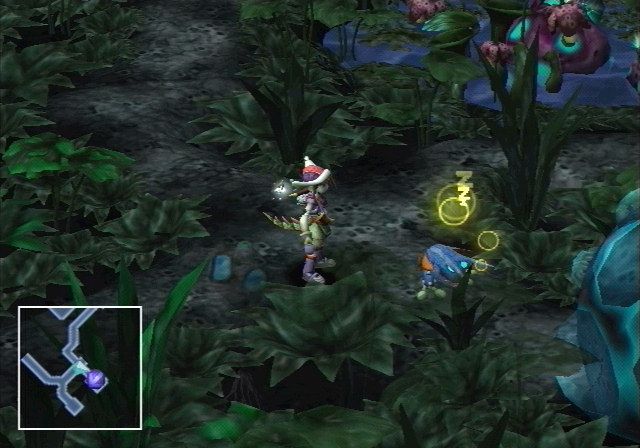
Remember these rules for moving through the Forest so that you won't have any trouble in your adventures.
Your Adventures are Set in the Four Wormhole Forests
Your adventures are centered about the four elemental Forests called the Earth Forest, Water Forest, Wind Forest, and Fire Forest. Various events happen in the Forest, and Kahu and his Divine Beasts grow through battles occurring there. Kahu must advance to ever-deeper layers of the Forest in search of the four "Orbs" in order to break his curse. Going into the Forest
Pressing the X button in front of the Kumari Gate on the left side of the Throne Room displays the screen to the right. First, use the directional button up and directional button Down to select the name of the Forest you want to go to.
At this time, you can check on how far you have gone in each Forest (indicated by lines), the position
.png)

.png)
