MAIN MENU
The Main Menu is the gateway to everything within Powerdrome.
Quick Race
For quick, all-adrenaline action, Quick Race puts you straight into the thick of racing. You can select any characters and tracks unlocked in the Championship. Championship
Here you will race to glory across the worlds of the Hegemony. The finest racers in the galaxy are ready to take you on in the Powerdrome championship events.
Time Trial
Hone your racing technique in Time Trial. There are no racers and no pressure, just you, the track, and a ticking clock. A handy hologram of your fastest lap time is provided to pace yourself against. Multiplayer
Play split screen with a friend using an additional DUALSHOCK®2 analog controller in controller port 2.
Gallery
Watch your recorded replays, view your records, and see your bonuses that you have unlocked in Championship.
Options
Change the game settings to suit your playing style.
CHAMPIONSHIP
Powerdrome racers live to race, and it's here in the Championship where they get to test their mettle. The Championship consists of a series of challenging events, starting with the easy San-Kei Open Pre-Season qualifier. Don't get too cocky after the first few easy events, as they get much more challenging.
Event Types
Circuit Race
Circuit races are the default format for Powerdrome events. They can take place on any track anywhere in the Hegemony. They simply involve a number of racers competing to gain podium positions and thereby medals.
Eliminator
In Eliminator, all the blades are wired with small explosive devices. The last blade in the field to cross the finish line on each subsequent lap is eliminated by detonating the explosives. With each new lap, another blade is eliminated. The winner is the last blade surviving. You can also remove another blade from the action by using BOOST RAM.
Challenge
Challenge races take two racers and pit them against each other, head to head. They can take place on any track in the Hegemony, but the favorite proving ground for personal grudges are the labyrinthine gutters of Mastan.
Hot Lap
Hot Lap presents the racer with a target time, which he must attain within the set number of lap attempts they have been given. Use Time Trial to improve your skills on a given track. As you complete events within the Championship, extra tracks and characters will be unlocked. Cool new content will also appear in the gallery. The more you race, the more you get to see!
MULTIPLAYER RACING
Powerdrome is designed so that you can race your friends using split screen.
Split Screen Racing
Using the Split Screen mode, you can race against a friend using only one PlayStation®2 computer entertainment system!
•
To start a split screen game, select Multiplayer from the Main Menu and then select Split Screen.
•
Each player can then join the game individually by pushing the START button on his or her controller.
GALLERY
Your replays and records are accessed through the gallery. Each time you save a replay, it will be added here.
Gallery Options
New features and content are unlocked and added as you progress through the Championship, so keep playing.
OPTIONS
You can use the options screen to change the game's settings to suit your personal preferences.
Controller Settings
These allow you to select controller settings more suited to your style of play. You can select a different setting for each controller.
Powerdrome has an advanced physics engine, which feeds through to the vibration features built into the DUALSHOCK®2 analog controller.
Adjust Audio
These sliders allow you to adjust the balance of Sound Effects, Music, and Character Speech.
Camera Shake
This can be used to turn the camera shake special effect on and off.
Default Camera
Set the camera that you prefer to start your races with.
HUD Dial Detail
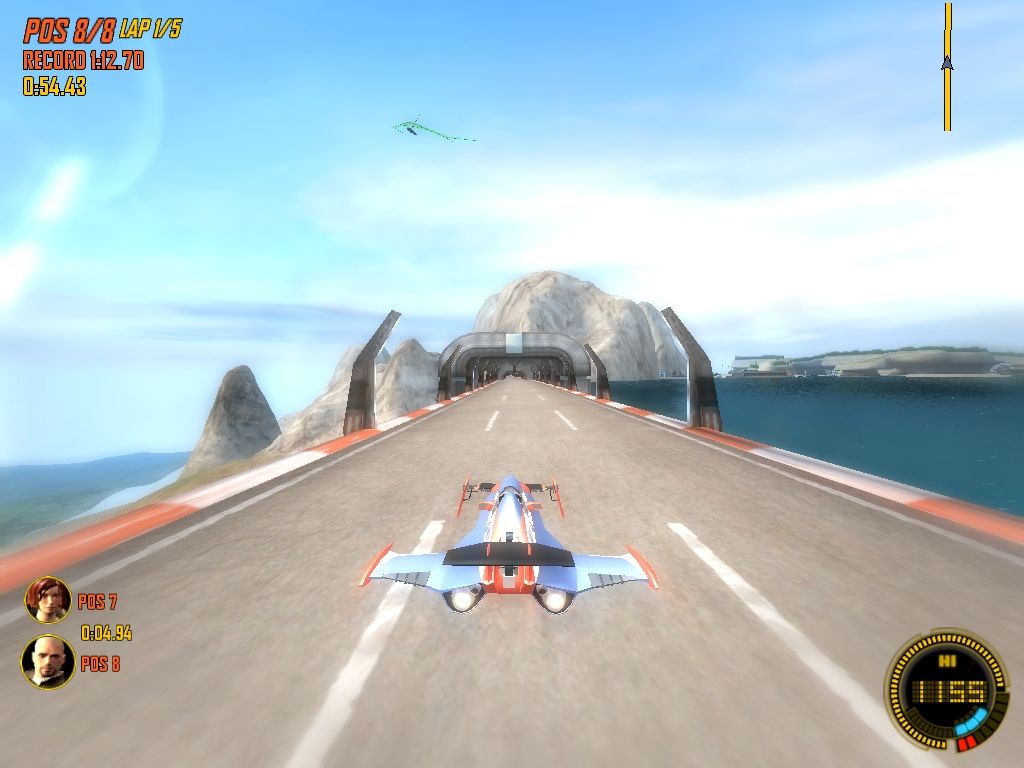
Allows you to change the complexity of the HUD Dial. This even allows you to turn all the instrumentation off should you so wish.
Adjust Screen
Allows you to correctly position the image for your television.
Wide Angle Camera
Allow extra visibility on widescreen televisions.
Auto Save
Turn auto saving of game progress on or off.
Reset to Default
This will reset all the other options back to the default settings of the game.
.png)

.png)
