GETTING STARTED
*Note: Illustration may not match all PlayStation®2 console types. For owners of SCPH-70000 series PlayStation®2 systems, refer to the setup instructions supplied with your system.*
Set up your PlayStation®2 computer entertainment system according to the instructions in its Instruction Manual. Make sure the MAIN POWER switch (located on the back of the console) is turned ON.
Press the RESET button. When the power indicator lights up, press the OPEN button and the display will open. Place the Rocky Legends™ disc on the disc tray with the label side facing up. Press the OPEN button again and the disc tray will close.
Attach game controllers and other peripherals, as appropriate. Follow on-screen instructions and refer to this manual for information on using the software.
Memory Card (8MB)(for PlayStation®2)
To save game settings and progress, insert a memory card (8MB)(for PlayStation®2) into MEMORY CARD slot 1 of your PlayStation®2 system. You can load saved game data from the same memory card or any memory card (8MB)(for PlayStation®2) containing previously saved games.
Career Mode
When choosing whom to challenge, your decision will also be influenced by the number of months until the fight, which is displayed on the ranking chart for each available opponent. This will typically be between one and three months, and it determines the number of training games in which you can take part before your scheduled fight. You must judge if you have enough time to train and get your physical stats where they need to be before tackling your opponent.
Exhibition Match
In Exhibition mode, you can pit any of the characters you have unlocked against one another.
Knockout Tournament
The Knockout Tournament mode generates a random series of fights that you must win to take the World Championship heavyweight belt. There are three levels to complete.
Training
The training games were a popular feature of the first game, and we have expanded them to allow you to train as each of the four main characters. Each character has his own gym, his own team, and a unique training game.
The core games are sit-ups, punch mitts, skipping, heavy bag, and speed bag. Additional training games include chin-ups for Clubber, a squat push machine for Drago, and a special version of sparring for Apollo. As Rocky, you can unlock the ability to "chase the chicken." See the Training section for more information.
Practice Mode
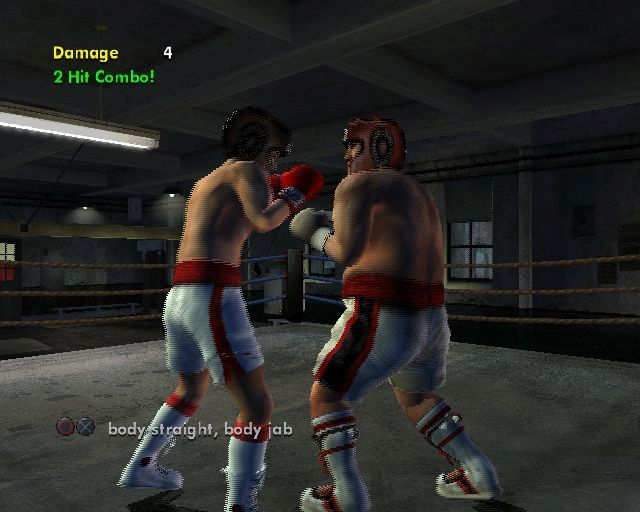
Practice mode allows you to practice against other fighters with no time limits and no winners or losers. It's your chance to polish your skills and try out those combos before you have to use them for real. A help system guides you to the special moves for each player.
Options
This is where you can configure many of the game options.
Shop
In the shop, you can spend all the credits you win while playing. Use them to unlock new fighters, new arenas, and specific bonuses such as movie trailers.
Extras
In the Extras section, you can view boxer bios, venue descriptions, and unlocked Rocky movie trailers; listen to unlocked boxer introduction tunes; view records and replays; and see the game credits.
Survival Mode
Survival mode (once unlocked) allows you to fight in an infinite timed bout against an unlocked random opponent in a random arena, using normal game rules. The aim is to knock down as many opponents as possible, one after another, and achieve a high score. Get knocked down once and you're out.
Options Menu
This menu allows you to adjust game options and to save and load game configuration data.
Controller Setup
Select Controller Layout to choose from four preset control-configuration layouts. You can also enable or disable controller vibration from this screen. The default controller setup is layout A with vibration on.
Audio Options
This submenu lets you raise or lower the volume of in-game sound. The default settings are all full volume, except for crowd volume, which is set at 75%.
•
Music volume: Empty/Full bar
•
SFX volume: Empty/Full bar
•
Crowd volume: Empty/Full bar
Game Settings
•
Boxer Intros: Turning Boxer Intros off disables the walk-ins in Exhibition mode and Knockout Tournament mode (the default setting is On).
•
Three-Knockdown Rule: When this is turned on, a boxer is automatically TKO'd after the third knockdown in a single round (the default setting is On).
•
Saved by the Bell: When this is turned on, a boxer who has been knocked down can be saved by the bell ringing to end the round while he's still on the canvas (the default setting is On).
•
Round Length: Set the round length for each fight in Exhibition mode between 30 and 180 seconds, or choose an infinite round length (the default length is 60 seconds).
•
Number of Rounds: Set the number of rounds for each fight in Exhibition mode between 1 and 15.
•
COM Skill: Set the COM Skill level in single-player Exhibition mode matches at Novice, Contender, or Champ (the default setting is Contender).
Load/Save Options
Load/Save Options allows you to load or to save option configurations to or from your memory card (8MB) (for PlayStation®2), along with any unlocked characters, arenas, and secrets.
.png)

.png)
.png)
.png)
