GETTING STARTED
*Note: Illustration may not match all PlayStation 2 console types. For owners of SCPH-70000 series PlayStation 2 systems, refer to the setup instructions supplied with your system.*
Set up your PlayStation®2 computer entertainment system according to the instructions in its Instruction Manual. Make sure the MAIN POWER switch (located on the back of the console) is turned ON.
Press the RESET button. When the power indicator lights up, press the OPEN button and the display will open. Place the VIETCONG: PURPLE HAZE disc on the disc tray with the label side facing up. Press the OPEN button again and the disc tray will close.
Attach game controllers and other peripherals, as appropriate. Follow on-screen instructions and refer to this manual for information on using the software.
Please note: Vietcong Purple Haze only supports the use of MEMORY CARD slot 1.
QUICK START
Single Player Campaign
To start a Single Player Campaign:
•
Select the Single Player option from the Main Menu
•
Choose your starting weapons and press X
The Quick Fight mode is covered in more detail later on in this manual.
Quick Fight
To play a Quick Fight match:
•
Select the Quick Fight option from the Main Menu
•
Choose your map (more maps and weapons become unlocked as you progress through the Single Player Campaign)
•
Whether you want to be accompanied by a team (only when playing as US)
•
Press to get into the action.
MAIN MENU
To navigate through the menus, use the Directional Button Up/Down to move between options. Use Directional Button Left/Right to change options. Press to confirm or to go back to the previous menu.
OPTIONS
From the Main Menu, highlight and select Options in order to configure VIETCONG: PURPLE HAZE.
*Note: Options Settings are not saved after Restart.*
GENERAL
Turn controller force feedback on and off.
Turn in-game subtitles on and off.
•
Difficulty (Normal / Vietnam)
Change difficulty between Normal and Vietnam mode. In Vietnam mode, you play without HUD or crosshair.
Invert Y axis of Right Thumbstick / Look.
Choose in-game crosshair for aiming.
AUDIO
Adjust volume of in-game sound effects.
Adjust volume of in-game music.
Adjust volume of in-game speech.
Choose between Mono, Stereo, or Dolby Surround.
CONTROLS
Choose between Controller Layout 1 or 2.
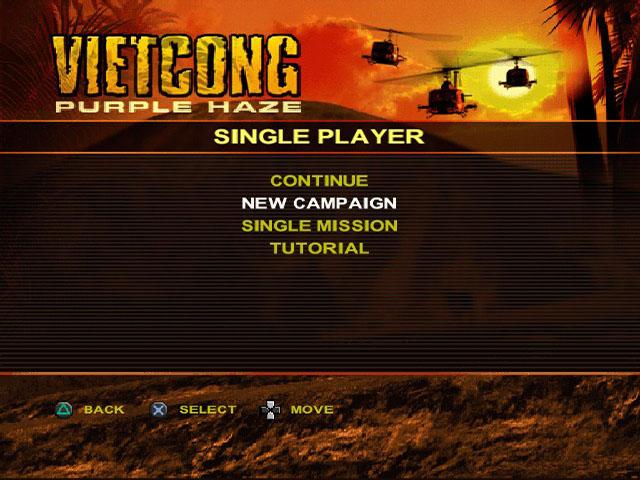
SINGLE PLAYER
New Campaign
Begin your tour in Vietnam. You will start the campaign playing the role of a Sergeant First Class in command of an elite squad of the US Special Forces. Progress through a 19 mission tour of duty.
As you complete campaign missions, weapons and Quick Fight levels are unlocked. To start your tour in Vietnam, select the single player campaign mode.
•
Select the Single Player option from the Main Menu
•
Choose your starting weapons and press .
*Note: Your saved game contains your game progress, including what weapons and Quick Fight maps you've unlocked. On rebooting, choose Continue in the Single Player sub menu to load your saved game. Once loaded, you will be able to continue where you left off in the campaign or access any of your unlocked Quick Fight or Single Missions levels.*
Single Mission
Select Single Mission to replay completed campaign missions.
*Note: Single missions are not available until you have unlocked them in the campaign mode. Try and complete mission objectives quicker, adjust options and set for greater difficulty.*
•
Select the Single Player option from the Main Menu
•
Choose the mission that you want to replay.
•
Choose your starting weapons and press .
Quick Fight
Need to practice your skills or just want some instant action? Choose a Quick Fight! You can make it as easy or as hard as you want by changing the number of enemies, their level of skill & ability and whether to go it alone or take some, or even all, of your squad with you.
Select the Quick Fight option from the Main Menu. Configure Quick Fight with the following options:
Choose from 9 different maps which are unlocked as you progress through the Single Player Campaign.
Play either as a soldier of the US Army or Vietcong.
When playing as the US Army, you can choose whether to be accompanied by a Medic, half of your team, or the whole team depending on the map, or go it alone. When playing as VC, you always go in alone.
Choose the number of enemies on the battlefield: Several


.png)
.png)



.png)

.png)


.png)