Game Types
•
New Tournament: Select the city of your choice and guide its team of players in competition. You'll need to beat each of the other six teams to advance to the championship in Phoenix. It's your team versus the computer.
•
Load Game: The game has a password function that allows the continuation of a Tournament or Series.
Tournament Mode Rules
In Tournament mode each team has two players dedicated to it. When you select your city, you will play with the team assigned to that court. Player 1 is always the captain.
If Cooperate is selected under Single Game options, Player 1 is the captain and Player 2 controls his teammate. You may select any city except Phoenix which is where the final game of the Tournament is held.
General Options
Press the Y, B, X or A Button to toggle between the different options.
•
Number of Players: Shut Up and Jam! can be played by 1 to 4 players. To select the 3rd and 4th player (Single Game and Series modes only), you must use a multi-player control adapter. The game supports Hudson Soft's Super Multitap.
•
Music: Toggle background music on or off.
Single Game Options
•
Choosing Up Sides (2 player mode only): Select Compete to play a friend's team head-to-head, or Cooperate to play as a team against the computer.
•
Quarter Length: Select 1, 3 or 5 minute quarters.
•
Scoring Method: Scoring for single games can be set to Play to 21 Points, Play to 50 Points, or Timed Play (1, 3 or 5 minute quarters).
Note: Series and Tournament modes only use timed play.
Series Options
•
Series Length (New Series mode): Play a series of games against the computer or an opponent. Select Best of 5 Series or Best of 7 Series.
Player Selection Screen
When New Game or New Series has been selected, you must select your players. The Player Selection Screen displays 16 players, each with his own personality and special moves.
As you cycle through the players, the top of the screen displays his name, home city, and skill ratings in the following categories:
•
Two Pt: Ability to hit the 2 point jumper
•
Three Pt: Ability to hit the 3 point field goal
•
Dunk: Ability to successfully complete a slam dunk
•
Rebound: Rebounding ability under the boards
•
Steal: Ability to steal the ball from opponents
•
Speed: Overall quickness
How to Select Players
•
1. Press the Control Pad ▲, ▼, ◄, or ► to move the basketball over the player you want as your captain and press the Y, B, X, or A Button to select. The computer, or Player 2, then selects a captain.
•
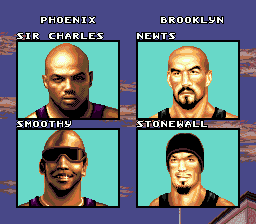
2. Repeat Step 1 to select a teammate. The computer (or Players 2, 3, and 4) then selects a teammate. The Player Match-up Screen will appear displaying the selected players' pictures, names, and home cities.
•
3. Press the Y, B, X, or A Button to go to the City Selection Screen (New Game mode) or begin playing (New Series mode).
Multi-Player Adapter Selection
When you use the multi-player control adapter, Player 3 selects and plays as Player 1's teammate, and Player 4 selects and plays as Player 2's teammate. In 3-Player Mode, the computer will select the teammate for Team 2.
City Selection
After you select your players for a New Game, or select New Tournament from the Main Menu, you must select the city in which you'll play. The City Select Screen has 8 locations.
Press the Control Pad ◄ or ► to scroll through the cities. When the city you want is highlighted, press START to begin the game (New Game mode).
In Tournament mode, you will view your team players and their skill ratings when you press START. Press START again to go to the Pre-game Screen which displays the team match-up and tournament round. Press START to begin the game.
The Courts
Each of the 8 cities has its own style of court:
Running the Floor
Press the Control Pad in the direction you wish the player to move. The dribble is automatic and will continue even if you are standing in one place.
Shooting
There are a number of shots available depending on the movement and/or location of the player.
•
Super Dunk Shots: Taken in and around the paint. Press and hold the L or R Button to activate power, then press the Y or B Button to activate a super dunk.
•
Hook Shot: Taken while running perpendicular (up, down) to the basket and pressing the Y or B Button.
Statistics Screen
At the end of each half and end of each game, a Statistics Screen will appear to show how well each of the four players has played. These statistics are:
•
Points: Total number of points that the player has scored.
•
2 Pts: Number of successful two point shots
.png)

.png)



 (En,Fr,De,It).png)
.png)