Starting the Game
Once you've turned on the game, wait until the word START appears on the title screen and then push the Start button. A menu will appear, offering you different game options. After that, you'll pick your team.
For both game and team selections, use the Control Pad to highlight your choice, press B, and then push Start. Use Y to cancel.
The Ace Striker
Each team offers you four Ace Strikers to choose from. Pick one by using the Control pad and B, as before.
The Ace will make faces during the game to show you how it's going.
Game Options
SUPER SOCCER CHAMP offers you six different ways to play the game. Each mode is a challenge, pitting you against the computer or another player. If you choose to play against the computer, you can study its strategy to learn offensive and defensive techniques.
•
1P VS COMPUTER: You against the computer. If you win, your team moves to the next round. If you lose, you can continue with the same teams.
•
1P, 2P VS COMPUTER: You and a friend challenge the computer. This will be tough, so each of you is allowed to choose an Ace Striker.
•
1P VS 2P: If you would rather take on an opponent you can see, select this. You both get an Ace Striker to duel with.
•
PK GAME I: This is you against the computer in an all out, win or lose, penalty kick match. Six members from each team get a shot.
•
PK GAME II: The difference here is that two players challenge the computer in a penalty kick game. Each player can make three kicks.
•
PK GAME III: Player one goes up against player two in a penalty game. You'll have to be on your toes for this one.
Option Mode
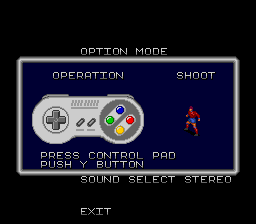
Select Option from the Game Mode Menu to access a new menu. Here you can choose sound effects, set the time limit per match, and observe the many moves of your players. Push the Control Pad up or down to move, and left or right to select an option.
•
AUDIO TEST: SUPER SOCCER CHAMP has a variety of sound effects and background music. To hear a sample, highlight one and then press B.
•
TIMER: You can choose 3, 4, or 5 minute matches. The time limit you set will last until you change teams or start over.
•
MONO/STEREO: To really feel the roar of the crowd, choose Stereo. A team needs all the support it can get.
•
EXIT: To return to the Game Mode Menu, select Exit and press B.
•
TUTORIAL: This option shows you the basic soccer moves and how to make your player perform them. Push B to advance.
Stats
The statistics for your team's performance appear after every match. The stats will accumulate through each match if you are winning. If you lose, the stats only reflect the game just played. Penalty kicks aren't tracked.
Continue
If you win, the next match starts immediately. If you lose, the Game Over screen appears, and you can Continue.
To Continue, select Yes with the Control Pad and push Start. You will then begin a new match with the same team, against the same opposing team. Or you can choose No to quit or start over.
The Penalty Kick
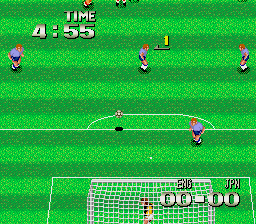
If the match ends with no score or a tie, there will be a series of penalty kicks. Each team gets six tries at making a penalty kick. The team which makes the most goals wins.
Rules
Player one kicks first while the opponent defends. The two teams alternate kicking and defending until each has tried six kicks. If there is still no score, the penalty kicking continues as sudden death—the first team to score wins.
Goal Keeper
If you are playing a PK Game, you can control the goalie with the following inputs:
•
Move in 8 directions with the Control Pad
•
Dive left or right with the Pad and buttons together
The Kicker
•
Press and hold Y to begin and make a fast shot.
•
Push B and hold to make slower shots.
Volley Kick
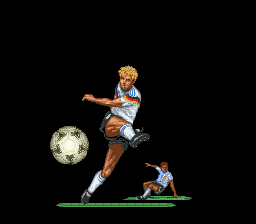
If the ball is passed straight toward your player and he is facing it, push B or Y. Your man will strike the ball out of the air for a quick goal or pass. The defense has difficulty in blocking this type of kick, so it's useful when your player needs to clear a block.
Jumping Volley Kick
The jumping volley kick should be attempted if your active player is receiving the ball from an angle. Push the Control Pad to aim the kick and at the same time hit B or Y. The player will make a high jump and strike the ball in the air. This is an effective passing technique.
Overhead Kick
When your player is receiving the ball and needs to pass it right on to a teammate behind him, try this overhead kick. While the ball is in the air and approaching, press the Control Pad toward the teammate behind your player and push Y. Your man will back flip, kicking the ball.
Defensive Play
Only in SUPER SOCCER CHAMP can you choose to commit a foul. Your player can punch, pull or kick to regain possession of the ball. Another defensive strategy is "marking." That means guarding opposing players one-on-one with your men.
Even though you can foul, the Referee may call it. However, he doesn't see very well
.png)

.png)
.png)
.png)
