Introduction
Step out onto the field with the Boys of Summer, and play America's game, a game that has thrilled generations of fans. Cal Ripken Jr. Baseball offers the action and excitement of the real game. Hit pitches deep out of the stadium with powerful sluggers. Strike out the best hitters of the game with overpowering fastballs and devastating curveballs that appear to drop from the sky. Steal bases and stretch a single into a double against outfielders and catchers with cannon-like arms.
Cal Ripken Jr. Baseball offers total control of 16 regular teams, in two leagues, and two All-Star teams. Play exhibition games against your toughest rivals in one of three stadiums, each of which affects play differently. Control one team throughout an entire 20-week season and even on to the Playoffs and the World Championship, the ultimate challenge baseball offers. So step up to the plate, hear the crowd, feel the summer breeze, smell the freshly cut grass, and hit the next pitch out of the park!
Starting the Game
•
1. Insert Cal Ripken Jr. Baseball into your Super Nintendo Entertainment System® (Super NES). •
2. Turn on the Super NES.
•
3. At the title screen, press Start to go to the Main Menu.
Playing the Game
•
1. Starting at the Main Menu, press ↑ and ↓ to select Exhibition, then press B.
•
2. Press ↑ and ↓ then B to select one of these game types: Player 1 vs. Computer, Player 1 vs. Player 2, or 2 Player vs. Computer.
•
3. To select a team, press ↑ and ↓ then B. The second player, if any, may also select a team or you may select a team for the computer.
•
4. At the Stadium screen, press arrows to select a stadium, then press B. See Selecting a Stadium for information about each ball field.
•
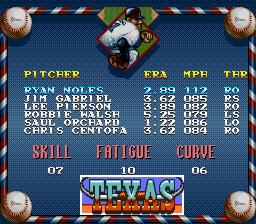
5. To select a starting pitcher, press ↑ and ↓ then B. Player 2 may also select a starting pitcher. The computer selects a pitcher automatically.
Note: Press Reset on your game system, if you want to change teams or stadiums. Player 1 begins in the outfield. At any time, you can change your pitcher, outfield, or position players. See Substituting Players.
If you're in mid-season form and want to get on the field right away, read the Game Controls. Players who need Spring Training, just like the Big Leaguers do, see Main Menu.
Moving the Fielder
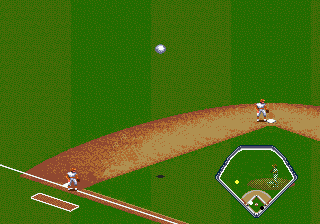
When the opposing batter hits the ball, a fielder is automatically selected to make the play. To move the fielder, press arrows. The player must try to catch the ball before it passes him.
If the ball is hit in the air to the outfield, use the Field Map in the Fielding screen to see where you need to guide your outfielder to make the catch. Press B to make your fielder dive or jump for the ball.
To change the defensive position of all the fielders, press Select when on the Catcher's View screen. This brings up a diamond with the infielders highlighted on screen. The infielders' depth can be adjusted by pressing ↑ and ↓.
Pressing B highlights the three outfielders. These players can be moved up or down and left or right. Once all changes are complete, press Select to resume playing the game.
Switching Fielders
To switch fielders if the infielder misses the ball, press Y. The outfielder nearest the ball becomes the active fielder. You can only switch between infielders and outfielders.
Throwing or Running
A fielder can either throw or run with the ball to a base. To throw the ball after fielding it, press an arrow in the direction of the base, then press B.
If one of your fielders has the ball while standing on a base and you want him to run with the ball, press Y to release him from the base and allow him to run. Use this to tag out a baserunner when you have him in a rundown. When the play is over, the ball is automatically returned to the pitcher.
Batting
You need good timing to hit the ball solidly. Other factors that contribute to good batting include correct positioning in the batter's box, and your hitter's strength and skill as indicated by his stats.
Positioning
To change your batter's position in the batter's box, press ➡ and ⬅. This lets you hit pitches that are thrown on inside or outside corners of the plate.
Use ⬆ and ⬇ to adjust to the style of pitching. Move up to catch a curve before it breaks. Move back to sit on a fastball.
Swinging
When the pitcher throws, press B to swing the bat. You can hit pitches that are out of the strike zone, but you'll usually make better contact with pitches in the strike zone. Lay off pitches that miss the strike zone; a walk is as good as a single.
Bunting
To bunt, press A as the pitch is coming to the plate. Press ⬅ or ➡ to direct the bunt down the baseline toward first or third base.
Pinch Hitting
To substitute a batter, see Substituting Players.
Main Menu
The Main Menu is the starting point for all of your games.
•
Exhibition: Allows you to play exhibition (not regular season) games so you can polish your skills before you tackle a 20-week season. You can also pit the same team against itself by selecting the same team on the
.png)

.png)
.png)
.png)
