Getting Started
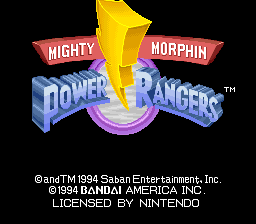
Insert the game cartridge in your Super NES unit and turn the power on. The Title Screen will appear. Select either START or OPTION by using the Control Pad to highlight the desired choice and pressing the START button.
If you select OPTION, you will advance to the Option Screen where you can set up the game to your own specifications. You have control of the following parameters:
•
Time Mode: No Limit/Limit (60 seconds)
•
**BGM:\*\*** Background music sampler
•
Key Configuration: Press START to access the Key Configuration screen.
•
Exit: Press to return to the Title Screen.
\*Face Display lets you see the characters' faces at the bottom of the Game Screen when turned on.
\*\*BGM lets you preview the different pieces of background music.
Key Configuration
This screen allows you to set the controls to your liking. If you want to use the "X" button for Attack A, push the "X" button. If you want to use the "A" Button for Attack B, press the "A" Button and so forth. Press START to return to the Options Screen.
Mode Selection
If you select START on the Title Screen, you will advance to the Mode Screen. You can select Story Mode, Fighting Mode, or Trial Mode.
Playing the Game
Mighty Morphin Power Rangers Fighting Edition is a one-on-one fighting game with three different modes of play: Story Mode, Fighting Mode, and Trial Mode. Story Mode
If you select Story Mode, you will advance to the Story Mode Player Select Screen. Story Mode is a 1 player only mode. You can play as either the Thunder Megazord or the Mega Tigerzord.
Press the Control Pad to highlight your choice, then press the START button. You will face a succession of opponents. You have to win two out of three rounds to defeat each opponent.
If you win, you will advance to the next opponent. If you lose, you have an unlimited number of continues. When you defeat all of your opponents, you will have to defeat a special enemy to win the game.
Fighting Mode
If you select the Fighting Mode, you will advance to the Fighting Mode Player Select Screen. The Fighting Mode is a 1 or 2-player simultaneous mode where you can play against another player or against the computer.
If you select the 1 player mode, you will play against the computer. Choose your character by using the Control Pad to highlight your choice. The computer (CPU) will automatically select your opponent.
If you select 2-player mode, you and your opponent will each have to select a character.
Handicap Screen
After you choose your characters in Fighting Mode, you will advance to the Handicap Screen. This screen lets you handicap a character in order to make the fight more even.
You can set the handicap from one notch (weakest power) to 8 notches (strongest power). Press left or right on the Control Pad to set the handicap level.
.png)

.png)
.png)
.png)
.png)
