Options Menu
This menu offers the following selections:
•
Time: Press right or left on the direction pad to decide the length of time for each match.
•
Pitch View (Flip): Flip this icon to decide what view you wish to play a match in. Your options are Side view, Top view, and Flat view. •
Customize: Triggering this icon opens the Customize Menu.
•
Normal/Fast: Flipping this icon allows you to set the difficulty level of the game.
Weather & Pitch Options
•
Weather Conditions (Flip): Flip this icon to select a specific weather condition for either Practice or Custom Teams/Pre-season matches. Your options are Fine, Hot, or Raining.
•
Pitch Condition (Flip): Flip this icon to select a specific pitch condition for either Practice or Custom Teams/Pre-Season matches. Your options are Firm, Hard, or Soggy.
•
Wind Direction (Flip): Flip this icon to select a specific wind direction for either Practice or Custom Team/Pre-Season matches. Your options are Calm, Northerly, Southerly, Easterly, or Westerly.
•
Mono/Stereo (Flip): Flip this icon to switch the game's sound output between mono or stereo.
Practice Mode
This menu offers the following selections:
•
Normal: Trigger this icon to send a team of your choice out on the play field to practice your moves.
•
Penalty Kick: Trigger this icon to practice your penalty kicks.
•
1 vs 2: Trigger this icon to compete head-to-head with a friend in a sudden-death penalty kick tournament.
•
Penalty Save: Trigger this icon to practice penalty saves.
Note: To exit any of these modes, press START.
Customizing Teams
Up to eight teams can be created for competition in Custom Teams/Custom Trophy matches. By pressing up or down on the control pad, you may choose one of eight files for saving a custom team.
Upon choosing a file in which you wish to save your team, press either START/A/B/X/Y buttons to open the customization screen. To exit this and the previous data file screen, simply choose "Exit" and press any of the aforementioned buttons.
Customize Controls
•
Up/Down: Move cursor vertically to next selection.
•
Right/Left: Moves cursor horizontally to next selection.
•
START: Returns to previous menu.
•
A/B: Shifts through letters, numerals and uniform colors.
When finished customizing, move the cursor to the EXIT selection and press either START/A/B/X/Y to exit the screen.
Team Selection
The Team Selection screen appears prior to a match (the Custom Teams screen will appear in its place when a Custom Teams/Custom Trophy match is selected). The screen allows you to choose one of 24 teams from around the world.
Standard Team Selection:
•
Control Pad Right/Left: Rotates the world to the country of your choice.
•
B/START: Enters a selection.
Custom Team Selection:
•
Control Pad Up/Down: Moves between team selections.
•
B/START: Enters a selection.
Match Information
The Match Information screen appears prior to a match and offers a look at the conditions that could affect your game. Pressing START/A/B/X/Y will take you to the next screen.
•
Place: Affects the morale of a visiting team.
•
Weather: Affects the stamina of your players.
•
Pitch: Affects ball action on the pitch.
•
Wind: Affects the course of a ball in flight.
•
Referee: Affects penalty calls.
Note: Prior to a Pre-season or Custom Teams match, the referee can be changed by pressing right or left on the control pad.
Team Strength
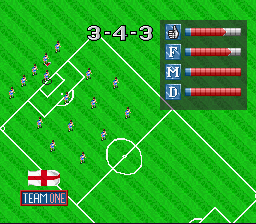
The team strength varies with the chosen formation. This is indicated by the meters in the upper left-hand corner of the Review Squad screen.
The meters are:
Note: Morale affects the various stats of an individual player. Morale will often drop when the captain of a team is injured or sent off the field during a game.
Individual Player Statistics
Pressing down on the control pad pulls open the stats table for an arrow-indicated player on the Review Squad screen. The player's name and position are also indicated.
Position markings are:
•
Cpt: Captain of the team
•
AUTO: Indicates that the auto-goalie mode is active
Stat ratings range from 1 (poor) to 5 (excellent):
•
5 Kick Power: Governs the speed and distance of kicks.
•
6 Speed: Governs on-screen movement.
•
7 Defense: Governs a player's defensive skill (how well he tackles, fouling without being carded, etc.). For a goalie, it indicates how well he defends the goal.
•
8 Strength: Governs a player's stamina, particularly his overall performance during the latter half of a match.
•
9 Attack: Governs a player's offensive technical skill (how well he avoids tackles, accuracy of kicks, etc.).
Substitutions
To substitute or change positions, select the player you
.png)

.png)
 (Proto) [b].png)



 (En,Fr,De,It).png)
.png)