PSP™ System Configuration
•
MEMORY STICK DUO™ access indicator
Introduction
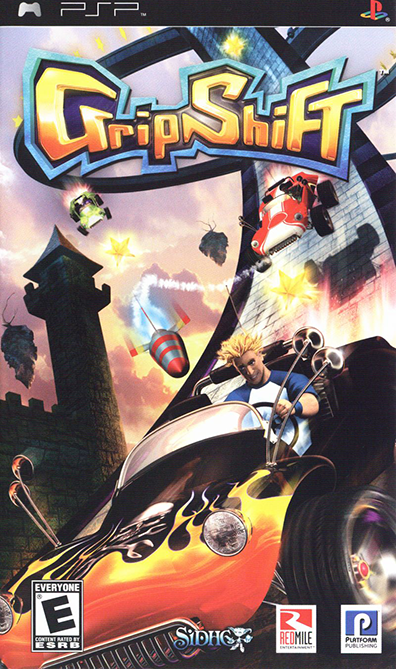
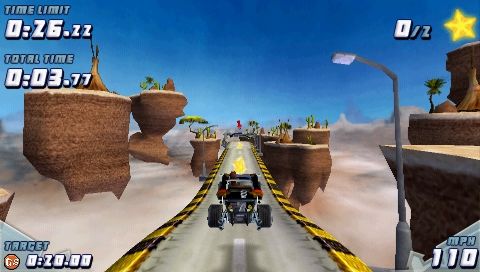
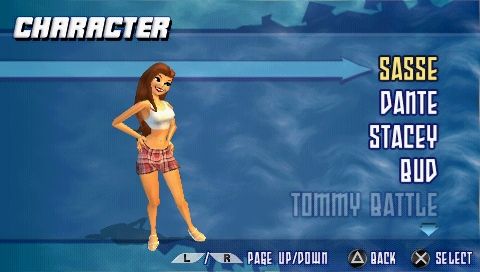
GripShift™ combines high-flying stunt driving and unique puzzle-solving action in an all-out, pedal-to-the-metal driving experience. You can race as one of six unique characters in souped-up vehicles and stunt your way through twisting tracks while collecting power-ups, avoiding traps, beating the clock and challenging friends.
Gameplay
GripShift™ will automatically save game data to the Memory Stick Duo™. Do not remove the Memory Stick Duo™ or switch off the PSP™ system when the Memory Stick Duo™ access indicator is flashing. You have three choices to start playing GripShift™. If this is your first time playing GripShift™ and there are no profiles saved on your Memory Stick Duo™, only the New Game options will be available:
•
New Game: Begins a new profile and game.
•
Load Game: Loads a saved profile to play.
•
Continue Game: Continues the most recent game played.
Unlocking Game Features and Modes
When you first begin to play GripShift™, some of the features in the game will be "locked." These are cool, advanced elements of the game that will become available as you accumulate credits.
You can earn credits by successfully completing levels and the various goals for each level.
Starting a New Game
If you select 'New Game', you begin by entering a name for your profile. The name you choose will be visible to other players in a multiplayer session, as well as being stored with any levels that you create through the Track Editor.
In the center of the screen is an array of letters and numbers. Move the cursor around to highlight letters and numbers, pressing ⓧ to select your name.
You can backspace over a selection using the Ⓛ button. The Ⓡ button will insert a space. You may choose from other symbols by selecting the tabs along the left side of the screen. You may go back by pressing the Ⓞ button. When you are finished, press the START button.
Main Menu
You can pick the style of game you want to play from the Main Menu.
•
Single Player allows you to play alone and against computer-controlled opponents.
•
Multiplayer games are played with other people who also have GripShift™ and choose to play in a networked game with you.
•
Track Editor is a tool that lets you design your own racetracks and share them with others.
•
Options allows you to change your selected character, edit your vehicle, adjust button controls, and tweak game and sound options.
•
Load/Save Options lets you save your profile and game manually.
•
Extras gives you the production acknowledgements for the GripShift™ creators, as well as music, and art extras that can be unlocked and viewed as you earn credits in the game.
Driving
When you begin a level, you will be shown a fly-by of the level to give you an idea of the layout, checkpoints, power-ups and other features. You can skip this fly-by by pressing ⓧ. The fly-by will be re-shown each time you restart the level.
When you first play the early levels you will be presented with a help screen after the fly-by has finished, giving information on game controls and level features. To view this help again, press the Ⓞ button during the fly-by.
Playground
The playground is a single player bonus arena. There is no exit in this game. You drive and jump to earn a medal by collecting all the stars within the time targets. To exit the playground, pause the game and select 'Return to Menu'.
Football Crazy
•
SINGLE PLAYER: In Football Crazy you must score goals against the clock. Use your vehicle to "kick" the balls into the correct net. Credits are awarded based on final score and finish time.
•
MULTIPLAYER: Multiplayer Football Crazy pits players against one another as they try to score goals. If there are more than two players, teams will be assigned. There are no credits awarded in multiplayer Football Crazy.
Snaker
•
SINGLE PLAYER: In Snaker, you steer your vehicle around a grid trying to collect stars. A "trail" will appear behind your vehicle, as well. The more stars you collect, the faster your car will travel and the longer your trail will extend behind your vehicle. Crashing into your trail or a wall will result in a loss.
•
MULTIPLAYER: In multiplayer Snaker, up to four players drive on the same grid. The objective is to collect the most stars. Crashing into walls or other players' trails will knock you out of the competition. When the last player has crashed, the game ends and the winner will be announced.
Ice Hockey
•
SINGLE PLAYER: The objective is to score as many goals as you can against your opponent. Collect the puck by driving into it, shoot it using the O button. If you shoot too close to the goal, you will be penalised. Credits are awarded based upon the score difference between you and your opponent. •
MULTIPLAYER: The objective in the multiplayer game is the same as the single player, but pits you against other players. For games with more than two players, teams will