Top View
Starting the Game
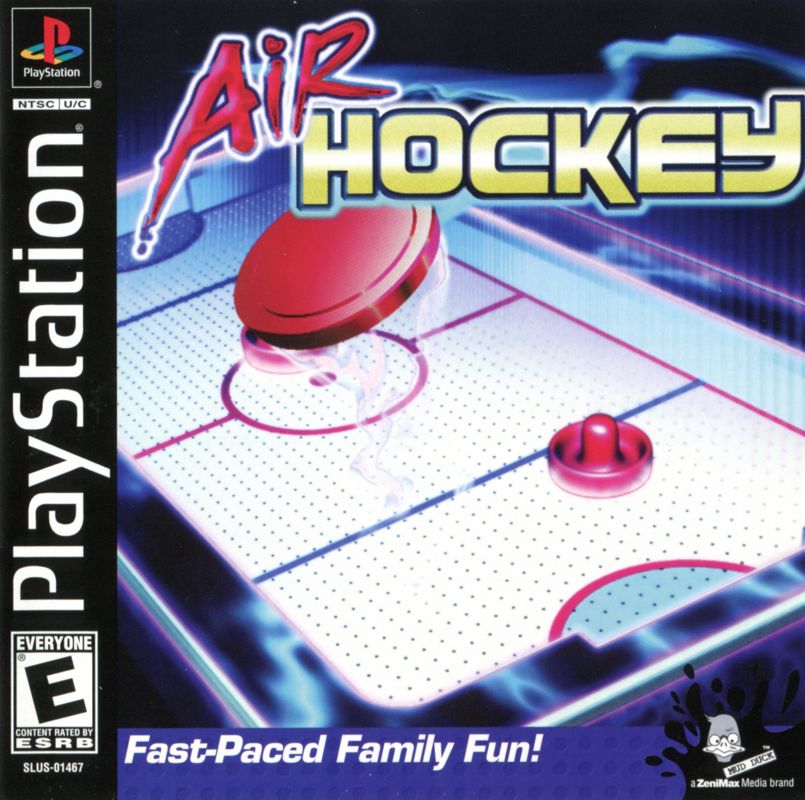
1. Set up your PlayStation® game console according to the instructions in its Instruction Manual. Make sure the power is OFF before inserting or removing a disc. It is advised that you do not insert or remove peripherals once the power is turned on. 2. Insert the Air Hockey disc and close the disc cover.
3. Insert game controllers and turn on the PlayStation game console. Opening Visuals and Demo Mode
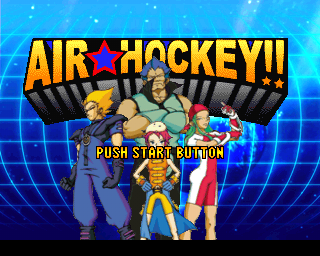
Press or hold down the START button to skip the opening visuals. After the opening visuals, the Title screen appears.
If you leave the Title screen idle, a demo mode will activate. Pay attention to this demo mode, as the many power-ups available on the game board will be explained here. Learn the function of each power up in demo mode to gain an advantage over your opponents.
When you have finished watching the demo mode, you can advance to the Main menu by pressing the START button.
Character Selection
If you are too slow, a timer will count down to zero and pick whatever character is highlighted at the time.
The following characters are available:
Each of these characters has different abilities that must be learned if you are to be successful. Practice playing with each character to get the most from the game.
Match Progression
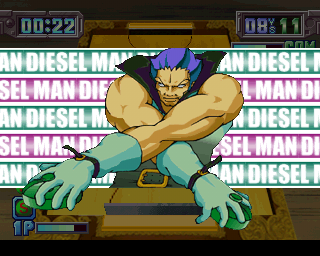
Once you have chosen your character, you will be taken to a screen showing your next opponent. Your opponent will challenge you to a game of Air Hockey. To skip this screen, either wait for a few seconds or press the button.
You will then be taken to a screen showing the next match up between you and your opponent. To skip this screen, either wait for a few seconds or press the button. Following on from this screen, you are taken to the game itself.
How to Play Air Hockey
Air Hockey is a very simple game that requires lightning reactions and real cunning. The game is easy to learn but very difficult to master.
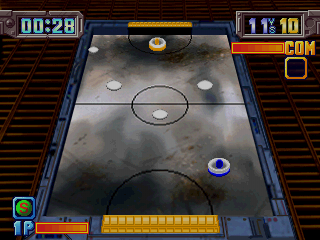
In the one-player game, the lower half of the board is yours; the upper half of the board belongs to your opponent. Each of you has a bat that can only be moved inside your half. Player characters each have a uniquely colored bat so that you can tell them apart.
Players can only move their bat in their half of the board, which means that you must be quick to ensure that you can hit the puck before it reaches your opponent's half of the board. You hit the puck with the button.
Once you hit the puck, it will travel at speed in a certain direction, depending on where your bat is in relation to the puck when you hit it. Try to aim the puck around your opponent's bat and into the goal slot behind them.
Power Ups
Things are made more complicated by power ups and special shots. Power ups appear at random on the game board.
To activate a power up, you must aim the puck at it. If your character hits the power up with the puck, you get the power up; if your opponent hits it, the power up is theirs.
Special Shots
Special shots are activated by pressing the button. Once the button is pressed, your bat will flash, indicating the special shot is ready to use.
Hit the puck using the button, and your character will take their special shot. Each character begins with three different special shots, although more can be acquired during the game by collecting certain power ups. You will need to study Air Hockey's demo mode to uncover the abilities of the game's power ups!
Game Timer and Sudden Death
Once play begins, the timer in the top left-hand corner of the screen begins to count down. Once the time runs out, the game is over, and the player with the highest score wins.
In the event of a draw, the game goes to Sudden Death. A fresh puck is placed in the center of the pitch. The first person to score a goal with this puck automatically wins the game.
Winning and Losing
If you win a game, your character will give a victory speech, and then you will be taken to the next match, in the same manner as you started the first match. This will continue until you lose a game and decide not to Continue, or finish the game.
If you lose your game, a Continue screen appears, with a timer counting down from ten. If you press the START button before the timer reaches zero, you will continue your game. If the timer hits zero, your game is over and you will return to the Main menu.
Boss Character
Once you have defeated the other characters visible at the 'PLAYER SELECT' menu, Air Hockey's powerful boss character will challenge you to a game. You must beat him at Air Hockey, or the planet Earth will be destroyed! Good luck!!
Playing Air Hockey with Two Players
Air Hockey can be played with One or Two Players. To play with Two Players, controllers must be inserted into both controller ports.
Player Two must press the START button at the 'PLAYER SELECT' screen to join in a game. Once both players have selected their character, they are then asked to choose between a '1P V 2P' match (Player One competing against Player Two), or a 'P1 P2 V COM' match (both Players competing against the computer).
Two-Player Bat Colors
When playing a
.png)

.png)




.png)

.png)

.png)