STARTING UP
TOP VIEW
FRONT VIEW
1. Set up your PlayStation game according to the instructions in the console manual. 2. Insert the Lode Runner disc and close the disc cover. 3. Insert a game controller and turn the PlayStation game console on. Follow the on-screen instructions to start a game.
RANKING OF 1 PLAYER
•
7- HOELTERGEIST 99299 G1S L
•
8- SUNSET BUNNY 08299 B1S L
THE LEGEND RETURNS/EXTRA
At the main menu, select "The Legend Returns" or "Extra" with the directional controller and press start. Then select 1 player or 2 players and press start. In the 2 player game, both players work together to solve scenarios requiring perfect cooperation.
"The Legend Returns" is composed of quite a few levels that become progressively more difficult. Your advancement depends on you learning new moves to keep the enemy away.
"Extra" continues where "The Legend Returns" left off. It starts with a fiendishly difficult puzzle and becomes more and more challenging.
CONSTRUCTION
To start creating your own levels, select "Construction" on the Main menu. You'll see a blank backdrop with an object menu at the bottom. Scroll through the three different menu bars as you build your level.
Menu Options
•
EXIT Return to the Main menu. •
SAVE Save the custom level to the memory card.
•
LOAD Load a custom level.
•
DAY/SPOT Select whether the level is day or casts a spot light.
•
MUSIC Choose a track from the 10 available as background music.
•
BG Choose 1 of 10 background patterns.
•
A NAME Name this level and save it.
•
RUN Play a saved custom level.
Start "Construction" mode by selecting a background pattern. Highlight "select" once you have chosen the appropriate background. Press the button and you will go on to the item menu. Use any combination of the 32 items available in constructing your level.
You can play test your level at any time while you are building it. To do so, make sure the #1 controller is plugged in and press the "start" button. There are five levels which you can create, load, and modify while you are in "Construction" mode.
•
Hold to link Teleporters.
•
L2 Move cursor left on menu bar
•
R2 Move cursor right on menu bar:
•
START Test the custom level.
•
SELECT Exit test mode and go back to construction. NOTE: Linking Teleporters
To link Teleporters, place the cursor on the "entrance". Press the button and a line will appear: Select an "exit", and confirm by pressing the button. NOTE: Creating a New Level
To create a new level, after you have saved the level you have created, hold down L1, L2, R1, R2, and the Select button. This will erase your previous work.
OPTIONS
GAME OPTIONS
•
MUSIC ON/OFF Turns the music on and off.
•
SOUND ON/OFF Turns the sound effects on and off.
•
CONTROLLER1 CONFIG. Configure controller 1.
•
CONTROLLER2 CONFIG. Configure controller 2.
•
CONFIG LOAD Load a saved controller configuration.
•
CONFIG SAVE Save current controller configuration.
•
EXIT Return to the Main menu. SCENARIOS
GET THE IMPOSSIBLE GOLD
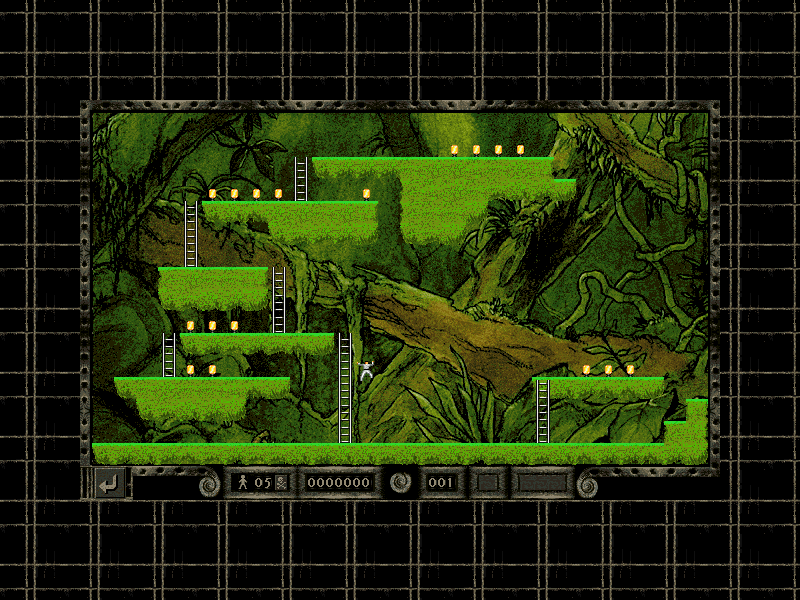
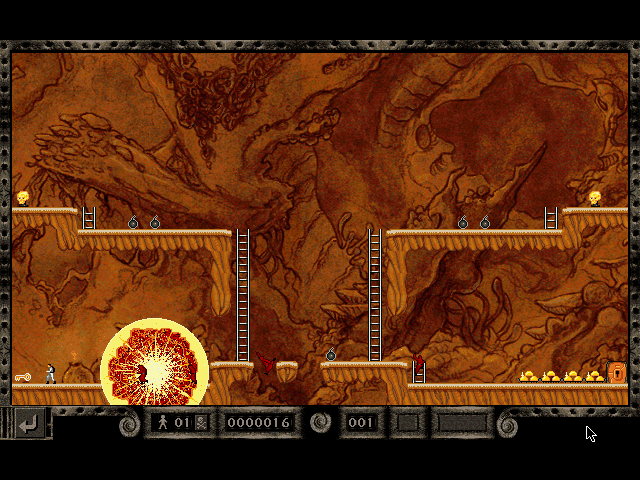
In some cases, the last bars are unreachable. Rather than try for it yourself, it is best to try to coerce a guard to pick it up and bring it to you. Try to maneuver the guard so it is forced to run over the gold. If it is not already carrying a bar: it will grab the gold. Then all you need to do is convince the guard to give up its new wealth. Some scenarios have buried treasure. If you have collected all the visible gold and the exit doesn't appear, then dig through the soft ground to find any hidden gold bars. If you find buried gold, you will have to drop through the hole you created to pick it up. Make sure you have a way out before you fall, or you might get stuck.


.png)


.png)


 (En,Fr,De,Es,It) (No EDC).png)

 (En,Fr,De,Es,It) (v1.1).png)



.png)