Getting Started
Set up your PlayStation® game console according to its Instruction Manual. Make sure the power is off before inserting or removing a compact disc. Insert the Play with the Teletubbies disc and close the Disc Cover. Insert game controllers and turn on the PlayStation game console. Follow on-screen instructions to start a game. The analog controller is automatically switched on when you start the game. Both the Directional buttons and the Left stick will work simultaneously until you exit the game.
Console Top View
A Guide for Parents
This title, like the television series on which it is based, is designed for children two years of age and older. It is the first Console title made for children of this age and considerable research and testing has gone into ensuring it is suitable for their use.
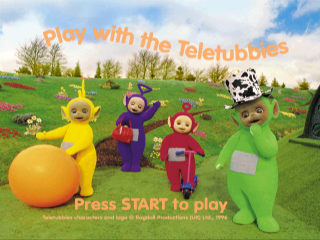
In Play with the Teletubbies, children can accompany the Teletubbies as they play in Teletubbyland. The Teletubbies respond to children's input with a range of individual reactions and behavior.
The activities are designed so that children may interact as much or as little as they like, and still be entertained and rewarded. There is no right or wrong way to progress within Play with the Teletubbies and there is always a positive, fun outcome.
The controller has been configured as simply and consistently as possible. The Controls diagram on page 3 indicates how the controller is used.
Getting Around
After the Teletubbies have been introduced, start the game by choosing one of the Teletubbies, using the corresponding button. This will be the Teletubby you will accompany in Teletubbyland.
If you wish to change the Teletubby at any point, pause the game, then press the START button and then the SELECT button to choose another Teletubby.
Use the Directional buttons or the Left stick to get around Teletubbyland, navigating the Teletubby toward objects in the landscape and inside the Dome. When an object highlights, it can be selected by pressing any of the ▲ ◯ ✖ □ buttons.
Press the START button to pause the program. The game cannot be paused during video sequences, introductory and end sequences, the sun sequence, the 'Again, again' sequence in Tuning In, and the introductory sequences to Tuning In, The Cloud Event and The Train Event.
The pause screen will give you tips on how to play the current activity. You can change your Teletubby from this screen by selecting the SELECT button. Press the START button and then the SELECT button to end an activity (if you paused within an activity) or to end the game (if you paused outside of an activity).
All of the Teletubby activities can be repeated by pressing one of the ▲ ◯ ✖ □ buttons when the Teletubbies say, 'Again, again!'. To exit the program, exit from the current activity, and press the START button, then the SELECT button. Confirm your selection using the SELECT button. The end sequence will then play.
Accompanying the Teletubbies Around Teletubbyland
Play with the Teletubbies activities involve you in helping the Teletubby that you are accompanying to notice things, be attracted to things and engage with things. To explore Teletubbyland, just use the Directional buttons or the Left stick to move left, right, up and down.
All activities in the landscape are linked to special objects, which will highlight when the Teletubby goes near them. Pressing any one of the ▲ ◯ ✖ □ buttons will start the activity.
Teletubbyland: Interactions
•
Active Object: Your Teletubby
•
Result of pressing ▲ ◯ ✖ □ buttons: Teletubby responds, giggles, etc.
•
Active Object: Another Teletubby
•
Result of pressing ▲ ◯ ✖ □ buttons: Teletubby giggles
•
Active Object: Special Tree
•
Result of pressing ▲ ◯ ✖ □ buttons: Starts Hiding Game
•
Active Object: Teletubby's Favorite Thing
•
Result of pressing ▲ ◯ ✖ □ buttons: Starts Favorite Thing activity
•
Active Object: Special Clump of Blue Grass
•
Result of pressing ▲ ◯ ✖ □ buttons: Starts What's That? activity
•
Active Object: Special Green Plant
•
Result of pressing ▲ ◯ ✖ □ buttons: Starts Magic Drum activity
•
Active Object: Special Cloud
•
Result of pressing ▲ ◯ ✖ □ buttons: Starts Cloud Event
•
Active Object: Toy Train
•
Result of pressing ▲ ◯ ✖ □ buttons: Starts Train Event
•
Result of pressing ▲ ◯ ✖ □ buttons: Starts Tuning In sequence (video)
Teletubbyland: Responses
•
Active Object: Another Teletubby
•
Result of approaching the object: Teletubbies greet each other
•
Result of approaching the object: Teletubby sees rabbit and responds, Rabbit makes a musical sound
•
Result of approaching the object: Teletubby sees flowers and responds, Flowers make a musical sound
The Hiding Game
In the Hiding Game, you can help the Teletubby you are with locate each of the other Teletubbies in
.png)

.png)
.png)
.png)
