Let's Get Started!
Are you ready to cook? Click to start the game!
What Will You Do?
Options
•
You can change the game settings.
Memory Card
Click on "Start the Game." The welcome message will begin!
Welcome to the Magical Kitchen!
This is a mysterious kitchen in which you can prepare all kinds of delicious meals! Now then, Mickey and Minnie are waiting. What will you make today? Are you ready? First, let's look around this fabulous kitchen.
Kitchen Areas
•
Mickey and Minnie eat at this table! •
This is where meals are prepared.
•
Don't forget to clean up!
Using the Kitchen
Good Morning Griddle
Try clicking on various things!
Griddle
Here you can cook pancakes, bacon and eggs-over-easy!
Maple Syrup & Butter
Add these to your pancakes.
Flame Adjustment
You can adjust the flame.
When you're finished, click on this button! This lets you call Mickey and Minnie so you can serve them your breakfast. Try clicking on other things to see what you can find!
Cake Kitchen
Try clicking on various things!
Mixer
You can mix the ingredients in the cake batter with this.
Cake Batter
Insert your favorite ingredients and stir them with the mixer.
Baking Pan
Pour the cake batter into the pan, and bake it in the oven.
Oven
Click to open and close the oven. Press the baking button to turn it on.
Let's Prepare Some Food!
Let's cook a steak.
First, click on the frying pan. Move it to the burner.
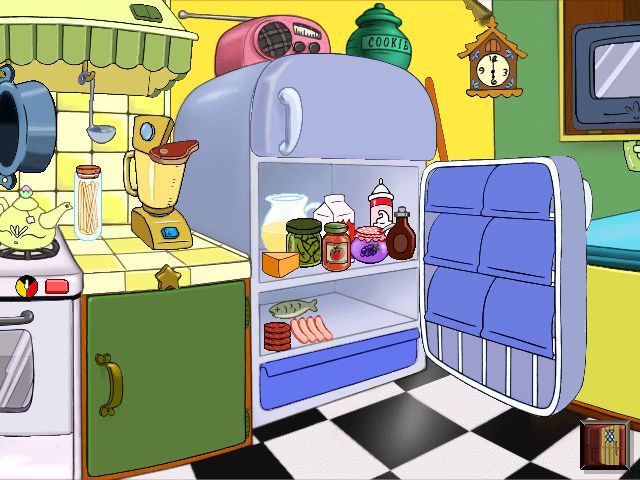
Now let's take out the beef and butter from the refrigerator. Click on the refrigerator to open the door.
Spread butter on the frying pan so the beef won't get burnt. Place the beef in the frying pan.
Get a dish ready. Take one out of the cabinet.
Before frying the beef, turn on the ventilation fan. Turn on the gas burner.
Start out with a strong flame. Click on and adjust the flame.
Once the beef starts cooking, click on and make the flame weak.
Flame Adjustment
When you click on, you can change the flame in the following order: (Weak) → (Strong) → (Off) → (Weak).
When the beef is cooked, place it on the dish. Congratulations! You're finished!
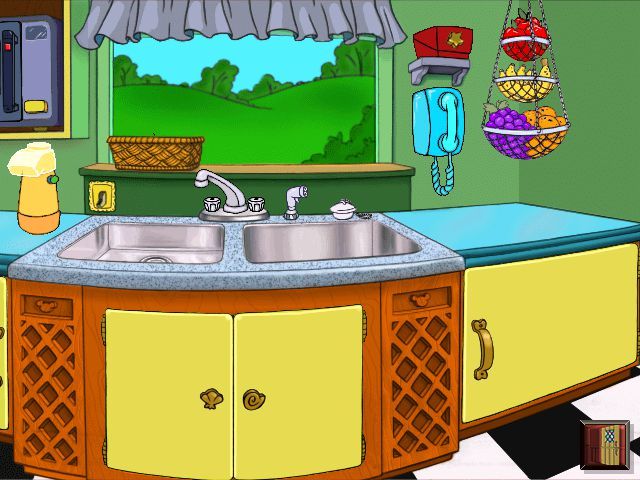
Don't forget to clean up. Wash the frying pan you used in the sink. Return the washed frying pan to its original place.
Let's Make Breakfast!
Make breakfast for Mickey and Minnie! Click on to enter the breakfast kitchen.
Click on an egg and bring it to the griddle. Place the egg on the griddle with a click.
After it cooks a bit, flip it over. Place the egg on a plate.
Cook bacon and pancakes in the same way. Add butter and maple syrup to pancakes.
Congratulations! Breakfast is ready!
Click on to invite Mickey and Minnie. Breakfast will be carried to the table automatically! Click on to quit. Mickey and Minnie will come to enjoy your breakfast. Let's Bake a Cake!
Bake a cake for Mickey and Minnie! Click on to enter the Cake Kitchen.
Pour the cake batter into the pan. Place the pan inside and close the door.
Click on the baking button to bake the cake.
Open the drawer, decorate the cake, then click on to call Mickey and Minnie. The cake will be carried to the table automatically. Click on to quit.
Recipe Box
Let's look at the recipe box.
Click on the recipe box.
Click on the type of food you want to look at.
Click on the name of the recipe you want to look at. The recipe will appear.
Click on for the recipe list. Click on to return to the kitchen.
*Note to Parent/Guardian-All recipes can be used to make actual dishes.
Let's Clean Up!
When you've finished cooking, clean the kitchen.
Click on the mop, then on "Yes." The screen will fill with bubbles, then the room will return to its original clean condition.
Ending the Game
When you want to end the game, click on.
If you click on it twice, you'll return to the main menu.
Options
You can adjust the game's settings.
Cursor Speed
This controls how fast the cursor moves when moving the controller at the same speed.
Memory Card
Save your current game.
Memory Card Options
Select Load or Save.
Save Game
Save the game
.png)

.png)

.png)
.png)

.png)

_1.png)
_1.png)
_1.png)