PLAYER COLOR ID MARKERS
Wayne Gretzky's 3D Hockey '98 supports up to 4 players. Here are the color ID circles for each player:
On the ice, these colors appear under the feet of human-controlled players. A light blue circle appears under CPU-controlled teammates for Players 1 and 2, and a rust color for Players 3 and 4. These default color settings cannot be changed.
A white area within the circle indicates that Burst is available. A black area indicates no Burst is available.
MENU SELECTION CONTROLS
•
Press the Directional Button Up, Down, Left or Right to highlight options.
•
Press the X Button to select options.
•
Press the ▲ Button to go to the previous menu.
•
Press the START Button to pause the game and display the Pause Menu.
SOFT RESET METHODS
•
During any gameplay situation, press and hold the SELECT Button, then press and hold the START Button for two seconds. You will return to the Title Screen.
•
During a Practice session, press and hold the SELECT Button, then press and hold the START Button for two seconds. You will return to the main Practice Menu.
MAIN MENU
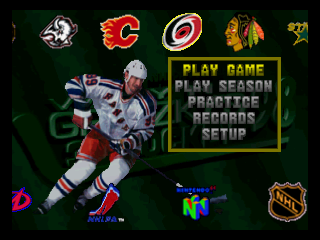
At the Title Screen, press the START Button to access the Main Menu.
PLAY GAME
Select Play Game to view the Pre-Game Set-up Screen. You'll play a single game in Arcade Mode, with up to 4 players.
PLAY SEASON
Select from several season options, using any of the 26 teams available in the game. All season modes are for one player vs. the CPU only. After you've selected this option, the Play Season Screen will appear.
Arcade Season
An Arcade Season is quite simple. Defeat every team in each division to win it all. If you lose to a team, you'll continue to play that team until you're victorious.
Full Season
Play a complete 82 game season. You'll play a full schedule of games, then move on to the playoffs if your record is good enough.
Playoffs
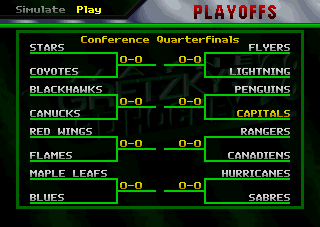
Go right to the excitement and intensity of the playoffs. You'll take on the teams in your bracket as you struggle to make it through the playoffs, and qualify for the Championship game.
Password
If you are not using a Memory card, a password will appear following a season game. Write it down and enter it the next time you play to restore your season.
To enter a password, press your Directional Button Up, Down, Left or Right to highlight the character you want, then press the X Button. Repeat the process until the entire password appears. Select < to back up and fix mistakes. Select End to enter the password.
Memory Card
This option only appears if there is a Memory card inserted in your PlayStation console. When selected, you'll go to the Enter Initials Screen. To enter your initials, press your Directional Button Up, Down, Left or Right to move the highlight over the letter you want, then press the X Button to select your letters.
If you enter initials for a previously saved season file, you will continue that season. If you enter new initials, you'll go to the Play Season Screen. To start a new season, you must select the type of Season you want to play, then select the Memory card you want to use. You'll then enter new initials at the Enter Initials Screen to create a new file for that season.
NOTE: Do not insert or remove a Memory card during a save or load operation.
PRACTICE
Select from three different practice options. Choose the team you want. When selected, the Team/Line Selection Screen appears.
Offense
Select this option to take your offensive squad on the ice against an opposing goalie. Practice your passing, shooting, one-timers and any other aspects of your offensive game. You can practice with as many as 5 players on the ice, depending upon how many players you selected within the Options Menu.
Defense
This practice option places you on the ice against an entire opposing offensive squad. Following the face-off, you can practice your poke checks, cross checks or any other method you like to take the puck away from the opposing players.
Shooting
You can practice your shooting skills with this option. It's just you versus an opposing goalie. Take shots from all angles, and use your Directional Button to direct your puck to different locations in the net.
NOTE: This option is a good practice skill for breakaways.
RECORDS
The Records Menu lets you select from these options:
Wayne Gretzky
View the career statistics, records and awards accumulated by "The Great One".
Team Stats
Take a look at all of the NHL® teams and NHLPA™ players included in the game. Press the Directional Button Up or Down to cycle through the teams. When you find a team you're interested in, press Left or Right to view the rest of that team's players. They're listed as Centers, Wingmen, Defensemen or Goalies.
Memory Card Stats
If you have a Memory card inserted into your PlayStation console, you can view the saved statistical data stored inside. For every file you create, statistics can be displayed. Press your Directional Button Up or Down to scroll through the saved data initials. Your statistics for each saved initial will be displayed. Hold the ■ Button to view additional statistics.
.png)

.png)
.png)
.png)

.png)

.png)

.png)