Getting Started
Set up your PlayStation®2 computer entertainment system according to the instructions in its Instruction Manual. Make sure the MAIN POWER switch (located on the back of the console) is turned on. Press the RESET button.
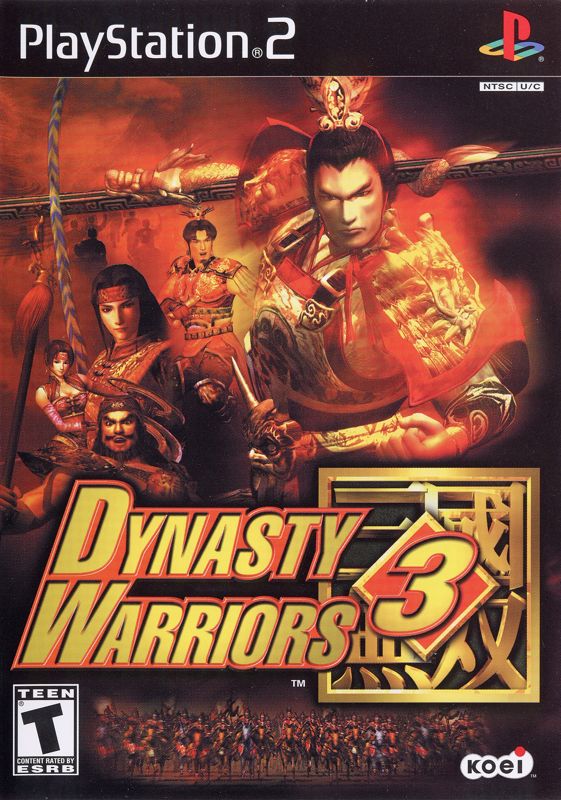
When the power indicator lights up, press the open button and the disc tray will open. Place the Dynasty Warriors 3 Xtreme Legends™ disc on the disc tray with the label side facing up. Press the open button again and the disc tray will close.
Attach game controllers and other peripherals, as appropriate. Follow on-screen instructions and refer to this manual for information on using the software.
Chaos Emerges
Beginning the Game
•
©2002-2003 KOEI Co. Ltd. All rights reserved.
Setting the Disk
Insert the Dynasty Warriors 3 Xtreme Legends Disk. Insert a Memory Card (8MB) (for PlayStation®2) in MEMORY CARD slot 1.
The opening movie will begin automatically once the game has loaded. At the end of the opening or after you press the START button to skip the opening, the title screen is displayed.
A memory card is necessary to save game data. The game requires over 198 KB to save. For more detailed information on memory card usage, please refer to your PlayStation 2 user's manual. Select a Mode
Pressing the START button at the title screen will take you to the main menu. From this menu you select which mode you will play.
Save
Saves the data of a current game. By saving data, you are able to stop and rejoin the game from a previously saved point.
Saving Post Stage (Musou Mode/Free Mode)
After each stage is cleared, a screen showing the game's results is displayed. After this results screen, you are given a chance to save.
In Musou Mode, select the slot to save to. You can have up to 3 saved games. The same applies for two players. Selecting existing data will allow you to overwrite that data.
Quit and Save Game (Musou Mode/Free Mode)
Pressing the START button during game play will take you to the information screen. From this screen, select Quit.
You can only have one in-battle saved data. Previously saved in-battle data is overwritten. Saving a game after clearing a stage will also erase in-battle data.
Saving from the Options Menu
Saves option settings and record values. Select Save/Load from the Options menu.
Load
Continue a game using previously saved data.
In-battle Saved Data (Musou Mode/Free Mode)
CONTINUE will appear in the main menu if in-battle saved data exists. Simply select CONTINUE from the menu.
Stage Clear Saved Data (Musou Mode)
Select MUSOU from the main menu. If saved data exists, you will be given a choice between NEW GAME and LOAD GAME. Select LOAD GAME, and choose from the displayed list the saved game that you would like to continue.
Modes
Select the desired mode from the main menu. To return to the menu after entering any of the modes, press the SELECT and START buttons simultaneously.
Musou Mode (2P Available)
Select an officer and fight your way through the story. In Dynasty Warriors 3 Xtreme Legends, you select from 7 main characters.
The story changes based on which officer you choose to play. A 2 player Mode is also available.
Free Mode (2P Available)
Select one stage to play. A 2 player Mode is available. 2 player Mode is unavailable if Musou bodyguard has been chosen in the bodyguard menu.
2 Players in Musou Mode/Free Mode
In Musou Mode and Free Mode, 2 players (1P/2P) can cooperate in battle. After selecting Musou Mode or Free Mode, 2P PUSH START will appear in the upper right corner of both the Character Selection screen and the Start Stage screen.
When showing, pressing the START button using the 2P controller will allow 2P to enter the game. Previously created bodyguards can be taken along as well. Data saved after clearing a stage using 2 players can be restarted using 1 or 2 players (Only Musou Mode).
VS Mode
Challenge a friend to battle. (Time Limit: 90 minutes) There are 8 different stages to choose from. This is available after you load the original scenarios.
In VS Mode, officer abilities are set and each officer is given a weapon capable of a 6 combination attack.
Challenge Mode
Strive for the best score in enemies defeated, stage clear time, and combination attacks.
Data Base
Review character, weapon, and item descriptions.
Options
Customize game and controller settings.
Original
Obtain the data necessary to play an original scenario from the Dynasty Warriors 3 disk.
CONTINUE
Continue a game from in-game saved data. This is displayed if you have selected Quit during Musou or Free Mode
.png)

.png)
.png)
.png)
