STARTUP
Set up your PlayStation®2 computer entertainment system according to the instructions in its Instruction Manual. Make sure the MAIN POWER switch (located on the back of the console) is turned on. Press the RESET button.
When the power indicator lights up, press the open button and the disc tray will open. Place the Dynasty Warriors®4 Xtreme Legends™ disc on the disc tray with the label side facing up. Press the open button again and the disc tray will close.
Attach game controllers and other peripherals, as appropriate. Follow on-screen instructions and refer to this manual for information on using the software.
STARTING THE GAME
Insert the game disc correctly to load the game.
Setting Up
Insert the "Dynasty Warriors 4 Xtreme Legends" disc. Insert a memory card (8MB) (for PlayStation®) into MEMORY CARD Slot 1.
Once the game loads, the opening demo will begin. Pressing the START button during the opening, or on the title screen, will display the Menu Screen. From the Menu Screen, select your desired play mode.
A memory card (8MB) (for PlayStation®2) with at least 150KB of free space is required to save the game. Please consult the appropriate manuals for further details on use of the memory card and the creation of free space.
Saving
Save a game in progress. When you save, you can continue where you last played.
Saving during Legend Mode
Once you have cleared a legend and your results have been displayed, select YES when asked if you wish to save the game. Your officer data (abilities, Weapon Level) and items you have collected will be saved. The same officer data and collected items can then also be used in the Musou Mode and Free Mode (→P8).
Press the START button during a stage. When the info screen is displayed, select EXIT. You can only have a single save during play at any one time. If you already have another Legend Mode, Musou Mode or Free Mode (P8) save, it will be overwritten.
If you then save after clearing a mode, a mid-way save will be deleted.
Saving during Xtreme Mode
Once you have finished playing, and after the rankings have been displayed, select YES when asked if you wish to save the game. Your officer data (abilities, Weapon Level) and items you have collected will be saved.
Select SAVE PROGRESS from the Menu. P20. You cannot save during a stage. When you load save data, it will then be deleted.
Saving Settings and Records
You can also save your option settings and records. From SAVE/LOAD in OPTION, select SAVE. P11.
Loading
Load and continue a previously saved game.
Loading a Legend Mode Game
If you have previously saved data, the option CONTINUE will be displayed on the Menu Screen. Selecting this will allow you to resume your game.
Loading an Xtreme Mode Game
Select "Xtreme Mode" from the Menu Screen, and then select CONTINUE. When you load save data, it will be deleted.
USING DATA FROM “DYNASTY WARRIORS 4”
It is possible to load data (developed officers, items, original officers etc.) from "Dynasty Warriors 4" into "Dynasty Warriors 4 Xtreme Legends."
To do so, begin the game with the memory card (8MB) (for PlayStation®2) containing the "Dynasty Warriors 4" data inserted into MEMORY CARD slot 1. When asked if you wish to create data, select YES.
You cannot combine data with a prior "Dynasty Warriors 4 Xtreme Legends" save.
Game Modes
Select your desired mode from the Menu Screen.
LEGEND MODE
Select an officer, and then play through a scenario specific to that character. P16.
1P and 2P can play cooperatively. 2P can press the START button when "2P PRESS START" is displayed in the top right of the screen to join in. Selecting "2P Quit" on the info screen before a stage begins will remove the second player.
XTREME MODE
Battle through a series of short scenarios (Missions), aiming to progress as far as possible. P18.
Characters use starting abilities only, although they can be developed in the normal manner during this mode. The only items available to you are those you have collected during this mode.
MUSOU MODE/FREE MODE
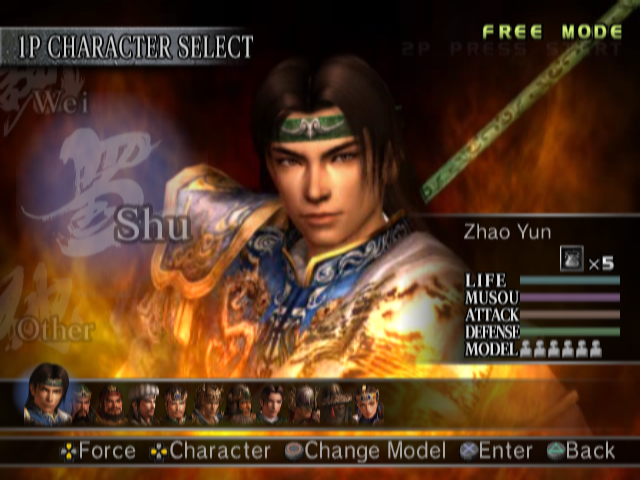
Play the Musou Mode/Free Mode from "Dynasty Warriors 4." Can be played after loading data using the LOAD ORIGINAL option. Please see the "Dynasty Warriors 4" manual for descriptions of the Musou Mode and Free Mode.
A copy of the "Dynasty Warriors 4" game disc is required to play the Musou Mode and Free Mode.
LOAD ORIGINAL
Load data from the "Dynasty Warriors 4" disc in order to allow scenarios from that game (Musou Mode/Free Mode) to be played. P10.
VERSUS MODE
2 players fight it out, in one of four different stages.
Characters use starting abilities only. Equippable items may not be used, and weapons are
.png)


.png)
.png)
.png)
.png)
.png)

.png)

.png)
_1.png)
.png)


_1.png)