GETTING STARTED
Set up your PlayStation®2 computer entertainment system according to its Instruction Manual. Ensure the MAIN POWER switch (on the back of the console) is turned on.
Press the RESET button. When the power indicator lights up, press the (OPEN) button to open the disc tray. Place the ETERNAL RING disc on the tray with the label side facing up. Press the (OPEN) button again to close the disc tray.
Attach game controllers and other peripherals as appropriate. Follow on-screen instructions and refer to this manual for information on using the software.
PlayStation®2 Components
Starting the Game
Turn on the MAIN POWER switch on the back of the PlayStation®2 computer entertainment system and insert the game disc into the console. Press the RESET button.
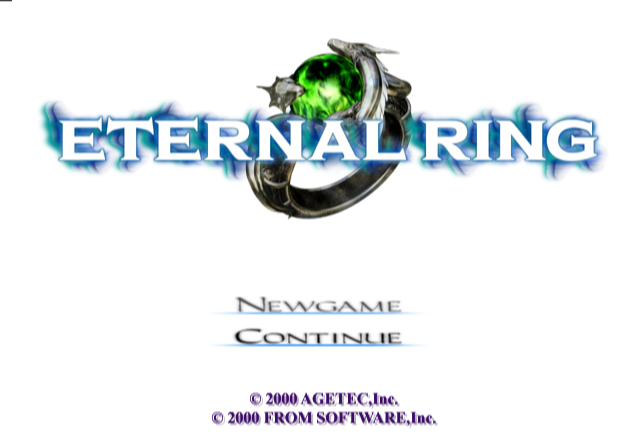
The title screen will be displayed when the START button or button is pressed during the demonstration or after it has finished. The Start menu is displayed when the START button is pressed at the title screen.
Start Menu
•
NEW GAME: Starts the game from the beginning.
•
CONTINUE: Resumes the game at the point where you saved previously.
Caution
DVD-ROMs are sensitive to scratches and dust, so please handle the product with caution. Discs that cannot be read due to dust and scratches on the data side of the disc will not be covered by warranty.
LOADING THE GAME
The game will start at the point where you saved previously. A Memory Card (8MB) (for PlayStation®2) is required to save game data.
To load a game, select a Memory Card slot and choose a saved game. You can also load game data by using the menu during the game.
SAVING THE GAME
Save points similar to the one shown in the picture are placed in several locations on the island. The game can be saved when the button is pressed after you approach a save point.
Select the Memory Card slot in which a Memory Card (8MB) (for PlayStation®2) is inserted, then press the button. Select NEW when saving new data. When existing data is selected, the prior data will be overwritten. Free space of 100KB or more is required for saving.
•
This game does not support "Memory Card."
•
Data can be saved in up to eight locations. It is recommended that you save data in a different location and do not overwrite the most recent data.
OBJECTIVE OF GAME
The player becomes Cain in order to discover what the secret research team objective is and to discover his family history.
BATTLE
Cain can attack with a sword at close range and with magic spells at long range. It is recommended that you learn how to use the two different attacks, depending on the situation.
CLOSE-RANGE ATTACKS USING A SWORD
These attacks are dangerous, because it requires you to get close to the enemy, but you can attack as many times as you want.
LONG-RANGE ATTACKS USING MAGIC SPELLS
You can damage enemies far away, but you can't do so when you have no MP left.
BATTLE TIPS
You can win battles with relative ease by repeating the following pattern:
•
Attack enemy from a distance using a spell.
•
Get close to the enemy while stunned and attack with your sword.
•
Get away from the enemy.
•
Attack enemy from a distance using a spell.
The effects of offensive magic will differ according to the spell used.
MAGIC
Magic can be activated by pressing the O button while equipped with a magic ring. Magic can be used when the Magic Gauge is filled completely. Cain can use offensive magic and healing magic.
There are rings that when equipped, will change the way another ring works. For instance, equipping "Power of Seek" will make "Fireball" chase enemies. Try different combinations.
SELECTING MAGIC
A list of rings (magic) with which you're currently equipped is displayed at the right on the screen. Select a ring by pressing the O button.
RINGS
Rings have mysterious powers. Some rings change Cain's abilities, while others allow him to use magic. See page 15 on how to equip Cain with rings.
MAGIC RINGS
Magic can be activated when you wear these rings. You can equip the character with up to five at one time.
ATTRIBUTE RINGS
Changes occur when you wear these rings, such as in the magical effects and Cain's abilities. Up to five of these rings can be worn at one time.
MAGIC GEMS
On the island you can obtain Magic Gems that have strange powers. These gems each have attributes, and there are many different types of attributes. When creating rings, the powers instilled in the rings will differ according to the gem's attributes and attribute types.
CREATING RINGS
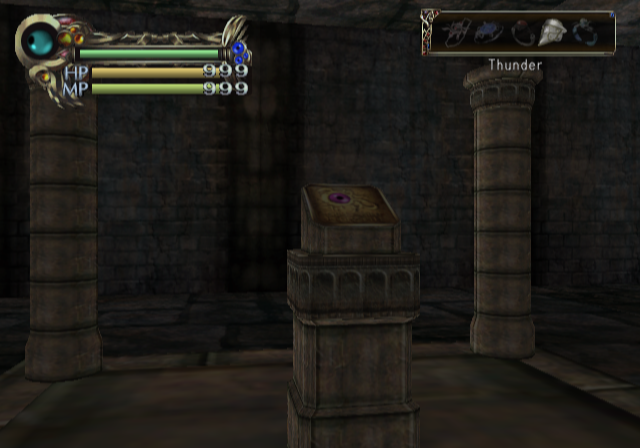
There are "warp" points in various locations throughout the island. When you step on the plate, you'll be transported to the place where you create rings. There are six pedestals in the room, and rings can be changed or created by placing the magic gems on these pedestals. Pressing the button after you place the gems on the pedestals will initiate the process of ring creation. Different procedures are used when creating magic rings and assist rings. See page 15 on how to create Rings.
Creating Magic Rings
First, select
.png)

.png)
