System Connections
Setting Up the System
Set up your PlayStation®2 computer entertainment system according to the instructions in the Instruction Manual.
Make sure the MAIN POWER switch (located on the back of the console) is turned on. Press the RESET button. When the power indicator lights up, press the open button and the disc tray will open.
Place the EVERBLUE™2 disc on the disc tray with the label side facing up. Press the open button again and the disc tray will close.
Attach game controllers and other peripherals, as appropriate. Follow on-screen instructions and refer to this manual for information on using the software.
Starting a Game
Memory Cards
To save game settings and progress, insert a Memory Card (8MB) (for PlayStation®2) into MEMORY CARD slot 1 or MEMORY CARD slot 2 before powering on the system.
Without a memory card, when you power on the system with the EVERBLUE 2 disc inserted, you will see a notice that a memory card is not inserted. Turn off the system, insert a blank memory card (or one with previously saved EVERBLUE 2 games), and then power on again.
If you don't have a memory card, you can play without saving. Press the START button to continue.
•
EVERBLUE 2 requires 1034kb of free space on a memory card in order to save games. If less free space exists, erase older data.
•
Do not remove the memory card or power off while data is being saved or loaded. Your game data may be lost if you do.
Main Menu
At the Title screen, press the START button to display the Main Menu. Press the directional buttons or move the left analog stick to make selections, and press the X button to confirm.
•
NEW GAME - Start a new EVERBLUE 2 experience from the beginning.
•
LOAD GAME - Resume a previously saved game from a memory card. Insert any memory card containing previously saved EVERBLUE 2 games before powering on. When you want to load a game, select LOAD GAME, then select either slot 1 or slot 2 depending on the position of your memory card, and finally, select the saved game you want to replay. You'll start the game from the beginning of the last-played level.
Game Goal
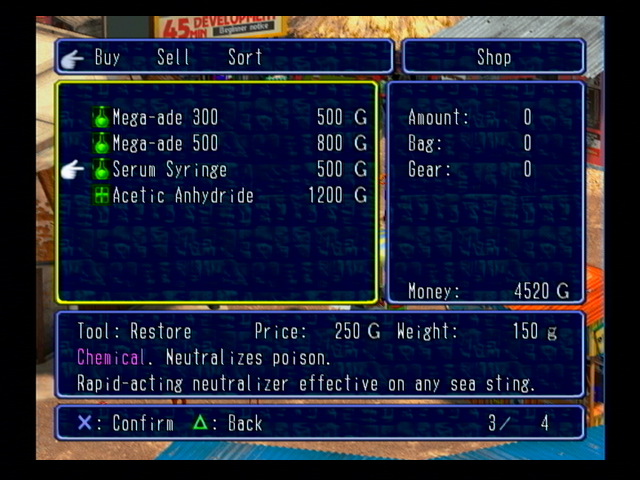
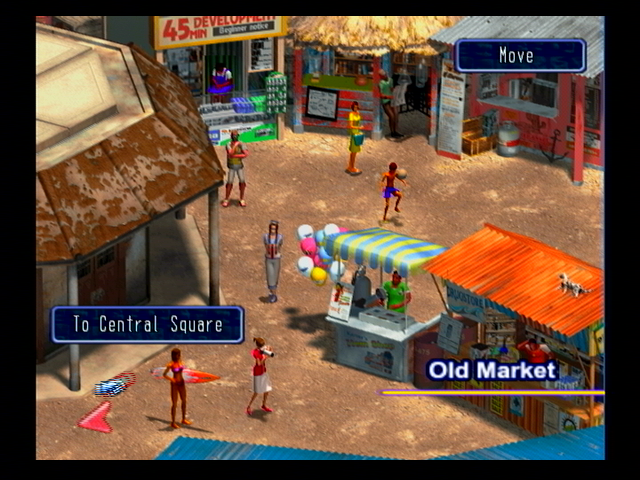
Your goal in EVERBLUE 2 is to gather information in town and then go deep-sea diving, using what you learned to search for hidden treasures. The deep, broad sea will reveal many mysteries, including tons of sunken ships. You can explore their interiors and salvage your discoveries. Then, you can sell the items in town to buy better equipment, making you seaworthy for diving in areas that were previously unreachable.
Game Over
When you run out of HP (health points) the game is over. You lose health when you:
•
Exceed your suit temperature preservation depth.
•
Carry more items than your weight allowance can sustain.
•
Are attacked by certain enemies.
When the game ends you will return to the Title screen.
Save & Load
You can save your game while on land from the Town Menu.
When you want to re-play a game from the place you saved it earlier, load the game using the LOAD GAME option from the Main Menu.
Underwater Exploration
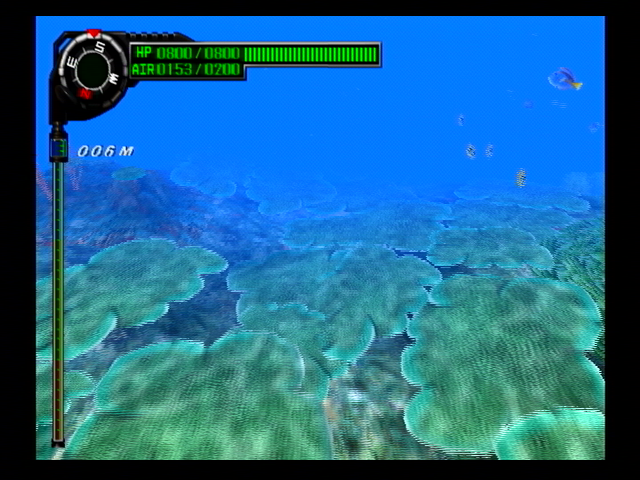
Various items waiting to be found at the bottom of the sea are NOT visible on screen. You have to use information you have gathered and your multi-sonar to determine the right area to investigate.
Once you've located an underwater area, search for items and lock them in your multi-sonar. You can then pick them up by pressing the X or R1 button. You can only pick up items that are locked in your multi-sonar.
Finding Sunken Ships
As the game progresses you will eventually come upon sunken ships. The sunken ship itself will not be displayed on the multi-sonar, so you must learn its whereabouts from conversations with townspeople. When you find a sunken ship, you can enter it to begin your exploration by pressing the X or R1 button.
Underwater Menu
Press the O button while underwater to display the Underwater Menu, with the following options:
•
BAG - The items you recover while diving are stored in this bag until you re-surface. You can also use medicine here. Also, whenever you carry an item from the surface into the water you must have it in your bag.
•
GEAR - Check the equipment you're wearing.
•
MULTI-SONAR - Add different "elements" to your multi-sonar.
•
MAP - Check your current position on a map of the area.
•
VALUABLES - Important items you have found so far (keys, etc) are displayed here.
•
REFERENCE - Review explanations on how to use different game systems.
•
OPTIONS - Change various game settings, including:
•
VIBRATION SETTING - Turn the controller's vibration function ON or OFF.
•
REVERSE RIGHT/LEFT ANALOG STICK - Switch the control function of the left and right analog sticks.
•
MOVE LIGHT - Change the movement style of the light in the game.
•
MESSAGE SPEED - Adjust the
.png)

.png)

.png)

.png)
_1.png)
.png)


_1.png)