GETTING STARTED
Set up your PlayStation®2 computer entertainment system according to the instructions in its Instruction Manual. Make sure the MAIN POWER switch (located on the back of the console) is turned on. Press the RESET button.
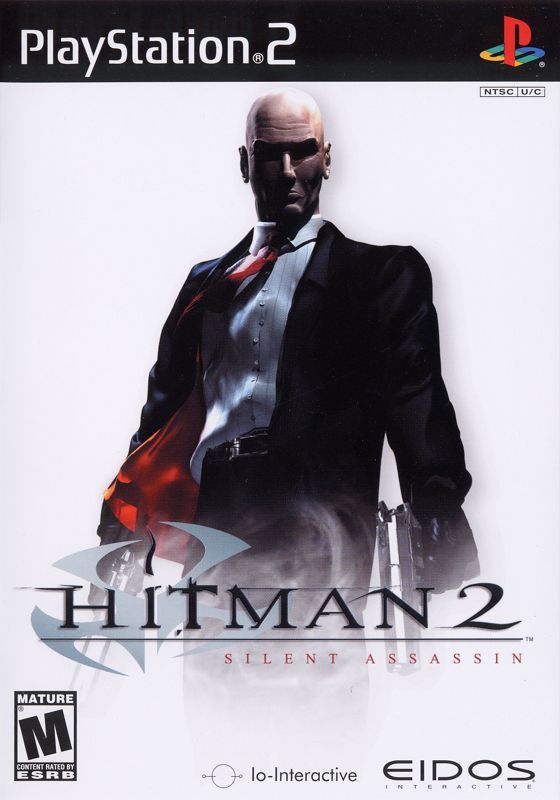
When the power indicator lights up, press the open button and the disc tray will open. Place the Hitman 2: Silent Assassin disc on the disc tray with the label side facing up. Press the open button again and the disc tray will close.
Attach game controllers and other peripherals, as appropriate. Follow on-screen instructions and refer to this manual for information on using the software.
MAIN MENU
MENU CONTROL
On all menu screens, use the directional button to move the cursor over the menu option you want, then press the button to confirm your selection.
If there are more menu options than those visible on screen, press the directional button to scroll the menu up or down. To cancel and return to the previous menu, press the button.
MAIN MENU OPTIONS
START
Begin a new game. Note: You must use a memory card to save your progress.
Hitman 2: Silent Assassin is an epic game. We highly recommend using a memory card to get the most enjoyment from playing. This game requires a memory card with at least 500kb of free space in order to save.
SELECT DIFFICULTY
At the beginning of a new game, select your difficulty level. The difficulty level affects a number of factors in the game, including Hitman's health points, the visibility of characters on the map screen and the reaction speed and accuracy of guards.
Also, in each difficulty mode you are permitted only a certain number of progress saves during a game level. (By completing certain tasks on some levels you can earn a bonus save.) The difficulty modes are:
•
NORMAL Recommended for beginners; 7 saves allowed per level.
•
EXPERT For moderately experienced players; 2 saves allowed per level.
•
PROFESSIONAL Seasoned player challenge; 0 saves allowed during a level.
LOAD
If you have saved your game previously it can be accessed from this menu. Make sure you are using a memory card containing save game data.
When you select LOAD, a list of progress saves will be displayed. Select the game you want to load to resume it at the point it was saved.
OPTIONS
Reset some game settings. See page 24 for details.
CREDITS
See a roster of hit men and troubleshooters who brought you this game.
EXTRA MOVIES
Open a list of movie files of upcoming games and select a movie to view.
MISSION ELEMENTS
LAPTOP COMPUTER
Hitman uses a Laptop Computer to communicate with the agency that assigns him missions. All information pertaining to the mission is stored on this laptop. It also serves as a pre-mission preparation area. Select the required item to access secret files and footage:
•
MISSION BRIEFING A detailed list of objectives for the mission ahead. All objectives must be carried out successfully to complete the mission.
•
SATELLITE MAP A plan view of the target area. Note: Important items, targets and enemies are not displayed on the map until you have entered the mission.
•
TARGET INFORMATION Information regarding the target and his or her appearance.
•
SURVEILLANCE FOOTAGE Top secret, recorded footage of key information supplied by Agency. Note: This footage is only available before the mission starts.
•
MISSIONS Access a list of previously completed missions. From this screen you can select a mission to play again.
•
QUIT Exit out to the Main Menu.
•
CONTINUE Proceed with the mission.
EQUIP MENU
Displayed before a mission begins, this menu allows Hitman to equip himself for the task ahead.
•
AVAILABLE WEAPONS A list of the weapons and equipment that can be taken along for the mission ahead. Select an item to add it to your inventory.
•
EQUIPPED WEAPONS Lists the inventory of weapons and equipment currently selected for the mission ahead. Select an item to remove it from your inventory.
•
ITEM IMAGE Picture of the currently selected item.
•
ITEM INFORMATION Name and description of the highlighted item. Various specifications are included for weapons: caliber, clip capacity, length and weight.
•
MISSIONS Select this button to return to the list of previously completed missions.
•
BACK Select this button to return to the Main Menu.
•
CONTINUE Select this button to start the mission.
Note: You can equip most of your smaller weapons for each mission, but you are restricted to only one large weapon (rifle, shotgun, sniper rifle, etc.).
INVENTORY MENU
This menu allows you to manage your inventory. It can be displayed at any time during a mission by pressing the button. The game is paused while the Inventory Menu is open.
•
ITEMS LIST Shows available items. Highlight an item and press the button to drop it. (Items crucial to Hitman's progress, such as fiber wire, cannot be dropped.)
•
WEAPONS LIST Shows available weapons.
•
ITEM INFORMATION Select an item in either list and its name and description are displayed here. Various specifications are included for weapons: caliber, clip capacity, length, weight, bullets remaining and clips remaining.
•
IMAGE Picture of the currently selected item.
**IN-GAME
.png)

.png)

.png)

.png)
_1.png)
.png)


_1.png)