GETTING STARTED
Here's how to get started. Follow the directions below and buckle up, buttercup.
TITLE SCREEN
At the Main Menu, select New Game. If you want to continue playing from a previous save, select Load Game. You can also change the game settings by selecting Options.
NEW GAME
First select a save location in the New Game Screen. Select one of three save locations to create a saved game, and press the button to accept.
If you select a file with data already in it, you will be taken to the Overwrite File Screen. To overwrite the file, select "YES", and press the button. Return to the New Game Screen by selecting "NO", or pressing the button.
LOAD GAME
Select Load Game to start from a previous save. First select a file to load in the Load Game Screen. Each save location displays the saved game information. Now select a game to load and press the button to accept.
OPTIONS
Before you start a new game, you can change the options for the music or sound in the game, and turn Vibration on or off. The Options are explained on page 10. These options can be changed in the Pause Menu of the game as well.
WINNING THE GAME
Finish the game by completing enough missions to earn Ninja the Black Belt, and defeat Master O-Dor, the creator of the Ranx race. But, as a wise master once said, the end of one quest is often the start of another. Ninja is not yet a Ninja Master...
COMPLETING THE GAME 100%
To complete the game 100%, Ninja must achieve the following:
•
Earn every Grade available in each of the missions.
•
Get every Grade on offer from each of the 4 Ninja Guardians.
•
Prove your skills in the Secret Battle Arena.
DISPLAY
Here is an overview of the Game and Boss screens and icons.
GAME SCREEN
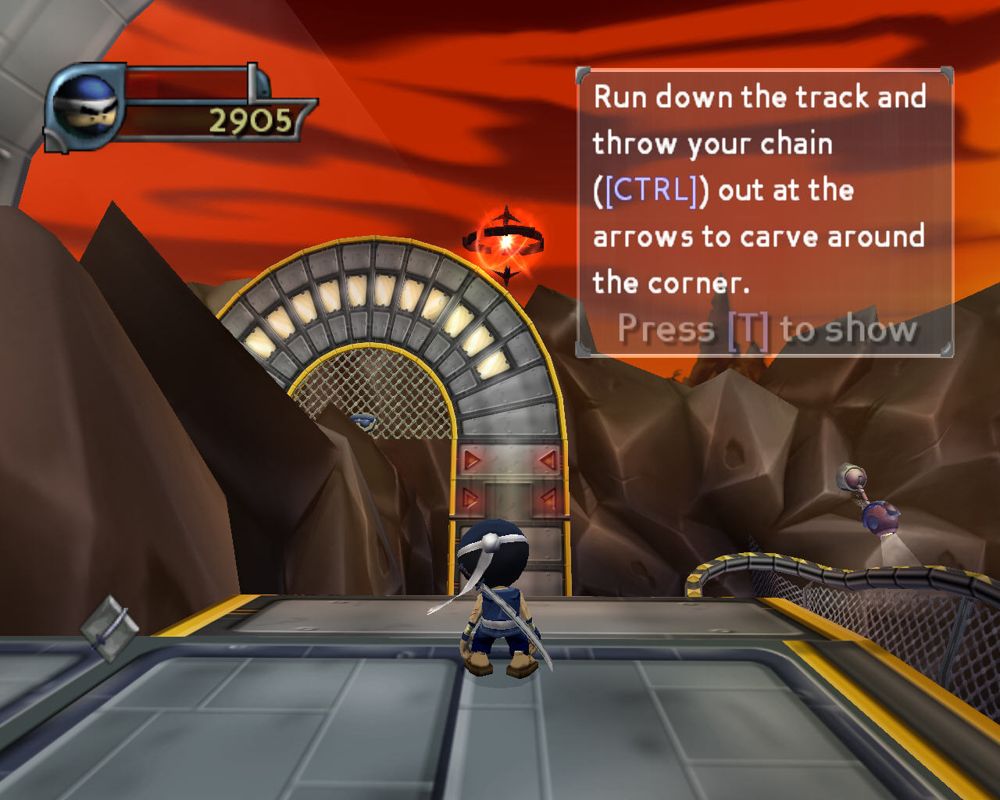
Ninja's Health and Score are displayed in the upper left corner of the Game Screen. Ninja's Rage Meter is shown in the bottom left corner of the Game Screen.
As Ninja collects Items they appear in the lower-right corner of the Game Screen. To see all of Ninja's currently held Items, press the START button during play to display the Pause Menu.
BOSS SCREEN
When Ninja faces off against one of O-Dor's Boss henchmen, the health of the Boss is shown in the top right corner of the screen. The Boss is dead when its health bar hits zero.
PAUSE MENU
Press the START button during play to pause the game and display the following menu items:
•
Return to Game (Close pause screen and continue game)
•
Restart Mission (Begin mission again from mission start)
•
Progress Screen (View which Belt Grades and missions have been completed)
•
Exit to (Hub of level Ninja is currently in)
•
Quit Game (Return to Main Menu)
PROGRESS SCREEN
This screen displays the following:
•
Belts required to unlock missions
•
Total number of Grades earned
Press the button to go back to the previous screen.
OPTIONS SCREEN
From the Main Menu or Pause Menu, highlight Options and press the button to display the following options:
VIDEO
The Video settings allow you to change the display for Widescreen support and adjust the Screen Position. Use the directional buttons or the left analog stick to select, and then press the button to accept.
SOUND
The Sound settings allow you to change the Speaker Mode (Mono, Stereo, or Dolby Pro Logic II), Music Volume, and Effects Volume. Use the directional buttons or the left analog stick to select, and then press the button to accept.
GAME OPTIONS
The Game options allow you to change the controller Vibration or toggle the auto-save feature. Use the directional buttons or the left analog stick to select, and then press the button to accept. Restore default settings by selecting Reset Options.
Select the particular game options to change the settings. Press the button to go back to the previous screen.
MISSION DEBRIEF SCREEN
At the end of every mission, Ninja's stats for that mission will be shown on the debrief screen. All Coinage, Points and Kills that Ninja has bagged during that mission are tallied on this screen.
Note: If Ninja quits out of a mission before grabbing the Grade, all Coinage, Points, Kills, Rage and Weapon Pick-ups collected during that mission so far will be lost.
LIFE AND DEATH
•
Ninja's health bar decreases when he takes damage. When the health bar is entirely depleted, Ninja loses 1 Continue. If Ninja has another Continue in reserve, the game continues from the last Checkpoint that he reached.
•
Completing a level will restore Ninja's health bar completely.
•
The game ends if Ninja loses a Continue and has no Continues remaining.
•
After the Game Over Screen, a saved game may be reloaded from the Load Game Screen.
POINTS AND CONTINUES
•
Sensei awards Ninja points for killing the filthy Ranx soldiers and collecting valuable items. He gives Ninja bonus multipliers for showing off his skills in both combat and movement. Kill enemies with flair to bag big bonuses.
•
When Ninja completes a mission, the points that he has gained during the mission are traded for Continues.
THE COINAGE BANK
When the Ranx forces attacked, the inhabitants of the land dropped everything and fled for their lives
.png)

.png)
