Console Ports
Setting Up Your PlayStation 2
Set up your PlayStation®2 computer entertainment system according to the instructions in its Instruction Manual. Make sure the MAIN POWER switch (located on the back of the console) is turned ON. Press the RESET button.
When the power indicator lights up, press the OPEN button and the disc tray will open. Place the "Rampage: Total Destruction" disc on the disc tray with the label side facing up. Press the OPEN button again and the disc tray will close.
Attach game controllers and other peripherals, as appropriate. Follow on-screen instructions and refer to this manual for information on using the software.
Menu/Sub-Menu Navigation
Throughout this manual, ↑, ↓, ← and → will signify pressing Up, Down, Left and Right on the directional buttons. To navigate through the game menus (i.e. Options), use the directional buttons (↑, ↓, ← or → depending on the menu) to highlight a selection.
Quitting a Game in Progress
During the game, press the START button to display the Pause Menu. Press the directional buttons ↑ or ↓ to select Quit, then press the ⊗ button.
To confirm exiting the game, press the ⊗ button again to go to the Main Menu.
Main Menu
Campaign (1-2 Players)
Destroy the game's cities in an effort to locate and free hidden monsters created by the Scum Labs Corporation.
Each city is comprised of 8-10 blocks. During the final block of each city, you will encounter Dr. Vector - piloting one of his ingenious anti-monster vehicles. It is not necessary to defeat Dr. Vector before you demolish the city, but you should probably do it anyway. If Dr. Vector prevents you from leveling the city for 10 minutes, you will lose a life.
When all the lives are exhausted, the game is over for both players. The city block must be completely destroyed before you're allowed to proceed to the next block. You have a limited amount of time to destroy each block before planes bomb the city and destroy it.
You can receive Speed Bonus points for finishing a level quickly. All of the blocks have special bonus challenge conditions, such as smashing a certain amount of objects or eating a certain amount of humans. When a city is defeated, the city score is tallied.
Campaign mode games can be saved to the memory card (8MB) (for PlayStation®2).
King of the City
Two monsters compete to conquer a single city. Players compete to cause the most destruction to each city block. This game can be played with two human controlled monsters or one human controlled monster versus one CPU controlled monster.
After each block is destroyed, scores are compared, and the monster with the highest score is the winner of that round. Monster-vs-Monster attacks can occur, since players will be competing for points.
After selecting the 2 Player option, press the directional buttons ↑ or to toggle the Human and Computer player option.
King of the World
This is a challenge of multiple "King of the City" rounds. Each city is played once. When a player has been declared king of more than half of the available cities, they're declared "King of the World."
After selecting the 2 Player option, press the directional buttons ↑ or ↓ to toggle the Human and Computer player option.
Timed Run
You're challenged to destroy a single city in a set amount of time. If you destroy a city before time runs out, any time remaining on the current block carries over to the next block.
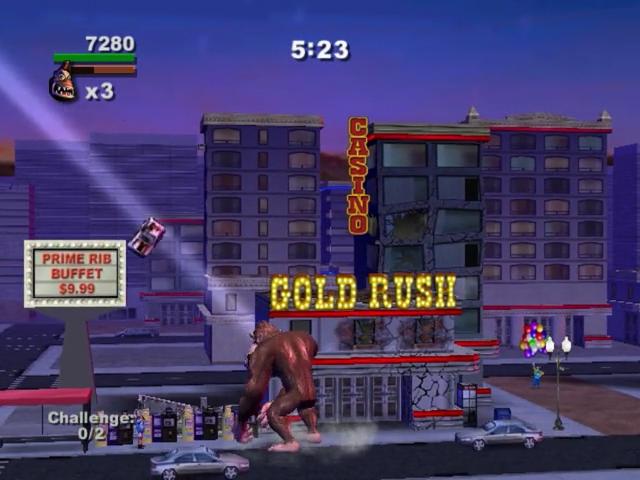
Gold Rush
Options
At the Main Menu, press the button to view the Options Menu. Press the directional buttons ↑ or to highlight Sound, Music or Vibration. Press the directional buttons or to adjust the volume or turn the Vibration feature On or Off.
Profiles
The Profiles option lets you save accumulated data to your memory card. Each time you start the game on your PlayStation®2 computer entertainment system, the game will read your memory card, making it available for saving data.
Create-A-Profile
At the Main Menu, press the button to enter the Profile menu. Select the Create New Profile to bring up the keyboard. Use the directional buttons to navigate the keys, then press the button to select a character. Once you have entered the name, select Done.
Load a Profile
If you have already created a user Profile and saved it to your memory card, it will be listed when you choose the Profile option. Highlight the Profile listed on the memory card, and then press the button.
Profile Screen
Monster Select
At the Monster Select Screen, press the directional buttons or to view the available monsters. Press the button to make a selection.
Load Monsters
By accessing a memory card in MEMORY CARD slot 1, player 2 can load unlocked monsters and special moves from their saved Profile by pressing the R2 Button at the Character Select screen. After accessing the memory card, a selection can be made from any Profiles listed.
.png)

.png)
.png)
.png)
