GETTING STARTED
Set up your PlayStation®2 computer entertainment system according to the instructions in its Instruction Manual. Make sure the MAIN POWER switch (located on the back of the console) is turned ON.
Press the RESET button. When the power indicator lights up, press the OPEN button and the disc tray will open. Place the Scooby-Doo: Mystery Mayhem disc on the disc tray with the label side facing up. Press the OPEN button again and the disc tray will close.
Attach game controllers and other peripherals, as appropriate. Follow on-screen instructions and refer to this manual for information on using the software.
MEMORY CARD (8MB) (FOR PLAYSTATION®2)
To save game settings and progress, insert a memory card (8MB) (for PlayStation®2) into MEMORY CARD slot 1 of your PlayStation®2 system.
You can load saved game data from the same memory card or any memory card (8MB) (for PlayStation®2) containing previously saved Scooby-Doo: Mystery Mayhem games. For more information on loading saved games, please see page 10.
MAIN MENU
Start a New Game
Press the button to start a new game.
Load a Saved Game
Load a previously saved game and press the button to start where you left off.
Options
Customize the game with the following options:
•
Camera angle: Normal/Inverted
•
Language: English/French
•
Sound Options: Music - volume/Sound FX - volume/Movies - volume
•
Controls: View a diagram of the controller
Extras
Trailers: Watch the Scooby-Doo 2: Monsters Unleashed Theatrical Trailer along with the Scooby-Doo! and the Loch Ness Monster and What's New Scooby-Doo? Safari So Goodie trailers.
Note: Refer to page 14 for more information on the Mini Games and how to open them.
PAUSE MENU
Press the START button to pause the action and view several options:
Continue
Choose this option to re-enter the game where you left off.
Game Options
Change camera mode, controller vibration and sound settings.
Episode File
Bring up the Episode File Screen and see how you're doing.
Quit
You just munched your last Scooby Snack and need to run to the store. No problem! Just quit the game and reload it when you're ready to start again. See you after lunch!
SAVING AND LOADING
Floating cameras are located in various places throughout the game to snap your photo and mark your current location. Simply stand in front of the camera, say “cheese” and press the button. Voila! Your game has been saved.
When you want to restart, select Load Game from the Main Menu, then choose the game file containing your previously saved game. There you are! Right where you left off!
THE MYSTERY MACHINE
PLAYING THE GAME
Walking & Running
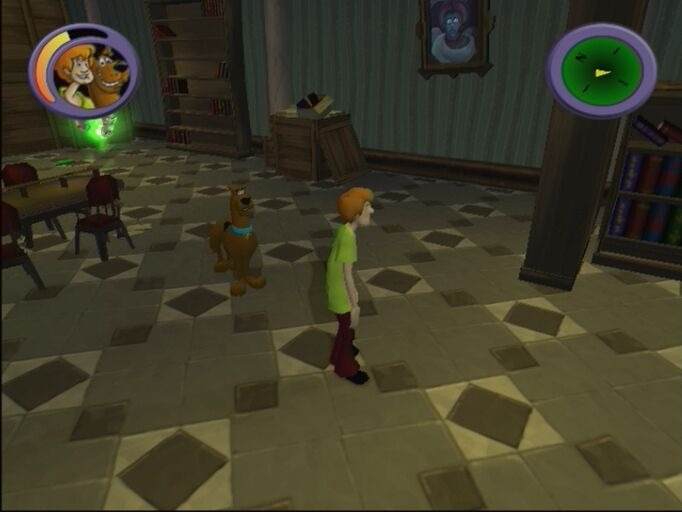
When Scooby and Shaggy are ready to set out on their quest, use the left analog stick to steer them in the right direction. Go, Scooby and Shaggy!
Sneaking
Press and hold the R1 button to Sneak past Ghosts and other Monsters - but be careful! If one of the creeps manages to touch Scooby or Shaggy, they may panic and lose their cool!
Climbing
Some obstacles in the game require teamwork - and good climbing skills. If a crate can be climbed, the button will appear when you are near it.
Crawling
Some obstacles may require Scooby to crawl underneath to get through to the other side. If you are playing as Scooby-Doo and an obstacle can be crawled under, the button will appear when you are near it.
Scooby will automatically crawl under the obstacle. Now, if he can just figure out a way to get Shaggy!
Camera Control
Use the right analog stick to change your viewpoint. If you move the right analog stick in the direction you want to see, you'll get a whole new perspective.
CATCH
The Tome of Doom
This is the most powerful item in the game because it allows Scooby and Shaggy to capture Ghosts and other Monsters.
1. Opening the Tome: Press the ◉ button to pull out the Tome of Doom. A cone of light will erupt from the book and shine in the direction you are facing.
2. Locking on Target: The Tome of Doom automatically targets the first supernatural creature it encounters.
3. Capturing the Ghost: Once the Tome of Doom has locked on a target, repeatedly press the button shown in the bottom left corner of the screen in order to capture it. Be alert - sometimes you'll need to press more than one button.
4. Recharging the Tome of Doom: Scooby and Shaggy can recharge the Tome of Doom with Wisps. There are three ways to collect Wisps:
.png)

.png)
.png)
.png)
.png)
.png)

.png)

.png)
_1.png)
.png)


_1.png)