Preflight Guidelines
Prior to taking your Super Strike Eagle up for a mission, follow these preflight steps:
•
1. Make sure the power switch on your SNES game machine is OFF.
•
2. Insert the SUPER STRIKE EAGLE Game Pak into the game machine, as described in your SUPER NINTENDO ENTERTAINMENT SYSTEM manual.
•
3. Turn the power switch to ON.
•
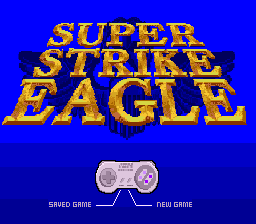
4. Once the opening animation has ended, press START on your controller to begin a new game, or SELECT to restore a saved game. If you choose to play a saved game, you will then be asked to enter the correct Access Code.
The Briefing Screen
The Briefing Screen gives you a summary of the strategic situation and a map of the theater. This map highlights all strategic targets, enemy airbases, enemy air defense headquarters, friendly airbases, and aircraft carriers. You will also see the points scored for each target and any destruction bonuses.
Note that enemy missile boats are identified as Air Defense HQs for Briefings and Debriefings.
Targets are grouped by type. The upper right-hand side of the screen shows an overhead photo reconnaissance view of the target as it appears in Ground Attack Combat Mode. The score and any possible ordnance bonuses are listed below this photo.
Navigating the Briefing
The map of the entire theater of combat is on the left side of the Briefing Screen. All targets and friendly bases are shown, with the currently highlighted target flashing.
The game automatically advances through all targets in the theater. Use these controls to adjust the briefing:
•
Press any button but START to quickly advance through assigned targets.
•
Press and hold any button but START to pause the Briefing at any point.
Takeoff Procedures
Press START to exit the Briefing Screen and proceed to takeoff from either an airbase runway or a carrier deck.
•
Press X on your controller to throttle up, and keep pressing X until you are at maximum throttle.
•
Pressing X on an aircraft carrier automatically advances your throttle to afterburner.
•
Press the Down arrow on the left side of your controller as soon as you are airborne to gain altitude.
Warning: If you do not gain sufficient altitude and speed, you can crash on takeoff.
Two-Player Co-Op Mode
The second player can act as the WSO (Weapons Systems Officer, or "Wizzo") using the second controller. The WSO handles all weapons and defenses, while the first player flies the F-15. This co-op setup is highly effective for dealing with tougher opponents in later theaters.
Ground Attack Combat Mode
Whenever you fly over a ground target in daytime, you have the option to enter the Air-to-Ground Combat Mode. Press and release "B" to enter this mode. At night and in the first theater, you will always enter this mode automatically when flying over a target.
This mode allows you to attack and destroy enemy targets with your weapons. Your mission orders require you to destroy only required targets. Airbases, Air Defense Headquarters, SAM launchers, and AAA sites are not required targets.
Once in Ground Attack Mode, your Navigation Arrow indicates the primary enemy target in that area. You must destroy this target to help win the game.
Navigation Arrow Behavior
If you have chosen to fly to either an enemy target or your home base, you will be guided there by your Navigation Arrow until you enter Ground Attack Mode or Landing Mode.
Once your target is destroyed, the Navigation Arrow points to either the nearest friendly airbase/carrier or the nearest enemy target, depending upon your choice on the WSO Screen.
Defending Against Missiles
You can decoy enemy missiles in Ground Attack Mode by releasing either chaff or flares as soon as you see a SAM heading toward you.
Controller Functions
•
CONTROL PAD: Maneuver F-15
•
A BUTTON: Fire Vulcan 20mm Cannon
•
SELECT BUTTON + B BUTTON: Select Missile
•
TOP LEFT BUTTON: Release Chaff
•
TOP RIGHT BUTTON: Release Flare
•
START BUTTON: Pause/Unpause
Landing Your F-15
Whenever you are over a friendly airbase or aircraft carrier, press and release the "B" button to enter the landing approach pattern.
Descend slowly so your aircraft touches down just after you cross the end of the runway or carrier deck.
When landing on a carrier, do not overshoot the yellow arrestor cables at the near end of the deck, or you will crash. When landing at an airbase, you must throttle down to "0" or you will overshoot the runway and explode.
Repairs and Rearming
Landing successfully repairs all damage, refills your fuel tanks, and fully rearms your missiles, 20mm ammo, chaff, and flares.
You can only land at each airbase or carrier twice to repair damage. A number next to each location shows how many remaining landings you have left there. It is best to delay your return to a friendly base until you hear the onboard computer's "DAMAGE CRITICAL" voice message.
.png)

 (En,Fr,De,Es,It).png)
