Startup Instructions
Before attempting to play the game, ensure the Nintendo GAME BOY® ADVANCE system is prepared correctly.
•
Make sure the POWER switch is in the OFF position.
•
Insert the GAME PAK into the slot on the back of the system, with the label facing AWAY from the play side.
•
Slide the POWER switch to the ON position to turn on the power.
After turning the system on, the JUSTICE LEAGUE™ title screen will appear. If you do not see the title screen, follow the directions provided on the opposite page. To proceed from the title screen, press START.
Menu Navigation
Throughout this manual, directional arrows (↑, ↓, ←, →) signify pressing the corresponding direction on the Control Pad.
•
Use the Control Pad to highlight a selection in the menus.
•
Press the A Button to activate a selection or access the next menu.
•
Press the B Button to go back to the previous menu or cancel a selection.
To quit a game in progress, press START during gameplay. The Pause Options screen will appear; select QUIT and press the A Button to exit.
Main Menu and Options
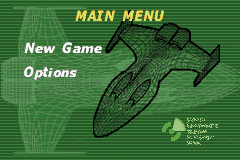
The Main Menu offers three primary options:
•
Load Game: Plays a previously saved game.
•
New Game: Begins a new game.
•
Options: Allows you to change specific game features.
Pause Screen
Pressing START during a game brings up the Pause screen, which acts as a toggle. Pressing START while in the Pause screen returns you to the game.
Your options on the Pause screen are Resume, Mission Select, Options, and Quit. Use the Control Pad to highlight your selection, then press the A Button.
Starting a New Game
To start a new game, highlight New Game using the Control Pad and press the A Button. The Enter Name screen will appear, allowing you to track up to four saved games.
•
Enter a name by highlighting a letter with the Control Pad and pressing the A Button.
•
You may also choose to use the default JL name.
•
Highlight DONE and press the A Button to continue.
If you have previously saved games, select Load Game from the Main Menu. The Choose A Game screen will appear.
•
Press ↑ or ↓ to highlight one of the four slots.
•
Press ← or → to choose between LOAD, ERASE, or BACK.
•
Press the A Button to proceed.
Mission Selection
Once in the Level Select menu, use the Control Pad to navigate through available levels. A new level unlocks as you complete a mission. When a level is highlighted, a Mission Briefing will appear.
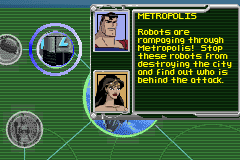
The Mission Briefing informs you which two JUSTICE LEAGUE members will be used and provides details on the mission location and objectives. Press the A Button to begin the mission.
Gameplay Basics
Each level features two predetermined JUSTICE LEAGUE team members. The selected mission determines which two heroes you will use. At the beginning of each mission, a short dialogue provides information about expectations and objectives.
During gameplay, look for multiple opportunities to obtain power-ups, such as extra lives, health, and energy recovery. Power-up icons are available in various locations throughout the game. •
Switch between your two heroes when health runs low by pressing the SELECT button. •
Be strategic when fighting Big Bosses, as they have their own Health Meter in the upper right corner of the screen. •
Each Big Boss has a Mini Boss guarding a key needed to unlock certain areas.
Watch out for important enemy objects, including Joker Blimps, Exploding Toy Ducks, and Spinning Orbs. Dodge these items to avoid damage to your hero.
Important Icons and Objects
Several elements affect gameplay and must be identified:
•
Character Restore: Brings your character back to full health. •
Switches: Turn these on or off to open doors, disable force fields, or manipulate the environment.
•
Mind Control HUBs: Destroy these enemy structures to progress.
•
Doors: Identify if doors are Locked or Unlocked.
Note: It has been 72 hours since any communication with the International Space Station. The first mission involves boarding the satellite to find the source of the problem.


 (En,Fr,De,Es,It).png)

.png)
 (En,Fr,De,Es,It).png)
