Getting Started
Insert the Game Pak and turn on your Game Boy® Advance. Press START to skip movies and enter the Game menu.
Using the +Control Pad, select New Game and press the A Button. On the Character Select menu, use the ← and → arrows to browse through characters. Press the A Button to select your character.
Repeat these steps three more times by pressing ↑ or ↓ on the +Control Pad to switch to the next character slot. The orange slot is for your “Striker” character. Note that not all characters are available from the start; new characters will unlock as you progress through the game.
Once all characters are selected, press START to begin the first mission. After completing it, select the next mission from the Map screen. You can press the B Button at any time before entering a mission to return to the previous screen.
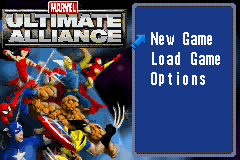
Menu Navigation
From the Main Menu, you can start a new game, continue a saved game, enter the option screen, or exit.
•
New Game: Begin the initial phases of the game.
•
Load Game: Continue a previously saved game.
•
Options: Customize various aspects such as button layout, background music, game difficulty, or view the Help screen for an overview.
From the Pause menu, you can save current progress or quit the game.
•
Return: Return to the game.
•
Load: Load a saved game.
•
Quit: Exit to the main menu.
S.H.I.E.L.D. Simulator
Challenges can be chosen from the map screen. Each challenge has its own goal, and your progress through it will be saved.
•
Time Challenge: Race through the level to find and defeat a certain number of enemies within a given time limit.
•
Boss Challenge: Defeat a set number of bosses.
•
Scavenger Hunt: Run around the level, searching for a number of listed items.
•
Survival: Survive against waves of foes for a set amount of time.
Story Introduction
With the sinister Dr. Doom and the Masters of Evil on the verge of seizing unimaginable power that could destroy the fabric of the known universe, Colonel Nick Fury brings together an unprecedented force of the greatest Super Heroes™ in the world.
In *Marvel™: Ultimate Alliance*, you call the shots and command the team that seeks to defeat an overwhelming army of villains. Do you have the strength, speed, and cunning to save the day from the ultimate tide of evil? You must, for you and your Ultimate Alliance are mankind's last hope.
Gameplay Basics
Strikers
Strikers are your helper characters. Striker Attacks are devastating and help turn the tide of a battle. Some Strikers have two attacks, depending on which hero calls them into battle. New Strikers with more powerful attacks become available as you progress.
Wielding Objects
Objects such as boulders and crates are scattered about different levels and can be hurled at enemies. Pick up objects by pressing the B Button while standing near them, then press the B Button again to throw the item.
Traps
In addition to dangerous enemies, watch out for hazardous traps. Fire Traps, Spike Traps, and more are common, so watch your step.
S.H.I.E.L.D. Access Points
Throughout the levels, there are stations where you can save your game.
Team Bonuses and Upgrades
During the mission, a small indicator appears over your character each time they gain prestige. As a team defeats enemies, it gains prestige which can be spent on team upgrades.
Every playable character is upgradeable. The strength of a Striker is based on the strength of the character that called him. When an upgrade is obtained, it is applied to all characters on the team or back at the base.
There are two to three upgrades available in each mission:
•
Attack Upgrade: Upgrades attack rating by a percentage of your original rating.
•
Defense Upgrade: Upgrades defense rating by a percentage of your original rating.

 (En,It).png)
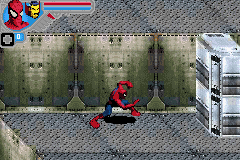
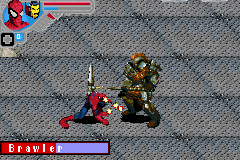
.png)
 (En,It).png)

 (En,Fr,De,Es,It).png)
 (En,Fr,De,Es,It).png)


.png)
.png)
 (En,Fr,De,Es,It).png)
_1.png)