SET UP
1. Turn OFF the power switch on your Nintendo Game Boy Advance. Never insert or remove a Game Pak when the power is on.
2. Insert the Game Pak of Scooby-Doo™ & © into the slot on the Game Boy Advance. To lock the Game Pak in place, press firmly. 3. Turn ON the POWER switch. The Credit Screens will appear (if you don't see them, begin again at step 1).
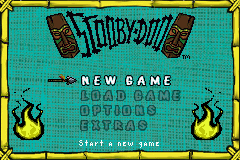
4. When the Title Screen appears, press START to proceed to the Main Menu.
CONTROLS
•
Control Pad: Control Pad
GAME SCREEN
Keep an eye on your character's Health Bar. Collect and eat as much food as you can to keep your energy up. If you don't get enough to eat, your Health Bar might run out and you'll have to start the level over again.
It takes stamina to use your special abilities, but your Stamina Bar won't last forever. You'll need to recharge by collecting and eating Scooby Snacks. If your stamina runs out, you won't be able to defend yourself or use your special skills.
ITEMS SCREEN
Press SELECT to check the Items Screen. Here you can see what items you have collected. Use the Control Pad to select an item.
HUB SCREEN
Press SELECT to activate the Menu Select Screen. Use this screen to navigate the various menus.
GOALS SCREEN
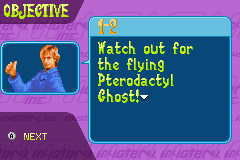
Press SELECT to view the Goals Screen. Find out which objectives you've completed in the level and what you still need to do.
CHARACTERS AND SPECIAL SKILLS
When you begin the game, you can choose to play as either Scooby or Shaggy, but as you progress through the levels, Fred, Daphne and Velma also become available. At any time during a level, you can switch to another member of Mystery Inc. by pressing SELECT.
You'll need to choose your player-character wisely, because each character has a unique skill, which will come in handy at different times throughout the game. Of course, there is a catch - some characters may not be available when you need them.
There are mysterious forces at work here, so Scooby, Shaggy, Velma, Fred or Daphne may actually have been captured and held prisoner! You'll have to rescue the missing characters before they can help you solve the mystery!
POWER-UPS AND PICK-UPS
Finding and using the collectible items scattered around the game will restore your character's health and stamina when they're getting low.
•
Food (small items): Eating small food items will restore one quarter of your character's total health.
•
Scooby Snacks: You can restore half of your character's total stamina by eating Scooby Snacks.
•
Food (large items): Eating large food items will restore half of your character's health.
•
The Golden Sandwich: It's hard to find, but if you are lucky enough to collect this rare power-up, you'll fully restore your character's health AND stamina.
•
Tokens: You can use tokens to buy items within the game such as food, Scooby Snacks, and other useful stuff. Getting important information from Dead Mike comes at a high cost, so use your tokens wisely! CLUES
Throughout the game, you'll need to collect clues, which are indicated by a "?" to help solve the mystery and catch the villain who has the island in his evil clutches.
•
Pick up "?" icons to collect clues.
•
Gather clues from characters you meet, and from items you find scattered around.
•
For example, someone might give you some valuable information, or you might find some glow-in-the-dark writing that gives you an important clue.
PAUSING THE GAME
Press START at any time to pause the game. Select RESUME to return to the action, OPTIONS to change or adjust your game options, or QUIT to exit the game and return to the Main Menu.
LOADING A GAME
When you start a new game, you'll be asked to enter in your name. While you are playing, the game will automatically save your progress at different points. When you come back, select the game you want to load, and you will be taken to the level you left off at.
PUZZLES
It may not be as easy as you think to unlock that chest, or turn on those lights. You'll probably have to solve some sort of puzzle first. Use a character with some special skills to help you out. This could be the perfect time to call on Velma!
UNLOCK THE CHEST
You can't use a key to open this chest! Instead, you'll need to unscramble the combination lock, which looks like a series of rings. Each ring has 4 different colored sections. Rotate the rings with the colored key hole in the middle until all the colors match straight across.
This might not seem too tough except that every 2 seconds, the rings move! If only you could stop time... hey, maybe you can!
•
Up/Down Control Pad: Changes the Currently Selected Ring
•
Left Control Pad: Rotates the Selected Ring Counter-clockwise
•
Right Control Pad: Rotates the Selected Ring Clockwise
MINI-GAMES
LIGHTS OUT
If you stumble across a darkened room, there could be

.png)
.png)
.png)



_1.png)




.png)