Single-Pak Linking
Here's all of the information you need to link multiple Game Boy Advance systems using one Super Mario World: Super Mario Advance 2 Game Pak. Necessary Equipment
•
Game Boy Advance systems: One system per player
•
Game Boy Advance Game Link® cables (sold separately):
•
Three players: two cables
•
Four players: three cables
Linking Instructions
1. Make sure that the Power Switches on all of the game systems are turned OFF, then insert the Super Mario World: Super Mario Advance 2 Game Pak into Player 1's Game Pak slot. 2. Connect the Game Link cables.
3. Insert the Game Link cables into the External Extension Connectors (EXT). Insert the small, purple connector into Player 1's game system and the large, gray connectors into the other game systems.
4. Turn each system's Power Switch ON.
5. Follow the controller instructions on page 38.
*Note: When playing with only two or three players, do not connect any game systems that will not be used.*
The Game Pak goes into Player 1's game system. The Game Link cable's small connector is purple, and the large one is gray.
Multi-Pak Linking
Here's all of the information you need to link multiple Game Boy Advance game systems using multiple Super Mario World: Super Mario Advance 2 Game Paks. Necessary Equipment
•
Game Boy Advance game systems: One game system per player
•
Game Boy Advance Game Link cables:
•
Three players: two cables
•
Four players: three cables
Linking Instructions
1. Make sure that the Power Switches on all of the game systems are turned OFF, then insert the Game Paks into the individual Game Pak slots.
2. Connect the Game Link cables and plug them into the External Extension Connector (EXT) on each of the game systems.
3. Turn each system's Power Switch ON.
4. Follow the controller instructions on page 40.
*Note: When playing with only two or three players, do not connect any game systems that will not be used. Whoever plugs the small, purple connector into his or her Game Boy Advance will be Player 1.*
The small Game Link cable connector is purple, and the large one is gray.
Getting Started
Select a Game
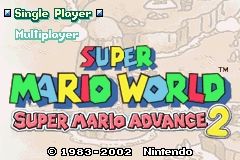
Insert the Game Pak into the Game Boy Advance and turn the POWER on. Select Single Player on the Title screen and press START to move to the Game Select screen. Select Super Mario World and press the A Button to confirm. Super Mario World is a one-player game. Select a File
On the File Select screen, choose from one of three data files (File A, File B, or File C) and begin a game. Select Erase Data when you want to erase a saved file.
•
Press SELECT, START, and the L, R, A, and B Buttons at the same time when turning the power on to display the Initialization screen.
•
Select Initialize and confirm your choice to erase all saved game data and reset the game.
Be careful! Once game data is erased, it cannot be restored.
Results Screen
Press SELECT on the Map screen to display the Results screen.
•
Total Time Taken: Current amount of time played (time after rescuing Peach is not counted).
•
Current Course Name: Displays the name of the current area.
•
Current Score: Displays the score for Mario and Luigi. •
Goals Reached: Shows icons for goals cleared (M for Mario, L for Luigi). The Results screen is linked to the Map screen, so your progress is continuously recorded. You can check on goal and Dragon Coin status whenever you like.
•
As you move to a new area, the map name, number of goals, and number of Dragon Coins are displayed. •
If a course has two goal icons displayed, that course has a hidden goal.
•
If you clear a goal with Mario, an M is displayed. If you clear one with Luigi, an L appears. •
The Dragon Coins collected icon only appears if you collect five or more Dragon Coins on that stage. •
At the beginning of the game, the Results screen only displays information on the first world, but as you move on to new areas, the Results screen will include new pages.
Icon Explanation
•
Dragon Coin not collected
Coin Information
You can increase the number of lives you have by collecting coins on the levels. •
Normal coins: Collect 100 to receive an extra life. •
Dragon Coins: Collect 5 or more on a single course to receive an extra life. (Dragon Coins may also be included in the normal coin count total.)
Reserve Items
Hitting the blocks that are placed throughout levels will cause power-up items to appear. If you are already in a powered-up condition when you pick up a new



_2.png)





_1.png)