Skills/Aspirations Screen
•
L Button / R Button: Your Sim's tools. When empty-handed, you can start conversations and use objects.
Aspiration Overview
•
Current Aspiration: Your Sim's current aspiration (e.g., Friendly).
•
Progress: Tracks progress toward the episode's aspiration goal.
•
Skill Levels: Displays your Sim's skill levels.
Strangetown: Simsational Television
From the pilot to the finale, your Sim's aspiration and their actions help shape the story that unfolds in this wacky reality show. You earn Rating Points for each episode depending on how your Sim did completing goals, fulfilling their aspirations, running errands, and finding hidden wants.
The Boardroom
After each episode, Daddy Bigbucks meets with you in the boardroom to discuss the show. At this meeting, you can spend your Rating Points on "twists" for your TV program. There are six twists and nine new social moves that you can purchase.
Episode Twists
•
Triassic Trouble: Oops! Honest Jackson has misplaced a dinosaur. Or, rather, its bones. Your Sim can help him recover the pieces.
•
The Doomed Earth: An errant asteroid hurtles towards earth, much to Emperor Xizzle's delight. Stop this natural disaster before it's too late!
•
It All Came to an End: In a scheme for higher ratings, Daddy Bigbucks decides a tragedy should befall Strangetown in this season-ending cliffhanger!
•
A Very Special Reunion: Five years after the final episode, it's time to capitalize on Strangetown's growing cult status. Help Kent Hackett find Strangetown's best loved stars and most reviled villains for one last action-packed adventure!
Saving and Loading
Better than outtakes or reruns, save your Sim's progress and episodes and then you can pick up where the series left off next time you play.
•
To save a game, choose SAVE GAME from the In-Game Options screen menu. Then choose a slot to save your game to and press the A Button.
•
To load a saved game, choose LOAD A SIM from the Main menu. Select the Sim you want to load and press the A Button.
Peak Performance
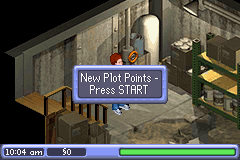
Your Sim's urgencies and social success all affect how well they perform in each episode of Strangetown. To maximize their performance, keep them pleased as punch by minding their Performance Meter.
Performance Quality
A happy Sim is on their toes and can improvise better. Make sure that your Sim has fun and minds their urgencies to keep their meter in the green. When bad things happen to your Sim, their Performance Meter depletes (unless they do things to raise it). If it gets really low and bottoms out, they are completely distracted from their performance... and just might need some time off to regain their star presence.
When a conversation with another Sim goes badly, your Sim also suffers a decline in their performance. So be careful whose toes you step on when talking the talk.
Certain needs or urgencies must be tended to immediately. These include using the toilet, showering, eating, drinking, and sleeping. If one of these urgencies comes up (indicated by an icon over your Sim's head), your Sim's Performance Meter falls fast. Attend to those urgent calls to keep your Sim's performance tip-top.
Aspirations
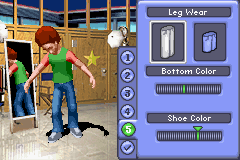
You choose your Sim's aspiration when you create them. Your Sim aspires to be friendly, romantic, or intimidating. To change your Sim's aspiration between episodes, choose CHANGE CLOTHES on the Boardroom menu and then access the Aspirations screens.
Passing Out
A few things can cause your Sim to pass out. Sims may faint when they're too near open flames or if they get zapped by electricity. If your Sim passes out, they awaken in the boardroom, mostly recuperated.
Conversations
Talking to another Sim increases your Sim's relationship with that NPC. If your Sim fills the NPC's Plumb-bob, they win the social battle and their relationship with that Sim increases one level on their selected social path (friendly, romantic, or intimidating).
•
Press the L Button to wave to another Sim when they're within range.
•
What's up?: Ask about what is on another Sim's mind.
•
Friend Conversation: Get along well enough with a Sim and you might make a friend.
•
Romance Conversation: Sweet talk a Sim you've taken a shine to and see if you can't become more than just friends.
•
Intimidate Conversation: Prove you're tough enough to put a Sim in their place. If you really shake them up, you might make an enemy.
•
Give Item: The right gift can not only greatly affect another Sim's mood, but can help turn that Sim into a best friend, a soul mate, or an archenemy.
Conversation Screen Elements
•
Social moves: The options your Sim has for this conversation.
•
NPC Plumb-bob: Fills up during positive interactions.
•
NPC: With whom your Sim is speaking.
•
Chit-Chat: The default Level 1 conversation.
•
Performance Meter: Displays current performance status.
•
When the Plumb-bob fills up, your Sim's














 (En,Fr,De,Es,It,Nl).jpg)






.png)
.png)
.png)
.png)

.png)


_1.png)