PREPARING FOR YOUR QUEST
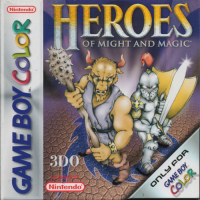
Heroes of Might and Magic is a fantasy strategy game where you compete against three warlords for territory and resources. The land is filled with dangerous enemies and mystical creatures. Players hire heroes to gather men, creatures, and materials for the fight. Victory requires a combination of tactical skill and strategic planning. Starting Heroes of Might and Magic
•
Turn off the power switch on your Nintendo Game Boy Color system. Never insert or remove a Game Pak when the power is on.
•
Insert the Heroes of Might and Magic Game Pak into the slot on the back of the Game Boy Color, label facing out. Press the Game Pak firmly to lock it in place. •
Turn the power switch on.
•
Select the language of your choice: English, French or German.
STARTING YOUR QUEST
Main Menu
Navigation on any screen in the Heroes™ game involves using the + Control Pad to highlight an option and the A Button to select it.
New Game
Selecting this option takes you to the scenario selection screen where you will choose which scenario you wish to play.
Load Game
You may save up to three games in Heroes of Might and Magic. Select this option to load your previously saved game. High Scores
This option lets you view the 10 highest scores and the scenarios where they were achieved. Selecting the Reset Scores option at the bottom of the screen will reset all scores to their default values.
Credits
View the Credits for the Heroes of Might and Magic game. Select Scenario
The Select Scenario screen is where you choose which scenario you wish to play. Each scenario is defined by its title, starting resources, map size, and a brief description.
At the bottom of the Select Scenario screen are the Exit and Okay options. Highlight the option you want and press the A Button to confirm your selection.
Scenario Settings
After selecting a scenario, the Scenario Settings screen is displayed.
Starting Resources
The Starting Resources setting determines the initial resources available to you.
Opponents
These three options let you customize the intelligence of your opponents (the CPU players). The settings are Dumb, Average, and Smart. Smarter opponents think more intelligently about their moves and are more formidable adversaries.
PLAYING THE GAME
After you have selected a scenario and accepted the Scenario Settings, you are on the adventure screen, playing the game.
Hero Movement
This game is divided into turns – you have your turn and then the Game Boy Color-controlled heroes have their turn. Heroes can only move so far in a turn.
Moving around a map is done from the Adventure Screen. The Adventure Screen shows the current hero and troops, and a portion of the map. Dark areas of the map are unexplored areas. Exploration is a big part of this game, and as you move your heroes around the map, these dark areas will be revealed.
To move a hero, simply move the cursor to an area that isn't covered by darkness and press the A Button. If your hero can move to this location, you will see a flashing trail indicating the path your hero will take. Press the A Button to move your hero there. Your hero does not have unlimited movement. Remember this, so you don't get caught too far away from the safety of your towns.
Adventure Actions
Pressing SELECT will replace the hero information bar at the bottom of the adventure screen with the Adventure Actions menu bar. The 5 icons on this menu bar, from left to right, perform the following functions:
•
Next hero: this lets you jump to each hero under your control.
•
Next town: this lets you jump to each town you own.
•
Move hero: this tells the current hero to move to the location you selected on the map.
•
Cast spell: this lets the current hero cast a spell.
•
End turn: when you are done commanding your heroes and towns, end your turn. When you end your turn, the enemy heroes will move.
Press SELECT again to return to the game.
Adventure Options Screen
Pressing START will pause the game and display the Adventure Options Screen with the following options. Select an option by highlighting it and pressing the A Button.
Exit
Selecting this option returns you to the adventure screen.
Kingdom Overview
The Kingdom Overview screen displays information on the heroes and towns that you control.
•
Heroes: The number of heroes of each type that you control.
•
Castles: The number of castles of each type that you own.
•
Towns: The number of towns of each type that you own.
•
Mines: The number of mines of each type that you own.
•
Treasury: The quantity of each of the seven resources that you own.
•
Income: The total amount of gold that you earn each turn.
Pressing the A Button returns you to the Adventure Options menu.
World Map
Selecting this option lets you view the world at half-scale. Only explored areas are visible. This view shows a miniature representation of all visible towns, castles, mines, etc. Blue flags indicate the location of heroes under your control.
Pressing the A Button returns you to the Adventure Options menu.
View Puzzle
Selecting this option lets you view the puzzle map, which provides clues to the location of the Ultimate Artifact. To uncover pieces of the puzzle, your heroes must visit the obelisks that are scattered across the world.
The number of obelisks found will be displayed, as will
.png)



_1.png)
 (En,Fr,De).png)
 (En,Fr,De).png)









_1.jpg)
.png)