START A GAME
Inserting a NINTENDO GAMECUBE Memory Card
Insert a memory card into slot A of the NINTENDO GAMECUBE. Make sure you have enough space on the memory card before you start playing. You will need 2 to 6 blocks to save a game.
•
Game save file: 1 block each (5 max)
Inserting the game disc
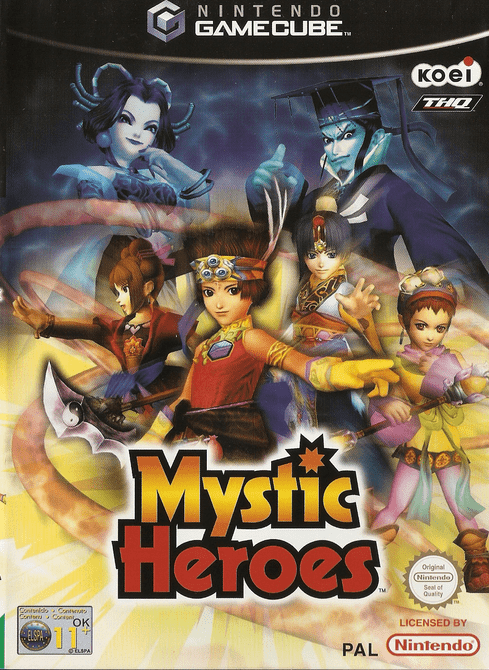
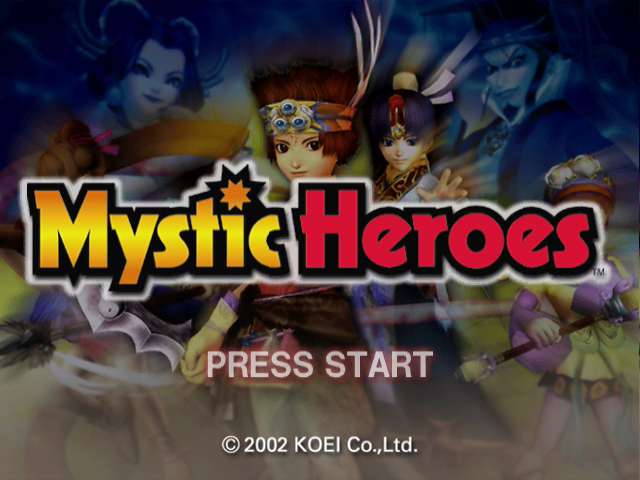
Insert the Mystic Heroes game disc into the NINTENDO GAMECUBE, close the lid, and press the power button. The introduction sequence begins. Accessing the title screen
Press START/PAUSE to directly access the title screen. If you press START/PAUSE again, you will have the option to choose a Mode.
If you press a button during the demo, you will return to the title screen.
Choosing the mode
Choose a game mode.
•
New game: Play in story mode.
•
Continue: Resume a game in story mode.
•
Survival: How far will you go?
•
Options: Consult the best scores, the index of runes or the character profiles.
•
Settings: Modify game settings.
•
Multiplayer: Play with others.
Save/Load
Save
You can save story mode data in the menu before combat. It is possible to save up to 5 games on a memory card. You can return to the title screen after saving.
This game requires a memory card to save your progress, settings, or results. Please refer to the NINTENDO GAMECUBE instruction manual for information on formatting and deleting files from a Memory Card. Load
Select [Continue] on the title screen to load data.
Options
•
Best scores: to see the best scores, established according to elapsed time, total points, defeated enemies, and best combo.
•
Character profiles: to display the presentation of the various characters.
•
Runes index: to see the runes collected during the game.
Settings
•
Brightness: to adjust the game's brightness on your TV.
•
Sound: you have the choice between Stereo and Mono.
•
Sound effects: to adjust the volume of the game's sound effects.
•
Music: to adjust the volume of the game's music.
•
Vibration: to activate or deactivate the vibration function.
•
Target: you have the choice between Normal and Inverted.
•
Inverted - up and down are inverted for camera movement.
STORY MODE
Defeat the scattered enemies on the map to complete the level! There are 8 levels in total, with a maximum of 5 maps per level.
To play
1 Character selection
When the introduction sequence ends, choose one of the four main characters. The story begins once you have made your choice.
When you finish a part and when you restart a part at the same difficulty level, you can recover the stats you have accumulated in the previous part.
2 Screen before combat
This screen allows you to save data, change runes, and consult player information. When you are ready, choose [Start Combat] to play.
3 Start combat!
The conditions you must meet to complete the level are indicated first. Your objective is to fulfill the conditions, while annihilating the monsters that have the misfortune of crossing your path.
Warning: if your life level drops to zero, you have lost.
4 Objective: the last map!
The last map of each level includes a main boss. To complete the level, you must defeat the boss.
5 Level finished!
Your points are displayed on this screen. Points are awarded according to certain factors such as elapsed time and the number of defeated enemies and allies.
Tips for story mode
•
Take care of your character: Break all the vases you find. Some contain runes or objects that will strengthen your character.
•
Magic: Magic is essential for using the power of runes. Here are ways to obtain magic.
•
Use the R + X (or Y) button
Combat screen
•
Magic level: It decreases as you use spells.
•
Affinity: Indicates the affinity between the characters and the spells they are equipped with.
•
Force: Red represents your forces and blue represents enemy forces. The more space your color occupies, the better your overall situation.
•
Map: Allied units are represented in red. Enemy units are represented in blue. Your character is in yellow.
Screen before combat
•
Save: To save game data in story mode.
•
Start Combat: Start combat
Level 1
The path to Kokei Castle. Guests by Raja, Shiga and Lani are heading to Kokei city. But it wasn't Rai who was waiting for them. •
Map display (press the Y button): To view a map of the level.
MULTIPLAYER
Fight the enemy with your friends in Team mode or confront other players in Duel mode!
To play
1 Character selection
In multiplayer mode, up to 4 people can participate. Choose [Player] for you and your friends and [AI] for the computer.
2 Mode selection
You have the choice between 2 Team modes and 5 Duel modes
.png)

.png)


_1.png)