Coach's Corner: Running the Option
The option is a common offense in college football. The quarterback can hand the ball off to a running back by pressing the A Button.
If the QB keeps the ball, they will run to the outside. They then need to read the linebacker and either keep the ball or pitch it to the running back by pressing the Z Button. Option plays are yellow in your playbook.
Passing
Running the ball gains yards, but passing gains more. Be careful, as a bad pass can quickly turn the game's momentum. An intercepted pass for a touchdown is very deflating.
•
Any button ............Pass to that receiver (double tap to fake)
•
Z Button ............Throw the ball away
Coach's Corner: Set Your Feet!!!
Having trouble completing passes? You might not be giving your players the best chance. Most real players need to plant their feet before throwing.
Stop moving for a moment before throwing, and your completion percentage will increase.
Main Menu
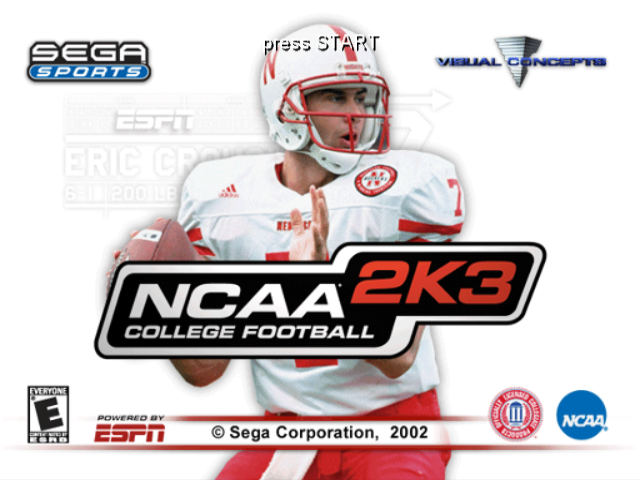
After the NCAA 2K3 title screen, press start to see the main menu. From here, you can jump into the game or set things up.
•
Quickstart: Jump into the game with two randomly selected teams. This is great for practicing your skills.
•
Game Modes: Select one of the many game modes and head out to the field.
•
Customize: Design your own players, teams, and schools.
•
Options: Change game presentation by adjusting volume, penalty calling, and other user-configurable options.
•
Load/Save: Load and Save your game settings.
•
User Records: Check your stats to see how you've been doing.
Game Modes
•
Practice: Brush up on your favorite team's formations and plays. Champions are built on a solid foundation in practice.
•
Tourney: Compete in a 4, 8, or 16 team tournament.
•
Exhibition: Match up any two teams and head out to the field.
•
Season: Lead your team through a regular season. Do well enough to play in one of the 25 bowl games at the end of the year.
•
Legacy: Lead your football program season after season. Recruit high school seniors, redshirt players, and hold spring training workouts to improve your chances. You have 25 seasons to mold your school and become a legend.
Exhibition Mode
Now that you have the basics, let's play. This game won't count for your season standings, but it's good practice.
Choosing Teams
The team on the left is the visitors, and the team on the right is at home. Teams are grouped by conference to make them easier to find.
Press the C Stick to scroll through conferences. Use the L/R Buttons to select your team. You can also change your team's playbook. For example, try Nebraska's playbook to see your team run an option offense.
Controller Assignment Screen
After selecting teams, the Controller Assignment screen appears. Use the Control Stick or + Control Pad to align your controller with the team you want to coach.
Once you've picked a team, you can choose Maximum Passing by pressing the A Button. When everything is set, press START to advance to the game. For Exhibition, Controller Assignment is on the same screen as Team Select; for other modes, it is separate to allow access to User Records' name.
Coin Toss
The visiting team calls the coin toss. The winner chooses whether to kick or receive. The loser chooses which goal to defend. After the coin toss, the Special Teams play calling screen appears, and the game begins.
Selecting Your Plays
The National Championship is built on athlete talent, teamwork, and the coach's playbook. This isn't old-school AI where you can call the same plays repeatedly. To win, you need to mix up your offensive and defensive plays.
Play to your team's strengths. If you have great cornerbacks, you can gamble with blitzes and exotic zone defense. If you have a great running back, pound the ball on the ground. In the offensive playbook, passing plays are blue, running plays are red, and option plays are yellow.
Season Mode
To reach the postseason bowl games, you must first get through the regular season. Play conference and non-conference games against other Division 1-A teams.
If you rank high in the Sega Championship poll, you'll be invited to a premier bowl game. If you finish first or second in the poll at the end of the regular season, you can move on to the Fiesta Bowl and battle for the National Championship. In Legacy Mode, the championship game rotates between the four major bowls: Fiesta Bowl (2003), Sugar Bowl (2004), Orange Bowl (2005), and Rose Bowl (2006). Season Menu
Once you've selected your school, you will come to the Season Menu:
•
Schedule: Take a look at your upcoming opponents.
•
Options: Set up the game just how you like it, similar to the main menu options.
•
Customize: Manage your depth chart and rosters.
•
Team Select: Change which team you're looking at.
•
Save: Save your season's progress.
•
Quit: Exit season mode and return to the main menu.
Legacy Mode
Welcome to NCAA 2K3's Legacy Mode, starting with the 2002 NCAA season. Check the management option to see what's happening with your team.
.png)

.png)





.png)