EPILEPSY WARNING
Please read before using this video games system or allowing your children to use it.
Some people are susceptible to epileptic seizures or loss of consciousness when exposed to certain flashing lights or light patterns in everyday life. Such people may have a seizure while watching certain television images or playing certain video games. This may happen even if the person has no medical history of epilepsy or has never had an epileptic seizures.
If you or anyone in your family has ever had symptoms related to epilepsy (seizures or loss of consciousness) when exposed to flash lights, consult your doctor prior to playing. We advise that parents should monitor the use of video games by their children.
If you or your child experience any of the following symptoms while playing a video game, IMMEDIATELY discontinue use and consult your doctor:
•
Any involuntary movement or convulsion
PRECAUTIONS TO TAKE DURING USE
•
Do not stand too close to the screen. Sit a good distance away from the television screen, as far away as the length of the cable allows.
•
Preferably play the game on a small television screen.
•
Avoid playing if you are tired or have not had much sleep.
•
Make sure that the room you are playing in is well lit.
•
Rest for at least 10 to 15 minutes per hour while playing a video game.
STARTING UP: HOW TO USE YOUR SEGA SATURN SYSTEM
This CD-ROM can only be used with the Saturn System. Do not attempt to play this CD-ROM on any other CD player - doing so may damage the headphones and speakers. 1. Set up your Sega System by following the instructions in your Sega Saturn System Instruction Manual. Plug in Control Pad 1. For 2-player games, plug in Control Pad 2 also. 2. Place the Sega Saturn CD-ROM, label side up, in the well of the CD tray and close the lid. 3. Press the Power Button to load the game. The game starts after the Sega Saturn logo screen. If nothing appears, turn the system OFF and make sure it is set up correctly. 4. If you wish to stop a game in progress or the game ends and you want to restart, press the Reset Button on the Sega Saturn console to return to the Game's Title Screen. If you wish to return to the Control Panel, press Buttons A, B, C and Start simultaneously at any time. 5. If you turn on the power without inserting a CD, the Audio CD Control Panel appears. If you wish to play a game, place the Sega Saturn CD in the unit, press the D-Button to move the cursor to the top left button on the Control Panel, and press Start. The opening screens of a Game will appear. Important: Your Sega Saturn CD-ROM contains a security that allows the disc to be read. Be sure to keep the disc clean and handle it carefully. If your Sega Saturn system has trouble reading the disc, remove the disc and wipe it carefully, starting from the centre of the disc and wiping straight out towards the edge. FLYING SQUADRON INTRODUCTION
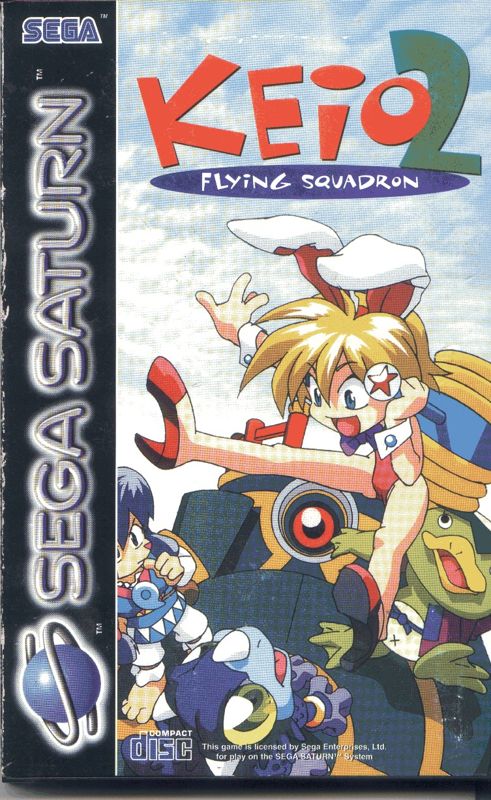
Thank you for purchasing JVC's Sega Saturn CD. Before you start the game, please read this manual. THE STORY
A year has passed since the apocalyptic disaster which left a great crater in the center of Edo city. The destruction wrought major economic consequences, and while much investment was poured into the public works for the New Edo Castle, the citizens were all feeling the pinch of the recession.
Dr. Pon was no exception. Although a freak of nature with an astronomical IQ of 1400, hard reality forced the genius raccoon to become a laborer in the construction of the New Castle. One day, while he was shoveling away some gravel near the center of the crater, he unearthed the Secret Treasure Scroll and one of the Six Magical Orbs! With the knowledge that the six Orbs together would bring him enormous wealth, he quickly left his job in search of the remaining five orbs listed on the scroll's map.
Meanwhile, Himiko “the Pompous Queen of the Ancients” makes a dramatic appearance at the Nana-hikari family's dinner table and grabs the family's Magical Orb. But before she can get away, Dr. Pon ambushes her and steals it. Of course, Rami makes chase and joins the race for the great treasure, starting her on her new adventure....
CONTROLS
Directional Buttons (D-button)
•
Left/right arrow: Moves to left/right
•
Up arrow: Goes up the stairs
•
Down arrow: Squats/goes down the stairs / looks downward
Buttons L, R
•
L-R button: Run (when set in Option Screen)
Buttons X, Y, Z
Start Button (start)
•
Start: Start the game/pause
Buttons A, B, C
•
A button: Picks up weapons/items
•
B button: Attacks with weapon in hand
Special controls by pushing two buttons at the same time:
•
A while pushing down arrow: Discard weapons/items
•
B while pushing up arrow: Throw hammer/open umbrella
•
Directional arrow while pushing B: Set the direction of arrow
•
C while pushing down arrow: Jump off to the lower level (if any)
Button settings can be easily changed in Option Screen.
WEAPONS
KINGAWAA-THE UMBRELLA OF LOVE
Closed, these are thrust weapons. By opening
.png)

.png)

.png)