Starting the Game
The health and safety screen will appear when you turn on the power. Once you've read the information, press any button to advance to the title screen.
•
WARNING: HEALTH AND SAFETY: PERIODIC PLAYING MAY AFFECT YOUR HEALTH AND SAFETY. READ IMPORTANT INFO ON PROPER USAGE. FOR DETAILED INFORMATION ABOUT YOUR HEALTH AND SAFETY, VISIT http://www.nintendo.com/health_safety/
Save Selection
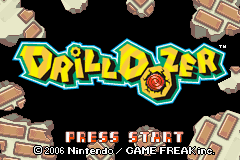
Press START on the title screen to access the save-selection screen. Here, you can access your saved games.
•
Playing for the first time: Select New Game.
•
Continuing a saved game: Choose the save game you want to resume.
New Game Menu
When starting a new game, you can adjust the following settings:
•
Choose Name: Name your character.
•
Ishino Face: Customize the character face.
•
Data Copy: Copy saved data.
•
Sound: Choose between Mono or Stereo.
•
Rumble: Choose On or Off.
•
OK Save: Confirm your settings.
Changing Game Settings
You can change the following settings in the menu located below the save data. Follow the instructions on the screen to make adjustments.
•
Copy / Erase: You can copy or erase saved data. When copying data, choose the data you want to copy and then select where you want to copy it to. When erasing data, select the data you want to erase.
•
Sound: Choose between mono or stereo sound.
•
Rumble Feature: Choose on or off.
•
NOTE: Be careful! If you erase saved data, it's gone forever!
Saving Your Progress
You can save your progress on the Save screen.
•
Do you want to save?: Yes / No
See page 22 for more information.
Playing the Game
Take control of Jill's powerful Drill Dozer and demolish your way through area after area packed with enemies!
Stage Screen
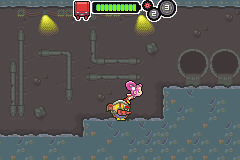
Use all of the moves at your disposal to make your way to the end of the area. Just touch an item to grab it. See page 25 for more information.
•
Gears: Find gears to gain the ability to shift up! See page 11 for more information.
•
Energy: The Drill Dozer's energy bar will fall every time you take damage.
•
Treasures: Touch treasure chests to get the loot inside. See page 22 for more information.
Shift Up!
When you find a gear, the Drill Dozer will be automatically upgraded with the ability to shift up. The Drill Dozer can carry up to three gears. Due to wear and tear, you will lose all of your gears when you complete an area.
Game Over
Your game is over when you run out of energy. However, you can pay 50 Chips to continue. See page 25 for more information.
•
Pay 50 chips to continue?: Continue / Give up
Tips and Notes
•
EEE MEE MEE!: FEAR ME! If you find a strange device, try using your drill to activate it.
•
MAN, YOU'RE UGLY!: Chips come in handy at critical moments!
The Trailer
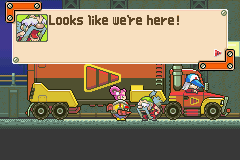
You will be taken back to the trailer every time you complete an area. There, you can buy upgrades, view your treasures, save your game, and more!
Getting Around the Trailer
Each character in the trailer has a different area of the trailer. Select a character with the +Control Pad and press the A Button to move to that area.
Map
Here, you can choose the area you want to travel to. First select the area, and then choose the stage in that area you want to enter. Select the Red Dozers' Training Course to practice your skills.
Equipment
Your Drill Dozer's current equipment will be displayed here. You can also view this screen by pressing SELECT during play.
•
Drill Bit: The drill bit you currently have equipped.
•
Drill Type: View the drill type you have equipped. Sometimes, you can use special equipment.
•
Gears: The gears you have equipped.
•
Energy: The current and maximum energy capacity of your Drill Dozer.
•
Chips: The number of Chips you have collected.
Help
Press the A Button to view the help screen. Use the +Control Pad to select a subject, then press A to view it.
•
Use the Training Course to master your drilling skills!
•
Beat hard enemies to earn tons of Chips!
Treasures
Go here to see a list of treasures you've found. Use the +Control Pad to select a treasure and view its description.
Save
Go to this area to save your game or put your system to sleep. Select an option from the menu below. You can also reach this screen by pressing START while you play.
•
Save: Save your progress.
•
Sleep: Put your Game Boy Advance system in sleep mode. Press SELECT while holding down both the L and R Buttons to wake up your system.
•
Exit: Return to the trailer. This option only appears when you're in an area.
Shop
The shop will only appear after you've progressed a ways into the game. Here, you


.png)
