Beginning the Game
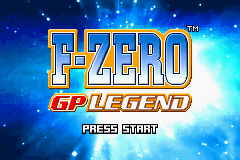
To begin racing, insert the F-ZERO: GP Legend Game Pak into the Game Boy Advance and turn the power ON. When the title screen appears, press START. Name Entry
If you select and enter NO DATA on the player-selection screen, the name-entry screen will appear. Enter your name using the + Control Pad and the A Button. Select and enter OK to register the new name. Two different names can be registered.
Select Player
Once a new name has been registered, you'll return to the player-selection screen. Select and enter the file you want to play with. When you begin a new game, only the Story, Grand Prix, Options, and Link modes will be available, but you can unlock other modes by playing through the game.
For more info on game modes, refer to pg. 14. For more info on options, refer to pg. 20.
Saving Data
Game data is automatically saved every time you complete a race.
Clearing All Data
To display the Clear Data screen, hold down the L and R Buttons and turn the power ON. Then, select and enter YES to clear all game data.
Clearing Data for Only One File
From the player-selection screen, select the file you want to clear and press SELECT. When CLEAR? appears in the bottom-left corner of the screen, select and enter OK to clear that single file.
•
Once a file has been deleted, it cannot be restored.
•
Be extra-careful when deleting files.
Grand Prix
Players compete against 29 other computer-operated rivals for the best total ranking. There are three race classes (difficulty levels) in Grand Prix mode.
Select the class you want to play and press the A Button. Select the cup you want to play and press the A Button. When you begin a new game, you will only be able to select from three types: Bronze, Silver, or Gold. However, by clearing the cups higher than Standard in each class, you will unlock the Platinum cup.
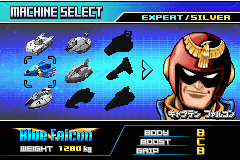
Next, select the machine you want to race with and press the A Button. The machines that you will be able to select from increases based on how well you have performed in the Story and Grand Prix modes.
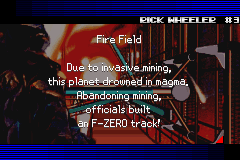
At the beginning of each race, information such as the planet name, course name, course layout, etc., will appear.
Screen References
•
Machine-Selection Screen
Next, make the necessary setting changes to the machine that you've chosen. Move the graph to the left or right to determine whether you want your machine to have better top speed or acceleration. Once you've finished altering your machine settings, the race will begin.
Once the race is over, the race results and number of points acquired will appear. If you aren't able to complete the race, RETRY? will appear on the Results screen. If you wish to continue racing, select YES. If you'd like to quit and play another game mode, select NO. •
Race times from the Grand Prix mode will not be saved.
Grand Prix Rules
•
Each race consists of five laps, the results of which will determine the rankings. The clear conditions are to finish the entire race and ultimately win the cup.
•
Each time you finish a race, you receive points based on the place you finished in.
•
The character with the most points at the end of the last point wins the championship.
•
Even if you crash, your race will not end as long as you have spare machines. (Once you run out of spare machines, the game is over.)
Time Attack
In this mode, players try to challenge the best total times and best lap times. Just as in Grand Prix mode, the races in Time Attack mode consist of five laps. In Time Attack mode, you can select from courses that you've gained access to in Grand Prix mode. The machines that you can use are the same as those in Grand Prix mode. After satisfying certain conditions, the championship course will appear.
•
Once you finish a race in Time Attack mode, the Results screen will appear. The top five best total times and a single best lap time will be recorded in the Rankings.
•
If you beat a best total time, you can save Ghost Data for that race (only one Ghost Data can be saved on one Game Pak). When you select the course to race, you can use the R Button to turn the Ghost On or Off.
Training
In this mode, you can practice racing on your favorite courses. In Training mode, you can select the number of laps, the number of rival machines, and the class (only when you select to compete against rivals). Try different settings and find which types of races you like best. The courses and machines that you can select are the same as those in the Time Attack mode.
Zero Test
In this mode, players compete against preset times on small portions (red sections) of courses used in Grand Prix mode and special courses introduced in Story mode.
Select which of the four difficulty levels you would like to play-S, A, B, or C-and then press the A Button. When you begin a new game, only the C-Class is available. Once you've cleared the C-Class, you will then be able to move on to the B-Class.
There are twelve different tasks in each difficulty class. In each

 (En,Fr,De,Es,It).png)

 (En).png)
 (En).png)
 (En).png)


 (En,Fr,De,Es,It,Nl).png)