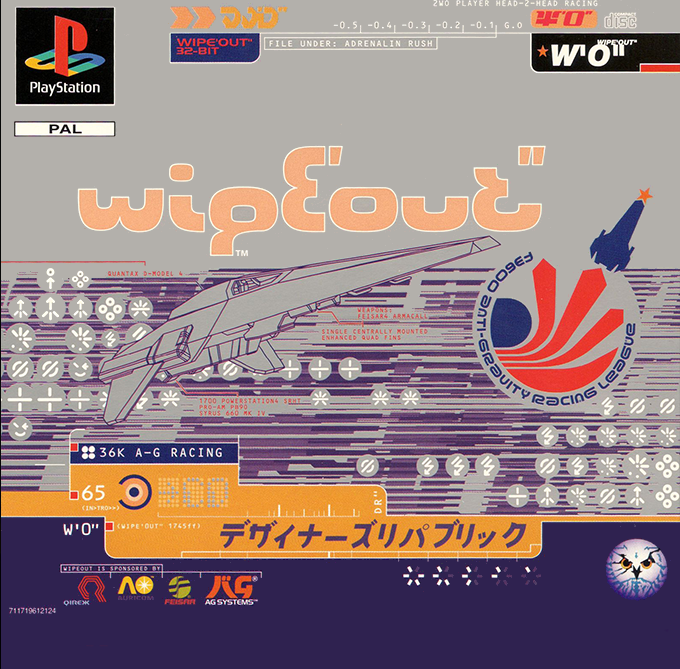
Starting the Game
•
Set up your Sony PlayStation in accordance with the instruction manual supplied with the system. •
Follow your system directions to open the CD drive and place the CD onto the bed of the drive, ensuring the printed side faces upwards.
•
Close the CD drive and press the Power button to begin play.
Option Menus
Before you can take your place on the track, you need to make a few choices about the game you are about to play. Wipeout will offer you a number of menus before you play the game.
•
Use the UP and DOWN arrows on the joypad to highlight your choice, then press the X button to select it.
•
To go back through the menus, press the button.
1-2 Players/Options Selection
Choose the one or two player game with this menu. See the section headed 'Wipeout with 2 players' for more information on the two player game. You are also offered the chance to go to the Options menu.
Options
Load and Save
Using Sony PlayStation memory cards, you can store some of WipeOut's variable features. •
If you select 'Save', you will then need to select 'New File' before choosing a file name of 6 letters.
•
Use the LEFT and RIGHT arrows on the joypad to cycle through the alphabet and press X to select each letter.
•
When 6 letters are selected, use the LEFT and RIGHT arrows to highlight the word 'End' then select it using the X button.
•
To load information from a memory card, select 'Load' and choose from the list of files provided using the UP and DOWN arrows. Press X to select, and the file will be loaded.
Memory Card Storage
•
High scores of successfully completed tracks including best lap times
•
The current joypad configuration
•
The current audio configuration
Joypad Configuration
When you play Wipeout, the joypad controls will be default settings. However, if you are more comfortable using a different arrangement, you can select another configuration.
•
Use LEFT and RIGHT arrows to cycle through the pre-set configurations and press X to select the one you want.
•
Remember that all instructions in this manual refer to the default settings.
•
It is fully compatible with Namco's NeGcon and will be automatically detected when you plug the NeGcon into joypad port number 1.
•
If you have a NeGcon, you may choose from four different button configurations. There are a selection of 4 button presets to choose from: the buttons determine thrust, deploy weapon, and airbrakes.
•
You may also select the 'NeGcon twist' values in the joypad configuration screen. Once selected, adjust the NeGcon to the angle you feel comfortable with for maximum lock and press the 'I' button.
Audio Configuration
•
Use the UP and DOWN arrows to choose one of two variable options.
•
You can choose SFX/Music which allows you to alter the balance between sound effects and music. Use LEFT and RIGHT arrows.
•
Select CD allows you to choose a particular music track or a selection using the LEFT and RIGHT arrows.
Times
•
Use the LEFT and RIGHT arrows to cycle through the high scores on all successfully completed tracks.
Racing Class Selection
There are two racing classes in Wipeout: Venom and Rapier.
•
When you first play the game, you will be in the Venom class.
•
You will only be able to move up to the faster Rapier class when you have completed all six Venom tracks and finished top of the points table.
Championship/Single Race/Time Trial Selection
•
Use the up and down arrow buttons to highlight your chosen race type and press button X to select it.
Championship
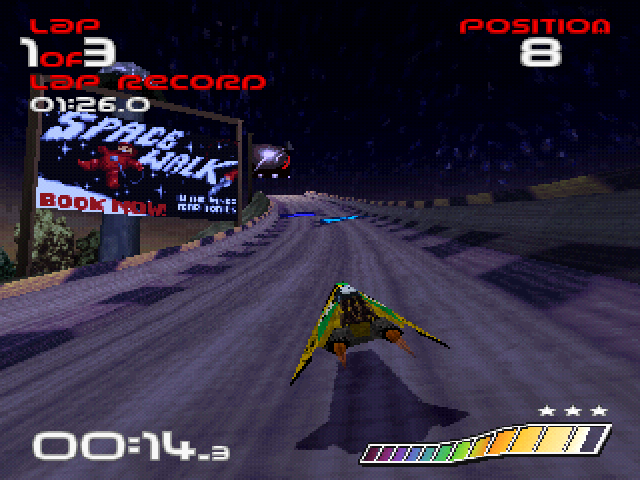
Starting on the first track, you will attempt to finish in the top three to qualify for the next one. Points will also be awarded dependent on your placing.
•
If you finish outside the top three, you will lose a life. You have 3 lives per track.
•
If you manage to complete all six tracks in the Venom class AND finish top of the points table, you will be able to move up to the Rapier class. This consists of the same 6 tracks - but tougher!
Single Race
If you choose this option, you will be offered the Team Selection and the Pilot Selection screens followed by the opportunity to select a track.
•
There are six tracks in Wipeout: Altima VII, Karbonis V, Terramax, Korodera, Arridos IV, and Silverstream.
•
You will compete against a field of pilots in a 3 lap race.
Time Trial
As in the Single race, you can choose your team, pilot and track.
•
Remember that all weapons will be deactivated in a time trial.
•
Race against your own best times. You have no one to beat but the clock.
Playing the Game
Championship
If you chose to make an attempt on the championship, you will be taken to the first track in the Venom racing class.
•
If you fail to finish in the top three on a track, you will lose a life. You have three lives per track.
•
Once you have lost them all, your challenge is over.
Single Race
If you chose a single race against a full field of pilots, you will be taken to your selected track.
Time Trial
If you chose to race against the clock and your own best times, you will be taken to your selected track.
Pausing the Game
•
Pressing the START button
.png)

.png)

.png)
.png)
_1.png)
.png)
.png)