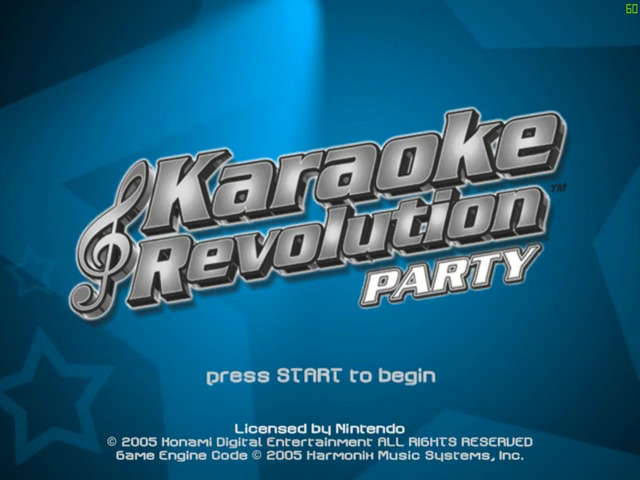
Main Menu
Quickplay
Jump in, select your favorite song, and start singing. Your performance will be scored.
One Mic Party
These game modes are for multiple players (1 to 8) sharing a single microphone.
•
Arcade - Out-sing your opponents to win the most rounds. (2 to 8 players)
•
Medley - Sing song clips in rapid succession. (1 to 8 players)
•
Sing and Dance - Sing and dance at the same time by using a microphone and dance pad. (2 to 8 players)
•
Minigames - Your voice is the controller in these arcade-style games. (1 player)
•
KR Challenge - Play a variety of game modes to determine the ultimate Karaoke Revolution® champion. (2 to 8 players)
Two Mic Party
These game modes are for multiple players (2 to 8) using two microphones.
•
Duets - 2 players sing together as a team for a combined score. (2 to 8 players)
•
Duet Medley - 2 players sing song clips in rapid succession. (2 to 8 players)
•
Knock Out - 2 players compete head-to-head to knock each other out. (2 players)
•
Knock Out Medley - Same as Knock Out, but with a succession of song clips. (2 players)
•
Sing Off - 2 players sing alternating phrases to get the highest score. (2 players)
•
Minigames - Your voice becomes the controller in these arcade-style games. (2 players)
•
KR Challenge - Play a variety of game modes to determine the ultimate Karaoke Revolution® champion. (2 to 8 players)
Sing and Dance
Plug in a microphone, add a dance pad controller, and you can sing and dance at the same time! This mode also works with the standard Controller.
Character Creator
Create and fully customize your own characters by editing existing characters or creating new ones from scratch, and then save them to the Memory Card for easy access.
Karaoke
Standard Karaoke singing with no scoring, for one or two players.
Extras
View lots of extra goodies, including high scores, unlock progress, trophies and credits. The Training mode is also found here.
Options
Access the sound, gameplay and save/load options.
Prepare to Sing
Player Setup
When you begin a new game, you can customize or create new characters.
USERNAME
Select an existing name or enter a new name. This is the name that will be listed in the game itself and on the High Score tables. You can delete any name in the list by pressing the Y Button.
SELECT CHARACTER
Choose a default or custom character that you have created to use in the game.
EDIT CHARACTER
Customize the selected character, by modifying the head, body, clothing and accessories.
CREATE NEW CHARACTER
If you wish to create a character entirely from scratch, choose Create New Character. See the Character Creator section for more details.
Select Song
Press the A Button to view a detailed song list. Highlight a song title to hear a short preview of the song. You can also press the X Button to select a random song on the list.
Song Information
•
Complexity - The note icons indicate the overall complexity of the song, from easy (1 note) to medium (2 notes) to difficult (3 notes).
•
Song Length - Length of the song in minutes:seconds for both Full and Short versions.
•
Status - The high score for the song and the vocal judging level that was used when the high score was set.
Select Venue
Press the A Button to view the Venue list. Highlight a name to view a picture of the Venue. Press the X Button to select a random Venue.
Song Setup
Depending upon the game mode you have selected, you may also be presented with additional options after selecting the character, song, and venue.
•
Song Type - Sing the Full song, a Short version, or a Practice (non-scored) version.
•
Vocal Judging - Select from Easy, Medium, Hard, or Expert judging. At the lower judging levels, the game widens the range of pitch and rhythm that is accepted. It will recognize that you are singing the proper notes even if your pitch or timing is a little off. The phrase meter will be shorter and will fill up quickly, making it easier to get a high rating for the phrase. If you select a higher judging level, you will need to sing much more closely to the original track, and the phrase meter will take longer to fill up.
•
Dance Difficulty - In Sing and Dance mode, select the Easy, Medium, Hard, or Expert difficulty level. At higher dance difficulty levels, the judging remains the same, but you will be required to perform faster and more intricate dance patterns.
How to Play
GAME SCREEN
The Music Staff and Lyrics are displayed at the bottom of the screen. The blue bars which scroll across the staff are called Note Tubes. Note Tubes represent the pitch and duration of
_2.png)
_3.png)

.png)