Options
Select this option to change sound, difficulty, brightness, and screen positioning settings. Selecting this option will bring up the Options Screen.
Options Screen
•
Use the Directional Buttons up/down to highlight an option and press X to select.
•
Press A to return to the Main menu.
Sound Management
Select this option to change the sound effects and music volume. Use the Directional Buttons up/down to highlight either music volume or sound volume and the Directional Buttons left/right to adjust volume up and down.
Press A to return to the Options Screen.
Light Management
Select this option to change the brightness of the display. When this option is highlighted use the Directional Buttons left/right to adjust the screen brightness level.
Screen Management
Select this option to move the center of the display. Use the Directional Buttons up/down/left/right to move the display up, down, left and right on the screen.
Press A to return to the Options Screen.
Controller Calibration
Select this option to calibrate an analog controller. Move your left stick once around and press X to finish.
Note: This option will only be available if you are using an analog controller. Make sure you press the Analog button on your controller so that the LED is Red.
Difficulty
Select this option to change the difficulty setting. While this option is selected, press X to toggle between "easy" and "hard."
In the "easy" setting, monsters will have reduced hit points and the player will be provided with hints from time to time.
Playing the Game
Health Meter
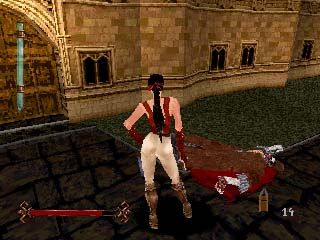
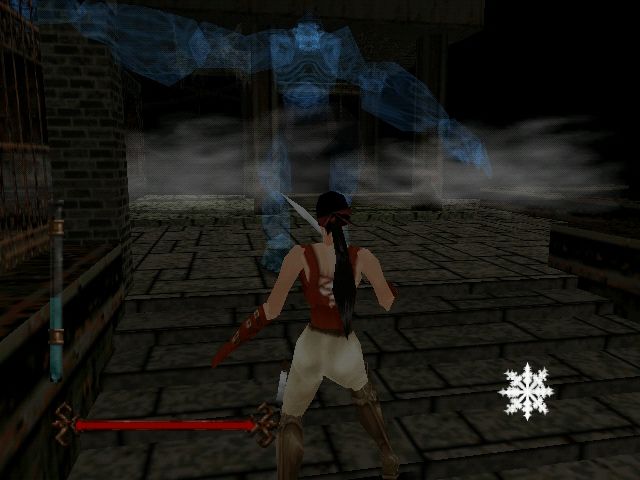
The character's health is indicated by the horizontal bar at the bottom of the screen. When the red bar disappears the character will die.
Adrenaline Meter
The character's adrenaline level is indicated by the blue vertical bar displayed on the left side of the screen. If the adrenaline level reaches zero, the virus will attack the character as shown by the health meter.
Inventory
The character's currently selected inventory item is shown in the lower right corner of the screen.
•
Hold down the L2 button and press the Directional Buttons right/left to scroll through the inventory.
•
Press the R2 button to use the currently selected inventory item.
Game Play
When the game is started, a level loading screen will be displayed including a description of your goal for the level. Once your character appears, use the buttons described previously in Game Controls to maneuver your hero through the level, slaying the creatures that get in your way.
As you explore the alleys and basements of London, you will find many different things to push, pull, topple, open, shove, and demolish. Many of these items are breakable. Striking or kicking while near them will smash them to bits, often revealing a power-up.
Press the ☐ when standing directly in front of a power-up to pick it up.
Fighting
When a character attacks there can be three results—hit, block, or miss.
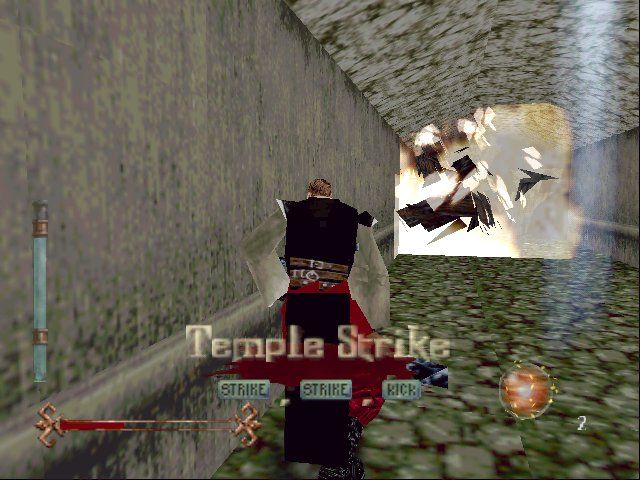
A hit will happen when you perform an attack at the appropriate range and direction from a creature and that creature is not blocking. The character's attack animation is shown followed by an orange flash. In addition the creature will react appropriately; flying back, bleeding, or losing a body part if possible.
A block will happen when a character attacks in range but the foe is blocking when the attack is performed. The character's attack animation is played followed by a blue flash and the defender will not take damage.
A miss will happen when a character is not facing a foe or is too far away. In these situations the character's attack animation will be shown but nothing will happen; the monster will not react and there will be no flash.
Each attack does a certain amount of damage to enemy creatures. The amount of damage is determined by the particular attack performed, the type of weapon being used, and possibly any damage-enhancing power-ups that are in effect. Normally, a monster will die when it takes too much damage.
The game will also keep track of where a strike hits. Enough damage in particular areas will cause amputation of various body parts. Monsters will inflict a variable amount of damage on characters depending on the creature attacking and what type of attack they use.
Nadia and Ignatius have many special combo moves that can do extreme damage, sever limbs, or even strike through a block. Experiment with different button sequences and combinations to discover new moves.
Note: Some extremely tough monsters will only be stunned by normal blows. Nadia and Ignatius will have to use one of their special combo attacks to slay these creatures while they are stunned.
Adrenaline
A hero's resistance to the transmortification virus is dependent on the adrenaline level in their blood stream. The virus will overcome a player if his or her adrenaline level gets too low.
When this occurs the character will take damage until the adrenaline level is raised or the character dies. The adrenaline level will decline at a constant rate while the character explores a level and will go up each time a character kills a creature.
Weapon Upgrades
From time to time you may discover additional, more powerful weapons hidden in various levels. Press when standing next to one of these weapons to acquire the new weapon.
Each weapon upgrade will increase the amount of damage you inflict when you successfully hit a foe and increase the chances of amputation.
Level Map & Life Display
Pressing Select will toggle between the level map and life display. The life display is a heart icon that appears with the number of lives remaining. The level map is a top down view of the character's current position.
When the map is displayed:
.png)

.png)



.png)

.png)
_1.png)
.png)
_1.jpg)
 (Disc 2).png)
 (v1.0).png)
 (Disc 2).png)
.png)



.png)
_1.png)
