Getting Started
•
Ensure the POWER switch is OFF.
•
Insert the Disney's Brother Bear Game Pak into the Game Boy® Advance slot as described in your Nintendo Game Boy® Advance instruction manual.
•
Turn the POWER switch ON.
*Note: The Disney's Brother Bear Game Pak is for the Game Boy® Advance system only.*
Title Screen
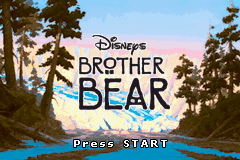
After the legal information, you will see screens for Disney Interactive, Vicarious Visions®, Inc. and Disney's Brother Bear. Press Start to proceed to the Main Menu.
Main Menu
Use the Control Pad Up and Down to highlight one of the 4 New Game slots or Erase to delete an existing game. Press the A Button to select.
Level Selection
After selecting a previously saved or new game slot, you will be taken to the Level Map screen. Your path through the game is shown by a map, leading you from the Snow Forest to the Ice Caves, through the Valley of Fire, and eventually to the Mountain.
Use the Control Pad to move Kenai and Koda from one map reference point to another. Before you can make your way down the next path, you must first collect all of the level's Totems. You may go back and replay previous levels at any time. Bonus Games
By unlocking secret paths, you will find bonus game levels. You need to earn a Gold Berry before you can play a bonus game. If you successfully complete a bonus level, you will earn 3 lives.
Sliding Puzzle
Try to unscramble the picture before the time runs out.
Matching Game
You will see a set of pictures featuring characters from the Disney's Brother Bear movie. These pictures will become hidden and get shuffled around. Use the Control Pad and the A Button to select 2 hidden pictures at a time, with the goal of pairing each picture with its match.
Salmon Run
Help Kenai collect 10 fish before the time runs out.

 (Fr,De,Es,It,Nl,Sv,Da).png)
.png)
.png)

.png)
.png)


.png)