SETUP
•
Set up your PlayStation® game console according to the instruction manual. •
Make sure the power is off before inserting or removing a compact disc.
•
Insert the Tenchu 2™ disc and close the disc cover.
•
Insert game Controller and MEMORY CARD and turn on the PlayStation game console. •
Follow the on-screen instructions to start a game.
PlayStation Console Components
STORY MODE
Choosing a Mission
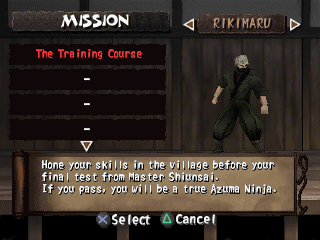
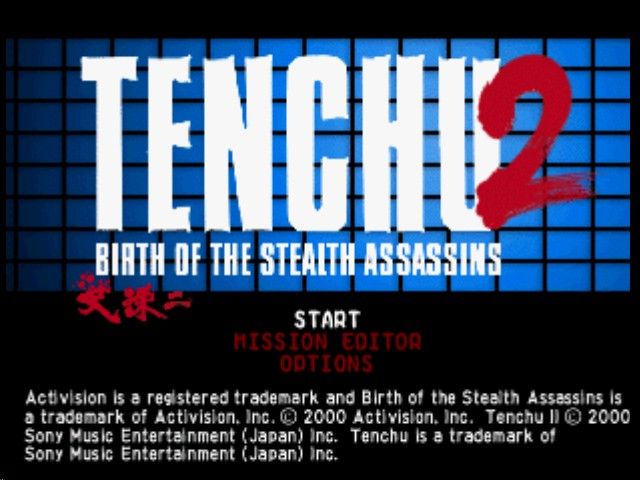
If you select Start from the title screen, you will go to the Mission screen. Your first task as a ninja is to select a character and a mission to begin playing the Story Mode.
Character Selection
Use the directional buttons to select the character you want to play. The third character, Tatsumaru, will not be available until after you have successfully completed all of Rikimaru and Ayame's missions.
Mission Selection
Use the directional buttons to choose a mission. If you have been saving game data to a MEMORY CARD, you will be able to choose from among the missions you have already completed. When you first start playing, you will only be able to choose the training mission for either Rikimaru or Ayame.
Post-Mission Evaluation
Each time you successfully complete a mission, you will be presented with the Results screen which totals up your performance for the mission. Earning a high score is important, because it determines what kind and how many ninja items will be available for your next mission.
Scoring
•
Stealth Kills: 20 points each.
•
Normal Kills: 5 points each.
•
Spotted: 300 bonus points for not being spotted. Minus 30 points from this bonus each time you are spotted.
•
Noncombatants: Minus 150 points each time you murder an innocent bystander.
Saving Your Progress
You can save your progress in the Story Mode to a MEMORY CARD in MEMORY CARD slot 1. Only one Tenchu 2 Story Mode game can be saved on a single MEMORY CARD.
Games can be saved at the end of each mission by turning on the autosave feature (default is on), or by selecting Quit on the Results or Game Over screens, and then selecting SAVE on the MEMORY CARD sub-menu of the Options menu.
MISSION EDITOR
Note: Activision Customer Support cannot troubleshoot user-made editor missions.
Getting Started
You will be presented with two choices:
•
Run Mission: Select this item if you want to play one of the ready-to-play Mission Editor missions (default missions), or a custom mission located on a MEMORY CARD.
•
Edit Mission: Select this item if you want to create a new mission or edit an existing one.
Running Custom Missions
Selecting a Custom Mission
When you select Run Mission from the Mission Editor title screen, you are taken to the Custom Missions screen. Here, you will select either a default mission from the Tenchu 2 CD-ROM, or a custom mission from a MEMORY CARD.
Selection Cursor
Use the R1 and L1 buttons to move the selection cursor.
Mission Name
The names of the missions available on the currently highlighted source (CD-ROM, MEMORY CARD 1, MEMORY CARD 2) are displayed in this area. More default missions will become available as you progress through Story mode. Use the directional buttons to select the mission you want to play, then press the X button.
Mission Briefing
This screen outlines the conditions for completing the mission. You will also hear Shiunsai give you your orders. Use the directional buttons to choose the character you want to play. The characters available to use will depend on the mission settings and how far you have gone in Story Mode.
Post-Mission Evaluation
The Mission Editor ranks performances by the total amount of time taken to complete the mission. Move fast and collect time bonuses to earn a high score.
Top Scores
If your time places you in the top three for that mission, you'll be asked to enter your name (eight characters maximum).
Code Earned
This is all the elements of your score combined and translated into code.
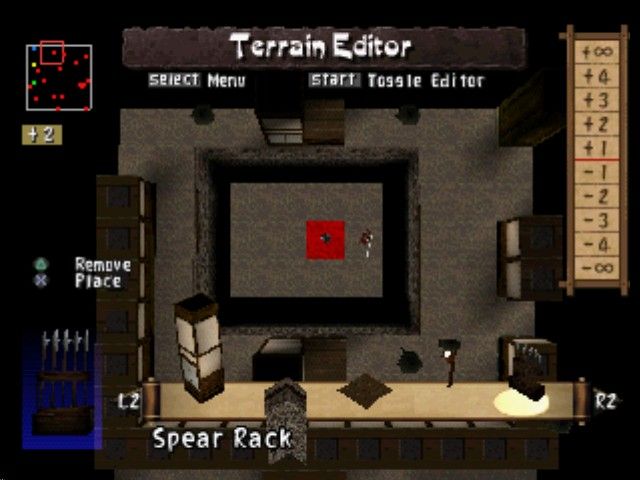
Editing Missions
Managing Mission Data
From here, you can create new missions or edit previously created ones. Use the R1 and L1 buttons to select the source of the mission, and the ↑ and ↓ directional buttons to select a mission name (where applicable).
Create New Mission (Blank Page Icon)
Select this option if you want to create an all-new mission. This will take you to the Mission Settings screen.
Manage MEMORY CARD Data (MEMORY CARD Icons)
Highlighting either of the MEMORY CARD icons will let you manage any custom mission data stored on a MEMORY CARD. Select a mission name and hit the X button to bring up the MEMORY CARD pop-up menu.
MISSION SETTINGS
The first step in creating a new mission is to set the mission parameters on the Mission Settings screen.
•
Title: Maximum 32 characters.
•
Creator: Maximum 16 characters.
•
Password (Not Required): If you don't want someone else editing your mission, enter a password here.
•
Location: When you first start playing Tenchu 2, the only location you will be able to select is the Dojo. As you advance in Story mode, you will be awarded more selections.
Objective
Each mission has a specific objective
.png)

.png)

.png)
_1.png)
.png)
_1.jpg)
 (Disc 2).png)
 (v1.0).png)

 (Disc 2).png)