Setting Up
*Note: Illustration may not match all PlayStation 2 console types. For owners of SCPH-70000 series PlayStation 2 systems, refer to the setup instructions supplied with your system.* Set up your PlayStation®2 computer entertainment system according to the instructions in its Instruction Manual. Make sure the MAIN POWER switch (located on the back of the console) is turned ON.
Press the RESET button. When the power indicator lights up, press the OPEN button and the disc tray will open. Place the Super Monkey Ball™ Deluxe disc on the disc tray with the label side facing up. Press the OPEN button again and the disc tray will close.
Attach game controllers and other peripherals, as appropriate. Follow on-screen instructions and refer to this manual for information on using the software.
Memory Card (8MB) (for PlayStation®2)
To save game settings and progress, insert a memory card (8MB)(for PlayStation®2) into MEMORY CARD slot 1 of your PlayStation®2 system. You can load saved game data from the same memory card or any memory card (8MB) (for PlayStation®2) containing previously saved games.
When you start the game, if there is no memory card (8MB) (for PlayStation®2) inserted, the game will warn you and ask if you would like to retry (insert the memory card (8MB) (for PlayStation®2) first) or continue without saving. If the memory card (8MB) (for PlayStation®2) does not contain a game file, the game will ask you either to continue without loading (create new file), or to retry. Follow the on-screen instruction to start the game.
When the game file is being saved, manually or automatically, a message will be displayed to notify that such action is taking place. Do not switch the power OFF or remove the memory card (8MB) (for PlayStation®2) while the game data is being saved or loaded.
DUALSHOCK®2 Analog Controller
Controls are set in ANALOG mode (mode indicator: ON) and cannot be switched to digital mode by using the ANALOG mode button - the LED display is always lit in red.
This game supports the vibration function present on the DUALSHOCK®2 analog controller. This can be set ON/OFF from the Controller option in the Options menu (p.40).
Starting the Game
Basic Flows of the Game
With the exception of Monkey Shot (Party Game), each game contains various gameplay Modes. Select the mode you wish to play.
Member of Players
If the Mode is for one or more players, select the number of players to participate. In Modes with simultaneous play, you can only select up to the number of controllers connected to the system.
Select, if available, the characters you wish to use. For Modes with alternate play, select each character with the controller you are going to use. In some Modes, you will also specify COM characters.
Game Settings
In Party Game Mode, customize the Gameplay Settings. When you are done, select Game Start to begin the game.
Some Modes may not include one or more of the above steps, and some may have extra steps. These will be explained under each game description where appropriate.
Main Game
How to Play
Roll the ball with the monkey inside towards the goal! Use the left analog stick to tilt the floor, and the ball will roll with the tilt of the slope.
FALLOUT
Don't let it fall off the floor, or let the timer reach zero! Your try will be over, and you'll have to start the stage over from the beginning. In Challenge Mode, you'll lose one monkey.
REPLAY
Pick up those delicious bananas! You'll get bonus points for picking up bananas. Additionally, in Challenge Mode, you will earn one monkey for picking up 100 bananas.
Many stages await! How many can you clear? Some stages have various kinds of traps and switches on the map. Study what they do carefully.
Main Game Game Screen
Score
Increase your score by picking up bananas and reaching the goal quickly.
Time Left
Time remaining to clear the current stage. Reach the goal before it reaches zero!
Number of Bananas
Pick up as many delicious bananas as you can!
Monkeys Remaining
Indicates the number of monkeys remaining in the game. Displayed only when playing the Challenge Mode.
Current Player
Indicates which player is currently playing. Displayed only when playing with two or more players in the Challenge Mode.
Map
Press the button to adjust the size of the on-screen map.
And Something Extra...
As you play the Main Game modes, if you fulfill certain conditions, you may earn yourself something extra. It could be an extra monkey for the Challenge Mode, or it could be a new feature.
Select Gift in the Options menu (p
.png)

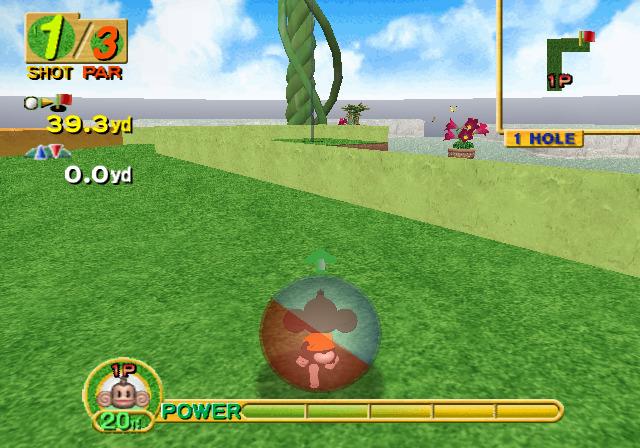
.png)

_1.png)






_1.png)

_1.png)
_1.jpg)


_1.png)
_1.png)