POWER-UPS
Find power-ups to replenish health, energy, and ammo. These items are placed in various locations throughout the alien worlds to help you make it through the day.
You can only pick up power-ups if you are at less than 100% of your capacity for the item found. For ammo, you can only pick up the ammo power-up if you possess the weapon using that ammo.
Power-ups include:
In addition to individual pickups, there are infinite power stations to be found. Simply come into contact with one of these stations to charge to 100%.
These include:
Your capacity for ammo and health can be extended by collecting Extender power-ups. Each Extender will increase your ammo or health capacity by 100 units.
Extender types include:
OTHER STUFF
Switch Box
The standard switch box is usually used for opening doors and starting elevators, but can also serve other purposes. Be alert though, just because there's no switch box doesn't mean there isn't a door there!
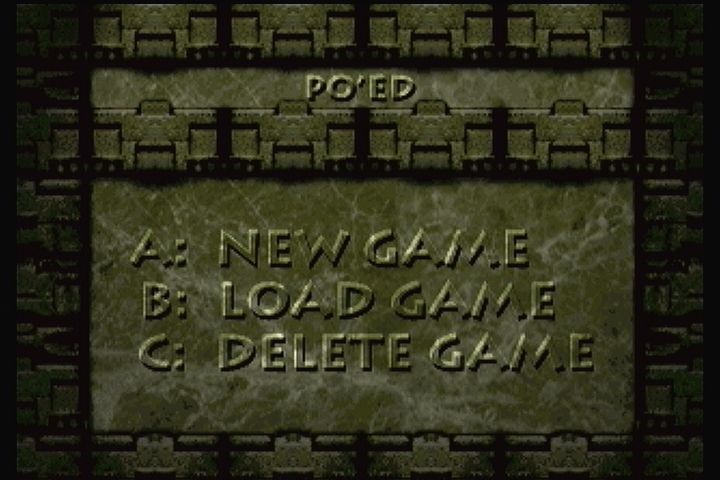
Load Game
•
From the main menu, select the load game option.
•
A list of the existing saved games will appear.
•
Use the D-pad to select the game you wish to resume and press B.
•
Press Pause to return to the main menu.
Save Game
•
During the game, press Pause and select the save game option from the menu.
•
A list of the existing saved games will appear.
•
To save over or delete an existing game, use the D-pad to select a game from the list.
•
Press A to save over the game, or C to delete this game.
•
To save the game under a new name, press B. Names consist of between 1 and 6 letters.
•
After entering the new name, press A to save, or press Pause to cancel.
•
If the name you enter already exists, you will be prompted on whether or not you wish to overwrite the existing saved game.
•
A maximum of 8 games can be saved.
Delete Game
•
From the main menu, select the delete game option.
•
A list of the existing saved games will appear.
•
Use the D-pad to select the saved game you wish to delete and press C to delete.
•
Press Pause to return to your previous menu.



.png)







.png)