Safety Precautions
Follow these suggestions to keep your Super Street Fighter II game pak in perfect operating condition. •
Do not subject your Game Pak to extreme temperatures, either hot or cold. Always store it at room temperature.
•
Do not touch the terminal connectors on your Game Pak. Keep it clean and dust-free by always storing it in its protective plastic sleeve.
•
Do not try to disassemble your Game Pak.
•
Do not let your Game Pak come in contact with thinners, solvents, benzene, alcohol, or any other strong cleaning agents that can damage it.
Getting Started
1. Check the power switch on your Super Nintendo Entertainment System. Make sure it is OFF before inserting or removing the Game Pak. 2. Insert your Super Street Fighter II Game Pak into your Super Nintendo System and turn the power ON. 3. When the title screen appears, press the START button and the words GAME START will appear. Press LEFT or RIGHT on your control pad to set the TURBO speed setting. Three stars is the fastest Turbo mode, while zero stars indicate the normal arcade speed. After you have set the speed setting, press the START button.
4. The next screen is the main game selection screen. Here you can choose from:
Use the control pad to move the marker next to SUPER BATTLE and press the START button. For a description of each of the other game modes, please refer to the descriptions printed later in this manual.
VS. Battle
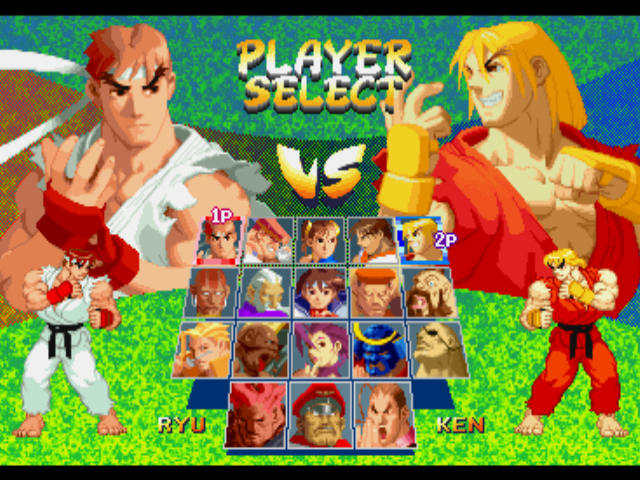
The V.S. Battle allows two players to battle head-to-head in a series of matches. When the title screen appears, push the control pad UP or DOWN to move the pointer next to V.S. BATTLE and press the START button. When the next screen appears, each player chooses the character they wish to use and presses any button to continue to the next screen.
On the next screen, there are two options; HANDICAP and STAGE SELECT. Player One can press the SELECT button to highlight either the HANDICAP or STAGE SELECT option.
•
HANDICAP: When the HANDICAP option is highlighted, both players can press left or right on the control pad to set their ATTACK LEVEL. The number of stars showing determines the amount of damage player's punches and kicks will do. The higher the number of stars, the greater the amount of damage the punches and kicks will do. This option allows two players of different skill levels to have an even match.
•
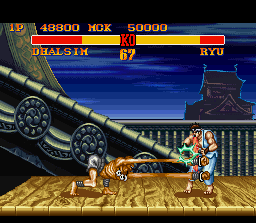
STAGE SELECT: When the STAGE SELECT option is highlighted, Player One can select the location of the match by pressing the control pad left or right. This option allows you to select the location of your fight.
After all the choices have been made, Player One can begin the match by pressing the START button.
Group Battle Mode
The Group Battle mode allows two players to have the Street Fighter characters team up against each other in a series of fights. Choose the GROUP BATTLE option on the main screen and press the START button. When the rule screen appears, Press the control pad up or down to select the tournament rules you are going to use and press the START button. •
MATCH PLAY: In this mode, two players must select the same number of characters. Each player selects one to eight characters and then begins a match in which the first character from one player's team battles the first character from the other player's team. After the match is finished, the second character from each team will battle each other. This will continue until all the matches have been completed.
•
ELIMINATION: In this mode each player chooses up to eight characters. Players do not need to choose the same number of characters. If a player wins a match he can continue to use the character until he is defeated. The first player to lose all his characters, loses the match.
On the next screen players will select the number of characters they will use. If you are playing an elimination match, each player will set their own number of characters. Press the control pad up or down to increase or decrease the number of characters. After you finished, press the START button to proceed to the next screen.
When the next screen appears, both players can select their characters using their control pads. Player 1 will select a character first and then Player 2. Use the control pad to highlight a character and press any button to make the selection.
After both players have chosen all their characters, the HANDICAP and STAGE SELECT screen will automatically appear. Use the control pad to make your selections just as in the V.S. BATTLE mode and press the START button to begin the tournament.
 (Rev 1).png)

.png)
 (Virtual Console).png)