Cautions for Sega Saturn CD
Health Precautions
Staring at a screen with strong light stimulation or flashing may temporarily blur your vision or cause nausea or dizziness. Those prone to such symptoms should be especially careful when playing.
Please be mindful of your health and play accordingly. If you feel any unusual change in your health, stop use immediately and take a rest. We recommend taking a 10-20 minute break every hour and using it in a well-lit environment.
Prevention of Scratches and Stains
Be careful not to scratch the surface of the disc. When cleaning the disc, wipe in a circular motion from the center outwards.
Do Not Write On It
Do not write on the front or back of the disc, or stick stickers or other objects onto it.
When Removing Dirt
We recommend wiping gently with a dust-removal cloth. If you use a lens cleaner or similar, please ensure the lens is completely dry before use.
Precautions for Storage
Store the disc in a place that avoids high temperature and humidity. Do not store the disc in direct sunlight.
This disc is for use with the home Sega Saturn CD. Greeting
Thank you for purchasing the Sega Saturn exclusive software 'DARIUS'. Please read this 'User's Manual' carefully before use. Once you have confirmed the correct method of use, please enjoy the Sega Saturn to the fullest. Table of Contents
How to Start the Game
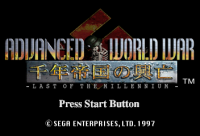
First, set the "Darius II" CD and turn on the console. When the title screen is displayed, press the Start button to switch to the Game Start and Option Selection screen.
Pressing the Start button will start the game.
Screen Display
About 2P Simultaneous Play
Press the Start button of the player's control pad during the game to continue playing.
Screen Zoom In/Out
Pressing the R button during the game zooms in the screen, and releasing the R button zooms it out.
Options
When you select an option on the Game Start/Option Selection screen, you can change the settings during the game. The overview of each option setting is as follows.
•
GAME LEVEL: Select the game difficulty in 4 stages from EASY to VERY HARD.
•
BUTTON CONFIG: Assign buttons on the Game Start/Option Selection screen.
•
RAPID: Select the rapid fire speed of shot/missile from 1/2, 1/10, or 1/30 second intervals.
•
LEFT: Select the stereo of the player's operation from left/center/right.
•
AUDIO: Switch the sound output to stereo, mono, either left, or right.
•
SOUND TEST: Listen to the B.G. during the game.
•
SE TEST: Listen to the sound effects during the game.
•
RECORD: Record the option settings and scores of the top 5 players.
•
EXIT: Return to the Game Start/Option Selection screen.
Game System
•
"Dina Stage II" is a side-scrolling shooting game.
•
It consists of 7 stages × 3 zones, and clearing all stages of one round moves you to the next round.
•
The second round's stages appear with enhanced difficulty compared to the first.
•
After the final stage of the second round, you move to the third, and clearing the final stage of the first round in the third sequence results in a game over.
Continue
If your remaining machines reach 0, or if the Coinsinger is defeated, press the start button until the count reaches 0. You can continue up to 3 times. If you become game over, it will be determined as a game over.
Game Over
If you lose all of your own stock, it is game over.
Hall Aider
After game over, enter the 4-character game over entry code displayed on the screen (3 letters and 1 number) to register your score in the ranking. Confirm with the A-C buttons during the game over display.
Zone Guide
The game starts from the initial Sunlight (A Zone) and ends at the final wooden tower (Z1-Z2 Zone). Within the same zone, the stage differs by mode.
The types and strength of enemies that appear also differ. Please determine continues for 1 player up to first clear, and for 2 players up to game over. When there are 2 players, it can be selected by the higher player of the round.
.png)

.png)
.PNG)
_2.png)
_3.png)
.png)
.png)
.jpg)

.png)
.png)
.png)
.png)
.png)
.png)
.png)