STARTING UP
Set up your Sega Saturn system as described in its instruction manual. Plug in Control Pad 1. For two-player games, plug in Control Pad 2. Place the Golden Axe, the Duel™ disc, label side up, in the well of the CD tray and close the lid. Turn on the TV or monitor and the Sega Saturn. The Sega Saturn logo appears on screen. If nothing appears, turn the system off and make sure it is set up correctly before turning it on again. If you wish to stop a game in progress or the game ends and you want to restart it, press the Reset Button on the Sega Saturn console to display the on-screen Control Panel. Important: Your Sega Saturn CD contains a security code that allows the disc to be read. Be sure to keep the disc clean and handle it carefully. If your Sega Saturn system has trouble reading the disc, remove the disc and wipe it carefully, starting from the center of the disc and wiping straight out toward the edge. GETTING STARTED
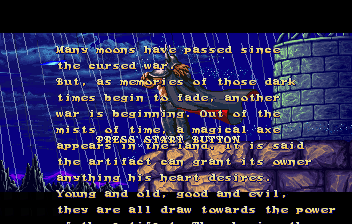
After the Sega logo, the game intro starts. Press Start at any time to bring up the Golden Axe, the Duel Title screen. Press Start, or wait a few moments to see a demo of the game and the high scores. Press Start at any time to return to the Title screen.
Now comes the big decision-jump right into a game or change game settings.
GAME MODES
Highlight a mode by pressing the D-Pad UP or DOWN, and select by pressing Start.
Game Start
The other fighters are lining up to take you on. Battle them one at a time in your bid to reach the final fight and claim the Golden Axe! Vs Start
Friend, or foe? It's you against the most lethal of enemies: another human player. Don't expect any mercy from your friend in this one-match-takes-all mode.
Option
Change features of the game on the Option Mode screen.
OPTION
Press the D-Pad UP or DOWN to highlight an option, and LEFT or RIGHT to change the option setting.
•
Strength 1P, 2P: The stronger the setting, the more damage you inflict per attack. Select from NORMAL, STRONG and STRONGEST.
•
Game Speed: Select the speed of the game. Choose from SLOW, NORMAL and FAST.
•
Level: Choose the difficulty level of the game. The more difficult the game, the more skilled your computer opponents become. Select from EASY, NORMAL, HARD and HARDEST.
•
Time: Set the length of the rounds for your matches. You can select 40, 50 or 60 seconds, or NO LIMIT to turn the timer off.
•
Life Up: Enable this option to have green elven thieves appear during game play. For information on the elves, see Elf Treasure.
•
Potion: Use this option to set the number of Potions you have from the beginning of the game. For more on Potions, see Power Up.
•
Audio: This displays your television or monitor's sound capability: STEREO or MONO.
•
BGM: Use this option to play the BGM (background music) tracks of the game. Press the D-Pad LEFT or RIGHT to select a track. Then press any button except Start or the D-Pad to play the track. To stop a track, press the D-Pad UP or DOWN to deselect the BGM option.
•
SE & Voice: Use this option to play the sound effects and the voice tracks of the game. Select and play a sound effect / voice track as you would a BGM track. Press any button except Start or the D-Pad repeatedly to play all of the tracks for the highlighted character.
When finished changing the options, highlight EXIT and press Start to return to the Mode Select screen.
SELECT PLAYERS SCREEN
After you select either Game Start or VS Start, this screen appears.
Time to pick your fighter! Press the D-Pad LEFT or RIGHT to highlight, and Button A, B, C, X, Y or Z to select. If you have not selected a fighter when the Timer reaches zero the highlighted fighter is selected.
A fighter's appearance varies according to the button used to select the character.
For a VS Start game, both players can select the same fighter if desired.
ELF TREASURE
Little elven thieves dressed in blue and green race around the screen as you battle. Hit one with any kind of attack and they drop valuable treasure.
•
The blue thieves drop Potions which are added to your Magic Gauge.
•
The green thieves drop chunks of meat that restore Vitality.
To pick up either item, move your character with the D-Pad to walk over them.
POWER UP!
When you have gathered five potions, POWER UP OK appears over your Magic Gauge. Press Buttons A, B and C or X, Y and Z simultaneously and you acquire super strength!
All of your attacks are now stronger, and you can even perform Super Attacks (SA) while the effects last. Experiment to discover how to perform Super Attacks.
The purple bar in the Magic Gauge slowly decreases, and when it disappears, your super strength goes with it. The bar drains quickly, so be sure to utilize your extra strength while it lasts. Remember, your opponent can still attack you!
GAME START TO VS START
A second player can join a game in progress for two-player competition. Make sure a Sega Control Pad is plugged into Control Port 2 of the Sega Saturn. Press Start from Control Pad 2 and the Select Players screen appears. AFTER THE MATCH
Points are awarded when you win
.png)


_2.png)
.png)
.png)
