Starting Up
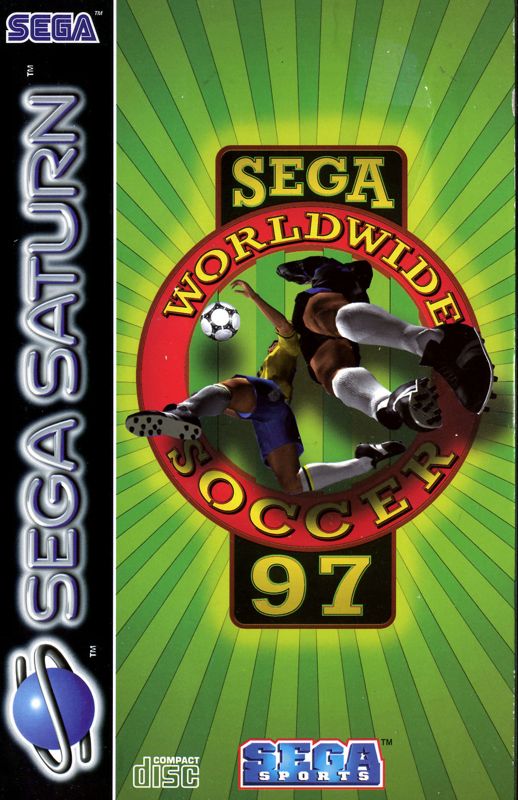
Set up your Sega Saturn™ system as described in its instruction manual. Note that Sega Worldwide Soccer™ '97 supports one to four players. Place the Sega Worldwide Soccer '97 disc, label side up, in the well of the CD tray and close the lid.
Turn on the TV or monitor and the Sega Saturn. The Sega Saturn logo appears on screen. If nothing appears, turn the system off and ensure it is set up correctly before turning it on again. Control Panel Access
If you wish to stop a game in progress and return to the on-screen Control panel, simultaneously press Buttons A, B, C, and Start on the Sega Saturn Control Pad. When the game Title screen appears, press the buttons again to go to the on-screen Control panel.
Important: Disc Care
Your Sega Saturn CD contains a security code that allows the disc to be read. Be sure to keep the disc clean and handle it carefully. If your Sega Saturn system has trouble reading the disc, remove the disc and wipe it carefully, starting from the center and wiping straight out toward the edge. Championship Match
Sega Worldwide Soccer '97 offers five playing modes, ranging from a one-match battle to an entire season of excitement. You can also use the Player Edit mode to customize your team.
Forty-eight teams stand ready for you to command. Get ready to perform slide tackles, headers, bicycle kicks, back-heel passes, banana kicks, half-volleys, and rainbow kicks.
For basic moves, see the list on the previous page. For a full description of all moves, see pages 23-27. You can change control functions for player moves in the Options screen (see Pad Control, page 7).
Getting Started
After the Sega™ and Sega Sports™ logos, the game intro begins. Press Start at any time to bring up the Title screen.
From the Title screen, press Start to advance to the Mode Select screen. Alternatively, wait a few moments to watch the game demo. Press Start during the demo to return to the Title screen.
Mode Select
On the Mode Select screen, choose one of the following playing modes:
•
EXHIBITION: For a one-match battle (page 9).
•
WORLD LEAGUE: For a season's worth of soccer (page 9).
•
WORLDWIDE CUP: To take your team from preliminaries to championship (page 10).
•
CUP TOURNAMENT: For play with up to 16 teams (pages 10-11).
•
PENALTY SHOOT OUT P.K.: For head-to-head penalty kick action (page 12).
•
PLAYER EDIT: To customize the team of your choice (pages 13-14).
•
OPTIONS: To change game features (pages 6-8).
Press the D-Pad to highlight a mode, then press Button A, C, X, Z, or Start to select.
Options Screen
•
Extra Time (ON, OFF): Refer to Kickoff on page 21 for an explanation.
•
Shoot Out (ON, OFF): Refer to Kickoff on page 21 for an explanation.
•
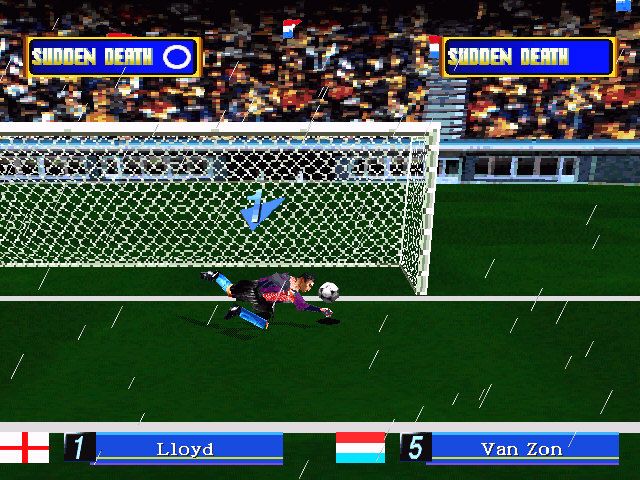
Weather (RANDOM, FINE, RAIN): Choose pitch conditions. In rainy weather, the ball is slippery and travels less far. RANDOM lets the computer select the weather.
•
Edit Data (NO USE, SYSTEM, CARTRIDGE): Select the data type to edit. SYSTEM uses internal RAM. CARTRIDGE uses the Sega Saturn Backup (see page 15). Press Button A, C, X, Z, or Start to select options.
Pad Control
•
BUTTON ASSIGNMENT: Change control functions. Press the D-Pad UP or DOWN to select a setup type.
•
TYPES: Choose between preset TYPE setups or CONFIG for custom controls. Confirm with Button A, C, X, Z, or Start.
•
USER: Select USER spaces to store customized settings. Use D-Pad LEFT or RIGHT to select a space, then press Button A, C, X, or Z.
To customize a setting, highlight a function (e.g., SHOOT, SLIDINGTACKLE) using the D-Pad, then press Button A, C, X, Z, or Start.
Exhibition Mode Flow
Play Type (page 15) → Team Select (page 16) → Game Setup (pages 17-18) → Match Confirm (page 18) → Strategy (pages 18-20) → Game Play! (pages 21-22) → Match Results (pages 30-32) → Play Again? (page 32)
World League Flow
Season Select (page 16) → Team Select (page 16) → Match Confirm (page 18) → Strategy (pages 18-20) → Game Play! (pages 21-22) → Match Results (pages 30-32) → Save This Game? (page 33) → Continue? (page 33) → Option Select (pages 33-35)
Worldwide Cup Flow
Season Select (page 16) → Team Select (page 16) → Match Confirm (page 18) → Strategy (pages 18-20) → Game Play! (pages 21-22) → Match Results (pages 30-32
.png)


.png)



.png)