Starting Up
Set up your Sega Saturn™ system as described in its instruction manual. Plug in Control Pad 1. For 2-player games, plug in Control Pad 2 also. Place the Virtua Fighter disc, label side up, in the well of the CD tray and close the lid. Turn on the TV or monitor and the Saturn. The Saturn logo will appear on screen. (If nothing appears, turn the system off and make sure it is set up correctly before turning the ON again.) If you wish to stop a game in progress, or the game ends, press the Reset Button on the Saturn console to display the on-screen Control Panel. Important: Your Sega Saturn CD contains a security code that allows the disk to be read. Be sure to keep the disk clean and handle it carefully. If your Sega Saturn system has trouble reading the disk, remove the disk and wipe it carefully, starting from the center of the disk and wiping straight out toward the edge. Getting Started
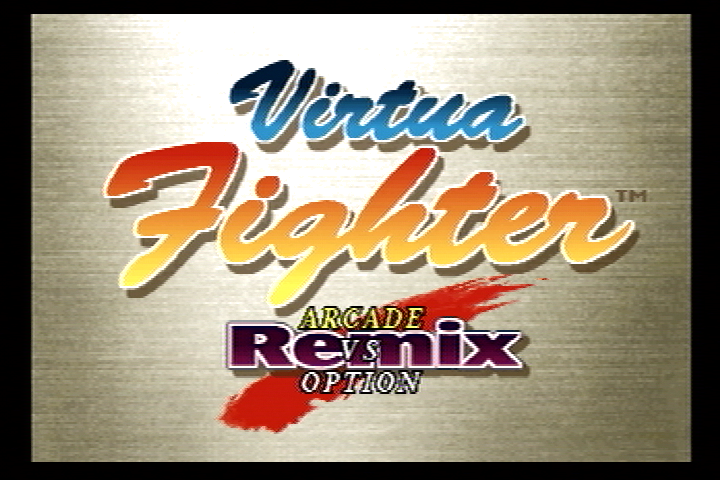
A game demonstration and list of player rankings follow the Virtua Fighter Remix Title screen. Watch the demo, or press Start at any time to return to the Title screen. Press Start again to bring up the game menu. Arcade lets you select a character and take on all challengers-just like at the arcades.
Note: A second player can interrupt an Arcade match by pressing Start on the 2P Control Pad. Shortly thereafter, the Player Select screen appears. After the challenger has selected a fighter, the match begins. Once the match ends and the clock times out, the Arcade mode resumes at the same level as when the challenger entered the match.
VS lets you and a friend each pick a character and challenge each other. A VS game can be canceled during play by holding down Buttons A, B, and C, and Start simultaneously. The Sega logo screen returns. Option brings up the Option menu. (See below.)
Ranking Mode is a one-player game similar to Arcade mode. When the game ends, you see a data screen which ranks your overall performance. The Ranking Mode will only become available after you have beaten Dural in Arcade Mode with all options set to their default values.
Options
Press the D-Pad UP or DOWN to highlight an option. Press LEFT or RIGHT to make choices within that option. Press Start at any time to exit to the Title screen.
•
Life Gauge: Alter the length of your fighter's Life Gauge. Choose from five settings. The longer the Life Gauge, the less damage your fighter takes per hit.
•
Match Point: Select the number of rounds you want to use to decide a fighter's victory. Choose from one to five points.
•
Time Limit: Choose how long you want your match to last: 10, 20, 30, or 60 seconds. Choose NO LIMIT to turn the match timer off.
•
Enemy Level (Arcade mode only): How tough do you want your opponent to be? Choose from EASY to EXPERT.
•
Continue: Turn this option ON for a continuous challenge, just like at the arcades. Turn the option OFF to return to the Title screen after the game ends.
Sound and Record Features
•
Sound Test, Voice Test, Music Test: Listen to the music, voices, and sound effects used in the game. Press the D-Pad LEFT or RIGHT to select the name of the track you want to hear, then press Button A or C to play the track. Button B stops the sound.
•
Record: Bring up the Record screen to see stats on all the fighters in the game. To review a detailed data sheet of a particular fighter, highlight the fighter's name by pressing the D-Pad UP or DOWN, then press Button A or C. To return to the main Record screen, press Button B or Start. Press again to return to the Option menu.
To clear the Records, Press Buttons L, X, Y, and Z simultaneously.
Pad Control
Use this feature to configure the buttons on your Control Pad. Select this option and press Button A or C to bring up the Control Pad screen. There are four different settings available. Each player highlights the desired setting by pressing the D-Pad LEFT or RIGHT. Press Button B or Start to return to the Option menu.
Available Pad Control settings include:
Select Player
When you choose a mode of gameplay, the Player Select screen appears next. Highlight the desired player by pressing the D-Pad LEFT or RIGHT, and select that player by pressing Button A, B, or C. You have 20 seconds to select a fighter. When the timer runs out, the highlighted fighter is automatically selected.
Note: In a VS game, both players can select the same fighter, if desired.
The Arena
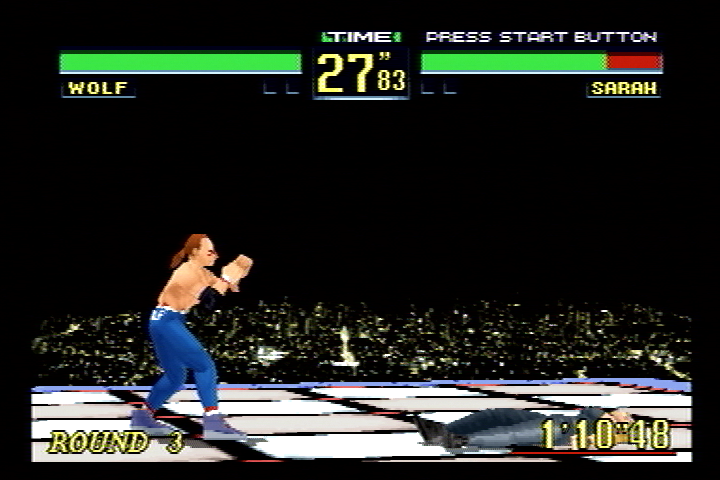
The screen displays the following elements during gameplay:
•
Champion's Total Time (Arcade Mode)
•
Life Gauge: The green bar on this gauge gets smaller each time your fighter takes damage. The fighter whose life gauge vanishes completely is knocked out and loses the fight.
•
Timer: This shows the amount of time left in the fight. When the timer reaches zero, the fighter with the least amount of vitality left in his or her life gauge loses the fight. The timer can be adjusted or turned off in the Option menu.
•
Victory: This shows the total number of rounds won by each fighter. In the default game, the first fighter to win two rounds wins the match. The number of rounds can also be set in the Option menu.
.png)

.png)
.png)
.png)
.png)
.png)

.png)
.png)
.png)
.png)
.png)
.png)
.png)