Starting Up
Set up your Sega Saturn system by following the instructions in the Sega Saturn Instruction Manual. Plug in Controller 1. For 2-player games, plug in Controller 2 also. Virtua Cop is for one or two players. Place the Virtua Cop disc, label side up, in the well of the CD tray and close the lid. Turn on the TV or monitor and the Sega Saturn. The Sega Saturn logo will appear on screen. If nothing appears, turn the system off and make sure it is set up correctly before turning it on again. If you wish to stop a game in progress, or the game ends, press the Reset Button on the Sega Saturn console to display the on-screen Control panel. Your Sega Saturn compact disc contains a security code that allows the disc to be read. Be sure to keep the disc clean and handle it carefully. If your Sega Saturn system has trouble reading the disc, remove the disc and wipe it carefully, starting from the center of the disc and wiping straight out toward the edge. Getting Started
Following the Sega logo is an intro screen. Press Start at any time to bring up the Title screen.
From the Title Screen:
•
Choose Mode: Press D-Pad UP/DOWN and Pull Trigger.
•
Enter Mode: Press Start.
Arcade lets you play an arcade-style game. Choose Option to configure your game or sample music and sound effects.
Options
Use the Control Pad and Sega Stunner to navigate the options menu.
•
Choose Option: Press D-Pad UP/DOWN and Pull Trigger.
•
Change Option: Press D-Pad LEFT/RIGHT and Start.
To leave the Option screen, highlight EXIT and press Start.
•
Difficulty: Choose an Easy, Normal or Hard game.
•
Gun Looseness: Makes your enemies easier or harder to hit. Choose Easy, Normal or Hard.
•
Life: Choose from 1 to 9 Health points per game.
•
Continue: Choose from 0 to 9 chances to continue your game, or select FREE PLAY for unlimited Continues.
•
Start On: Default setting.
•
Audio: Choose stereo or monaural sound.
•
Sound Test: Sample the music and sound effects used in the game. To return to the Options screen, select EXIT and press Start.
•
Gun Adjust: Adjust the way your Sega Stunner interacts with the screen (Stunner only).
•
Help Position: Default setting.
•
Exit: Leave the Option screen.
Gun Adjust Screen (Stunner Only)
Select GUN ADJUST and press Start. When the target appears on screen, fire straight at the center. You might miss at first, so keep firing at the center of the target until your shots go where you want them.
When you are finished, aim the Stunner away from the screen and pull the trigger. A menu appears; shoot at the desired option.
•
Default: Cancels the setting you have made and returns the alignment to its default setting.
•
Cancel: Returns the gun to default setting and returns you to the target to try again.
•
Exit: If you are satisfied with your setting, select Exit to return to the Options screen.
For best results, remain the same distance from the screen at all times. Changing distance can confuse the Stunner's interaction with the screen. Fire at the screen straight on. Firing from an angle can cause your shots to not register.
Key Assign Screen (Control Pad Only)
Configure your Control Pad. Press the D-Pad UP or DOWN to highlight a function, then press the button you wish to use for that function. When you are finished, highlight EXIT and press Button A.
Stage Select
Once you select Arcade Mode and press Start, the Stage Select screen appears. Shoot the stage you wish to enter.
Power-Ups
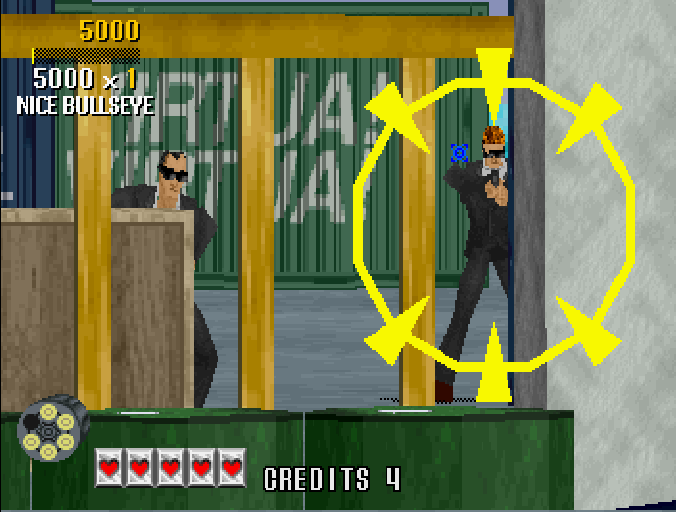
Power-up icons are concealed in each stage. Uncover and shoot one to grab the Power-up. If you've picked up a weapon Power-up, a special ammo indicator will replace the normal Ammo indicator as long as the Power-up is active. Special weapons last until you are hit, or until you run out of ammo.
•
Automatic: Gives you 15 rounds of ammunition that you can reload a limited number of times.
•
Machine Gun: Gives you 30 rounds of ammunition. Hold down the fire button or trigger to hose 'em! This Power-up lasts until you run out of ammo.
•
Rifle: Gives you 24 rounds that you can fire three at a time. This Power-up lasts until you run out of ammo.
•
Magnum: Gives you 6 rounds that are powerful enough to drill through armor. You can reload an unlimited number of times.
•
Shotgun: Gives you 6 rounds of wide-range firepower. You can reload an unlimited number of times.
•
Life: Gives you one extra Life Marker.
Stages
Each Stage has two scenes. At the end of each scene, you'll see your score and a rating of your accuracy. After the second scene, you face the Boss of that stage.
•
Stage 1: Arms Black Market
Play a deadly game of hide and seek among stacks of crates in the dock warehouse district. Keep calm here-a hasty trigger finger could be your downfall.
•
**Stage 2: Underground Weapon Storage