Memory Card Backup
This game allows you to back up multiple progress data using a separately sold memory card. Insert the memory card securely into the Neo Geo console's memory card slot.
Load (Data Recall) Method
If the memory card is correctly set, the "Load Selection Screen" will be displayed before the game starts. Select the data you want to load with the lever and press the A button to continue playing from that data.
Save (Data Recording) Method
If the memory card is correctly set, the "Save Selection Screen" will be displayed after game over. Select the save location with the lever and press the A button to record your progress data there.
If the data is full and there is no space to save, select data that can be erased and press the A button. It will automatically be overwritten with new data.
Card Formatting (Initialization)
New memory cards are not formatted (initialized). Please be sure to format them according to the following procedure before use.
•
Correctly set your Neo Geo cassette and memory card into the Neo Geo console.
•
While simultaneously pressing the A~D buttons on the 1P controller, press the reset button on the Neo Geo console.
•
When the "Data Screen" appears on the TV, select "Card Format" with the lever.
•
Press the A button to complete the format.
How to Start the Game
1 Title Screen
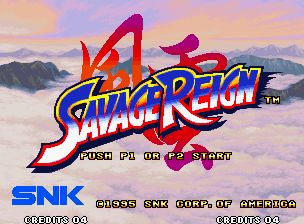
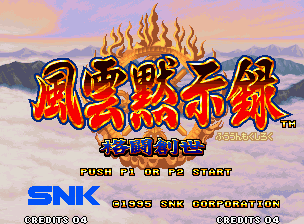
Correctly set the ROM cassette in the Neo Geo console, turn on the power, and the title screen will be displayed. At this time, press the start button on the controller. The screen will change to the mode select screen.
2 Mode Select
Select "GAME START" with the lever and confirm with the A button.
3 Character Select
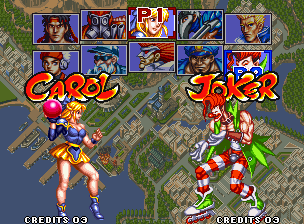
After the operation demo plays, select the character you want to use on the character select screen. Choose from 10 characters with the lever and confirm with the A button.
If you confirm with the B button, you can play with a different colored character.
4 Game Start!!
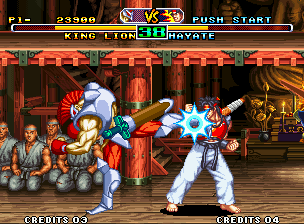
The match is a best-of-three. The first to win two rounds wins. Aim to defeat "Lion King"!!
About Game Data Load Selection
This game allows you to save up to three progress data on a memory card (sold separately). If you are using a memory card, after selecting "GAME START" on the mode select screen, the "Load Selection Screen" will be displayed.
Select the data you want to load with the lever and confirm with the A button. You can then play from the continued stage.
About Option Mode
When on the mode select screen, select "OPTION" with the lever and press the A button to confirm, and the option screen will appear. Use the lever up and down to select an item, and use the lever left and right or the A/B buttons to change the setting. Press the A button on "EXIT" to return to the mode select screen.
① Level Select (LEVEL)
You can choose from 4 levels of computer strength: EASY (weak), NORMAL (standard), HARD (strong), and MVS (very strong). Use the lever left and right or the A/B buttons to select.
② Game Speed Select (GAME SPEED)
You can choose the character's action speed. The speed increases in the order of 90%, 100%, and 120%. Use the lever left and right or the A/B buttons to select.
③ Language Select (LANGUAGE)
You can choose from 3 languages for the game screen display: Japanese, English, and Spanish. Use the lever left and right or the A/B buttons to select.
④ Button Select (BUTTON SELECT)
Press the A button here to switch to the button setting change screen. You can choose from 3 types of operation settings for each button on the controller: Type 1, Type 2, and Type 3. Use the lever to select your preferred button setting and press the A button to confirm, then return to the option screen.
•
A+B→Line Movement Attack
•
A+B→Line Movement Attack
Select "EXIT" to return to the mode select screen and start the game again!!
2P Battle & Mid-game Participation
If both 1P and 2P press the start button on their controllers, a 2P battle can be played (same character battles are also possible).
Only during 2P battles, the attack power of the character in use can be changed in 5 stages. After character selection and confirmation, select the attack power with the left and right levers and confirm with the A button.
During a computer battle, if you press the start button on the controller that is not being used, you can enjoy a 2P battle by joining mid-game. In 2P battles, prestigious titles such as "Master" or "Expert" will be given depending on the number of people you defeat.
Attack Power